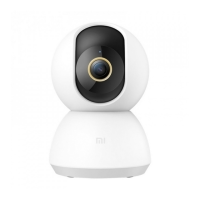
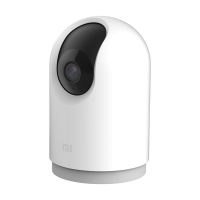
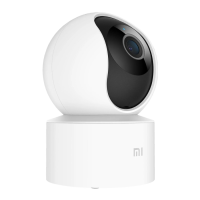
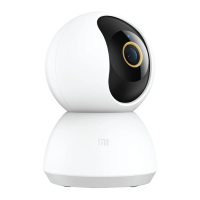
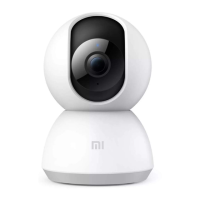
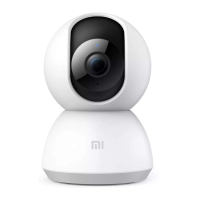
The Mi Home Security Camera 360° 1080P is a versatile home surveillance device designed for monitoring indoor environments. It offers a 360° panoramic view, allowing comprehensive coverage of a room, and records video in 1080P resolution. The camera can be placed on horizontal surfaces or mounted on a wall, providing flexibility in installation.
Function Description:
The primary function of the Mi Home Security Camera is to provide real-time video monitoring and recording for home security. It features a 360° pan and tilt capability, enabling users to adjust the viewing angle remotely through the Mi Home app. The camera is equipped with infrared illuminators for enhanced night vision, allowing it to capture clear images in low-light conditions up to a distance of 29.5 feet. It also includes automatic monitoring features, such as motion detection, which triggers video recording and sends notifications to the user's smartphone when movement is detected within its field of view. Users can configure monitoring schedules (24-hour, daytime, or nighttime) and set desired camera angles for these schedules. The device supports two-way audio communication through its built-in microphone and loudspeaker, enabling users to listen in on the environment and speak through the camera. Video footage can be stored on a MicroSD card, and a playback feature allows users to review recorded events via the app. The camera integrates with the Mi Home app, allowing for remote control, device sharing with other users, and interaction with other smart home devices.
Important Technical Specifications:
- Model: MJSXJ02CM
- Lens Angle: 110°
- Resolution: 1080P
- Focal Length: 0.11 inches
- Video Encoding: H.265
- Power Input: 5V⎓2A
- Adapter Input: 100 - 240V ~ 50/60Hz 0.35A
- Output: 5V⎓2A
- Item Dimensions: 4.64 x 3.07 x 3.07 inches
- Net Weight: 8.43 oz
- Expandable Memory: MicroSD card (up to 64 GB, U1/Class 10 or higher recommended)
- Operating Temperature: -14 °F ~ 122 °F (-25 °C ~ 50 °C)
- Wireless Connectivity: Wi-Fi IEEE 802.11 b/g/n 2.4 GHz
- Compatible With: Android 4.4, iOS 9.0 or later
- FCC ID: 2APA9-IPC009A
Usage Features:
- Easy Installation: The camera can be placed on horizontal surfaces or wall-mounted. Wall mounting involves drilling two holes (0.24 inches diameter, 0.98 inches depth), inserting plastic anchors, securing the base unit with screws (arrow pointing up), and then locking the camera unit onto the base.
- Power On: The device automatically activates when the power cable is inserted into the Micro-USB charging port. An orange flashing indicator light signifies successful activation. If not, the Reset button can be pressed and held to enter pairing mode.
- Indicator Light Status:
- Steady blue: Connected/device status is normal.
- Flashing blue: Network error.
- Flashing orange rapidly: Waiting for connection.
- Flashing orange slowly: System upgrade in progress.
- MicroSD Card Installation: Ensure the camera's power is disconnected. Adjust the lens upward to reveal the MicroSD slot. Insert the MicroSD card with contact points facing down. A genuine MicroSD card (64 GB or less, U1/Class 10 or higher) is recommended.
- Mi Home App Integration: Control the camera and interact with other smart home devices via the Mi Home app. Users can download the app by scanning a QR code or from an app store. Devices are added by tapping "+" in the app and following the prompts.
- Real-Time Monitoring: Launch the Mi Home app to view live feed, adjust image sharpness, and change vertical/horizontal viewing angles. Features like screen capture, recording, and remote communication are available.
- Shared Remote Viewing: The camera can be set as a shared device through the Mi Home app's General Settings menu. Friends can be invited to view the camera remotely by logging into the Mi Home app with their Xiaomi account.
- Automatic Monitoring: Configure 24-hour, daytime, or nighttime monitoring schedules. The camera detects movement, records video, and sends notifications.
- Playback: After installing a MicroSD card, videos are recorded automatically. The playback feature in the app allows users to select specific time periods on a timeline to review footage.
Maintenance Features:
- Restore Factory Settings: Press and hold the Reset button to restore the device to factory settings. This action does not erase data stored on the MicroSD card.
- Firmware Updates: The Mi Home app provides an option to check for firmware updates, ensuring the device operates with the latest features and security enhancements.
- Precautions for Optimal Performance:
- Operate within the specified temperature range (-14 °F to 122 °F).
- Avoid high humidity environments and prevent water from entering the product.
- Do not place the camera lens facing or next to reflective surfaces (e.g., glass windows/doors, white walls) to prevent overexposure or white images.
- Install in areas with strong Wi-Fi reception and keep away from metal structures, microwave ovens, or other sources of signal interference.
- When wall-mounting, ensure the wall can support at least triple the product's total weight.
- Do not attempt to rotate the camera head by force once it's turned on; adjustments should be made through the app.

 Need help?
 General


 To Next Page