
 Need help?
Do you have a question about the Xiaomi MJSXJ14CM and is the answer not in the manual?
Detailed steps for securely mounting the camera onto a wall using provided hardware.
Guide on inserting a microSD card into the camera for storage.
Steps to power on the camera and understand indicator light behavior.
Explanation of different indicator light colors and patterns for camera status.
Procedure to reset the camera to its original factory default settings.
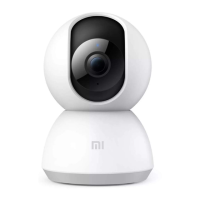
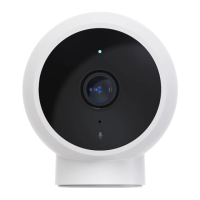
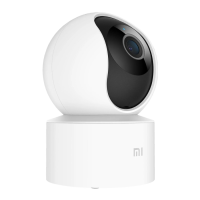
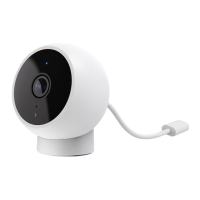
The Xiaomi Smart Camera C200 is a versatile surveillance device designed for both flat surface placement and wall mounting, offering a range of features for home security and monitoring. Its primary function is to provide real-time video surveillance, allowing users to keep an eye on their monitored areas from anywhere via a connected smartphone app.
The camera captures video in high definition, providing clear images for monitoring. It is equipped with an indicator light that communicates its status: a solid blue light signifies a successful connection and normal operation, a blinking blue light indicates a network error, a rapidly blinking orange light means it's ready for connection, and a slowly blinking orange light suggests it's undergoing an update.
A key feature of the Xiaomi Smart Camera C200 is its Infrared Night Vision. This allows the camera to automatically switch to night vision mode in low-light conditions, ensuring clear image and video capture even in complete darkness. This automatic adjustment based on ambient light ensures continuous surveillance capabilities around the clock.
The camera also supports Automatic Surveillance through a home surveillance assistant feature. When enabled, the camera can detect human movement and real-time changes within its monitored area, automatically recording videos of these events. Users receive notifications on their connected app when such events occur, allowing for immediate awareness and action. This feature can be customized to operate all day, during specific daytime or nighttime hours, or according to other user-defined schedules. Alert sensitivity and alert time intervals can also be adjusted to suit individual preferences and reduce false alarms.
For storage, the camera includes a MicroSD Card Slot, which is essential for enabling the video playback feature. Once a compatible MicroSD card is installed and the camera is powered on, it automatically begins recording video.
To begin using the camera, it must first be installed. It offers flexible installation options: it can be placed on flat surfaces like desks, dining tables, or coffee tables, or it can be mounted on a wall. Wall mounting involves marking positions, drilling holes, inserting wall plugs, securing the base with screws, and then aligning the camera's grooves with the base and turning it clockwise to lock it into place. A crucial precaution for wall mounting is to ensure the wall can support at least three times the camera's total weight to prevent injury.
After installation, the camera needs to be powered on by plugging the charging cable into its Micro-USB port. The indicator light will quickly blink orange, signaling it's turning on.
Connecting the camera to the Mi Home/Xiaomi Home App is a straightforward process. Users can scan a QR code to download and install the app, or search for "Mi Home/Xiaomi Home" in their app store. Once the app is open, users tap the "+" icon to add their device and follow the on-screen instructions. During connection, the camera's indicator light will rapidly blink orange, turning blue once successfully connected. It's important to ensure the camera is on and the network connection is stable during this process.
Within the Mi Home/Xiaomi Home app, users can access the Real-time Surveillance screen. Here, they can view live footage, adjust image sharpness, control the camera's horizontal angle, capture screenshots, record video, and make remote calls.
The Playback feature, available with an installed MicroSD card, allows users to review recorded video. In the app's plugin, tapping the playback button brings up an interface where users can drag a timeline to select specific time periods for playback. The camera supports a maximum playback speed of 16x.
Video Sharing is another convenient feature. Through the app's settings menu, users can share access to their camera with others. The recipient will need to download the Mi Home/Xiaomi Home app and sign in with a Xiaomi Account to view the shared camera feed.
Proper maintenance and care are essential for the camera's longevity and optimal performance.
When installing or removing the MicroSD card, it is crucial to unplug the camera first. This prevents potential damage to the card or the camera. Users should always use a genuine MicroSD card from a qualified supplier, with a recommended read/write speed of no less than U1/Class 10. The maximum supported capacity for the MicroSD card is 256 GB.
If the camera's lens positioning becomes inaccurate during operation, users should calibrate it in the Mi Home/Xiaomi Home app rather than manually forcing it to rotate. This ensures the camera's internal mechanisms are not damaged.
To restore factory settings, which might be necessary if the camera's network or paired Xiaomi Account needs to be changed, users can press and hold the reset button with a pin for about five seconds. After restoring, the network and app connection will need to be re-established. Importantly, restoring factory settings will not delete content on the MicroSD card.
Environmental considerations are also important for maintenance. The camera is designed to operate within a temperature range of -10°C to 40°C. Using it outside this range can affect its performance or cause damage. As a precision electronic product, it should not be installed in environments with high humidity levels or exposed to water.
To optimize image quality, the camera's lens should not face or be placed next to reflective surfaces like glass windows or white walls. Such placement can lead to overly bright images in close areas and darker images further away, or even produce entirely white images.
Finally, ensuring a strong Wi-Fi signal is vital for consistent performance. The camera should not be placed near objects that can interfere with its Wi-Fi signal, such as metal objects or microwave ovens. For user safety and optimal wireless performance, a separation distance of at least 20 cm should be maintained between the camera's antenna and the user's body during normal operation.
 General
| Model | MJSXJ14CM |
|---|---|
| Category | Security Camera |
| Two-Way Audio | Yes |
| Aperture | f/2.1 |
| Night Vision | Yes |
| Storage | MicroSD card (up to 64GB) |
| Connectivity | Wi-Fi |
| Power Supply | DC 5V |
| Weight | 200 grams |
| Field of View | 130° |


 To Next Page