EasyManua.ls Logo

Xiaomi Yi Home Camera - User Manual

Xiaomi Yi Home Camera
7 pages
Print Icon
To Next Page IconTo Next Page
Loading...
YI Home Camera
1. Camera complectation
Instruction х 1
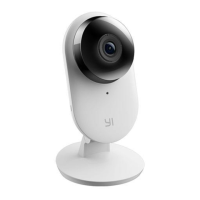
YI 1080P home camera 2 х 1
Micro USB cable х 1
Adapter х 1
2. Introduction to the camera
Camera settings: remove the back cover (see. Next section), press and hold the start
button until yellow light.
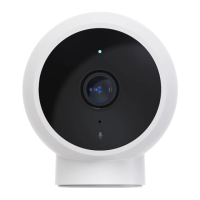
Front View
Description of the status of the indicator
lights:
Yellow light
Power On
Flashing yellow
WiFi search
Flashing blue
WiFi connection
Blue light
Connection succeed
Slow flashing yellow
firmware updating
1. Light indicator 2. Microphone
Question and Answer IconNeed help?

Do you have a question about the Xiaomi Yi Home Camera and is the answer not in the manual?

Summary

Camera Complectation

Introduction to the Camera

Indicator Light Status

Explains the meaning of different indicator light colors and patterns.

Removing the Back Cover

Installing MicroSD Card

Micro-SD Card Slot Functionality

Details on inserting Micro-SD card for local recording and supported formats.

Reset Button and Audio Functionality

Instructions for reset button and use of dynamic speaker for two-way audio.

Installing the App

Registration and Login

App Registration and Login Process

Steps for downloading the app, registering, and logging in with credentials or Facebook.

Turning On the Cameras Power

Connecting the Camera to a Phone

Connecting Camera to Phone App

Instructions on adding the camera to the app and configuring it.

Preview, Live Shooting

Live Preview and Recording Features

Overview of live viewing, recording, playback, and camera controls in the app.

Switching WiFi Network

Recommendations

Placement Recommendations

Advice on optimal placement for WiFi signal and avoiding interference.

Important Safety Instructions

Safety Guidelines

Essential safety guidelines for using the camera, including power and environment.

FCC Compliance Information

Details on FCC compliance, interference, and necessary measures for proper operation.

Summary

Camera Complectation

Introduction to the Camera

Indicator Light Status

Explains the meaning of different indicator light colors and patterns.

Removing the Back Cover

Installing MicroSD Card

Micro-SD Card Slot Functionality

Details on inserting Micro-SD card for local recording and supported formats.

Reset Button and Audio Functionality

Instructions for reset button and use of dynamic speaker for two-way audio.

Installing the App

Registration and Login

App Registration and Login Process

Steps for downloading the app, registering, and logging in with credentials or Facebook.

Turning On the Cameras Power

Connecting the Camera to a Phone

Connecting Camera to Phone App

Instructions on adding the camera to the app and configuring it.

Preview, Live Shooting

Live Preview and Recording Features

Overview of live viewing, recording, playback, and camera controls in the app.

Switching WiFi Network

Recommendations

Placement Recommendations

Advice on optimal placement for WiFi signal and avoiding interference.

Important Safety Instructions

Safety Guidelines

Essential safety guidelines for using the camera, including power and environment.

FCC Compliance Information

Details on FCC compliance, interference, and necessary measures for proper operation.

Xiaomi Yi Home Camera Specifications

General IconGeneral
BrandXiaomi
ModelYi Home Camera
CategorySecurity Camera
LanguageEnglish

Related product manuals