This version is for private use only and should not be distributed.
1. Before you start
Put smaller blocks in the storage box, and large blocks in the block bags.
2. Assembling blocks
Follow the building instruction. You can also find its electronic version in the Mi Robot
Builder app.
3. Inspecting your robot
Fully charge the controller when you use the robot for the first time.
Make sure that the motor is connected tightly.
Mi Bunnies on the motor and the controller should be facing the same direction.
Double check if you followed the building instruction properly and didn't miss any
steps.
03
Assembling Mi Robot Builder
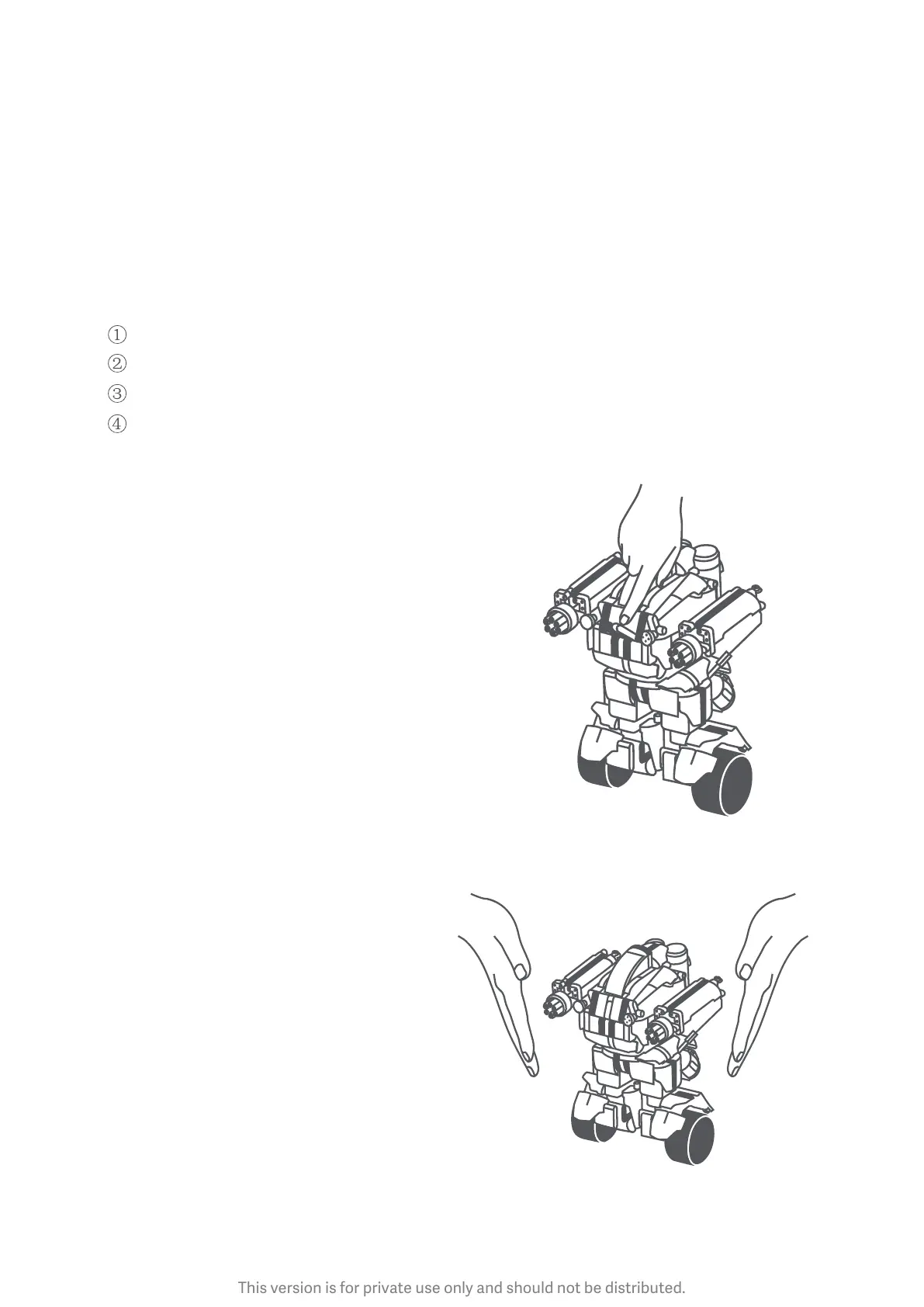
How to turn Mi Robot Builder on
1. Choose an open level floor with enough
room for your robot.
2. Place your robot on the floor vertically.
3. Press the power buon. Your robot will
turn on, adjust its gravity center, and
balance itself.
Turning on: Press the power buon.
Turning off: Press and hold the power buon
for 3 seconds until you hear a
sound prompt.
Note: Make sure your robot stands
vertically. It may fall on its side
while adjusting its gravity center.
Users can lightly hold the robot
to avoid falling down.



 To Next Page