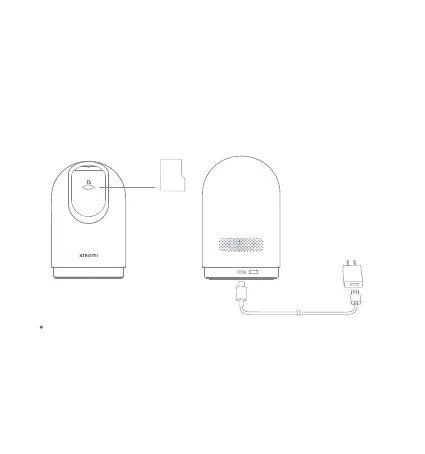
microSD
Turning On
Indicator
Keeping blue: Connected successfully/Working normally
Blinking blue: Network error
Blinking orange quickly: To be connected
Blinking orange slowly: Updating
Plug the charging cable into the Type-C power port on the back of
the camera, the camera automatically turns on, and the indicator
quickly blinks orange.
Note: When the camera is working, do not turn the camera nor
force it to rotate. If the positioning of the lens is inaccurate, please
calibrate it in the Mi Home/Xiaomi Home app.
Note: Please make sure to use the LPS adapter cable for connection
to avoid abnormal operations.
4






 To Next Page