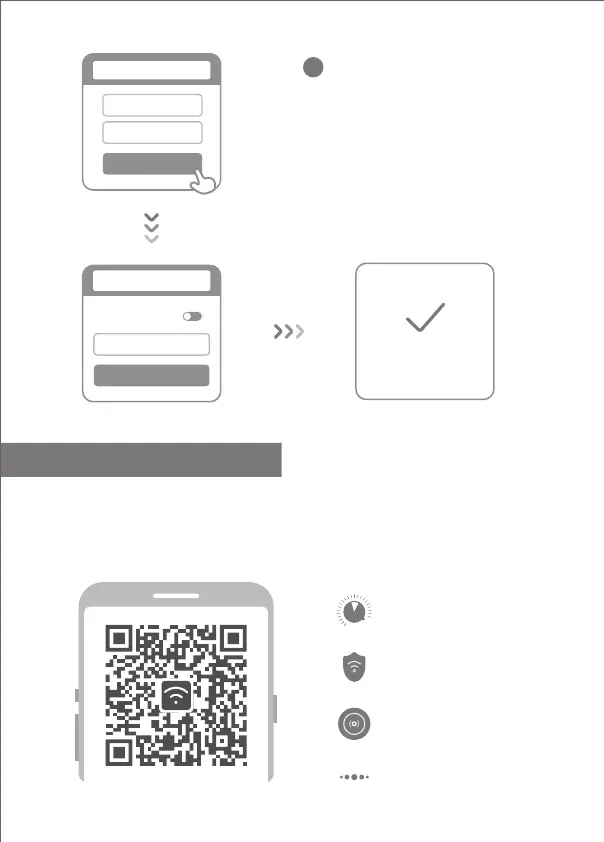
Set a new Wi-Fi and administrator password.
You can choose to use your Wi-Fi password
as your administrator password as well
4
Network established
successfully
Same as Wi-Fi
password
Admin password
Done
Set admin password
Wi-Fi name
Wi-Fi password
Next
Seing Wi-Fi
* Please wait until the indicator light turns blue
and stops flashing, then reconnect to the Wi-Fi
5
English
Scan the QR code, download the Mi WiFi app, and manage your router anytime, anywhere
Manage Mi WiFi
The web management website is router.miwifi.com and supports basic Internet functions
QoS
Wi-Fi optimization
Unauthorized access prevention
More features



 To Next Page