EasyManua.ls Logo

Xiaomi S101 - Troubleshooting

Xiaomi S101
121 pages
Print Icon
To Next Page IconTo Next Page
To Previous Page IconTo Previous Page
Loading...
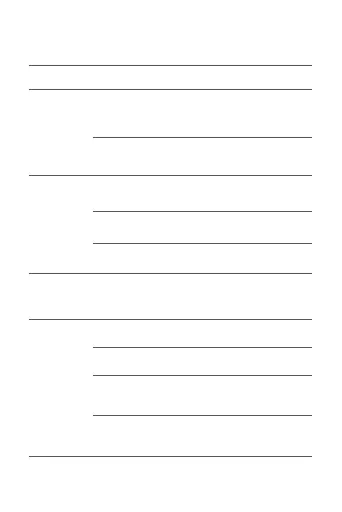
09
Shaver not
working aer
pressing the
on/off buon
The shaving head
(including blade
mesh) is damaged
or worn out.
The shaving head
is clogged up with
stubbles.
The travel lock is
enabled.
Press and hold the
on/off buon for 2.5
seconds to unlock.
Connect the charging
cable to charge.
Contact the aer-sales
service team.
The baery is
depleted.
The on/off buon
does not function.
It takes a certain
period of time for
your skin to adapt
to the shaver.
Skin irritation will
fade aer 2–3
weeks of use.
Charge in an ambient
temperature between
5°C and 35°C.
Contact the aer-sales
service team.
Reconnect the
charging cable.
The charging port
contact is poor.
The charger may be
damaged.
The charging
ambient temperature
is too low or too high.
Irritated skin
aer shaving
Troubleshooting
Issues
Possible Causes Solutions
Poor-quality
shaving
Charging
error
Replace with a
genuine shaving head.
Thoroughly clean
the shaving head.
Replace the charger.
The shaver is
damaged.

Related product manuals