Connecting with the Xiaomi Home App
Restoring Factory Settings
This product works with the Xiaomi Home app. Control your device
with Xiaomi Home app.
To connect the camera to another network or bind it to another
Xiaomi Account in the Xiaomi Home app, press and hold the reset
button for about 7 seconds until the indicator blinks orange quickly,
indicating the camera is restored to factory settings. Then
reconnect the camera to the Xiaomi Home app.
Note: The content on the microSD card will not be deleted after the
camera is restored to factory settings.
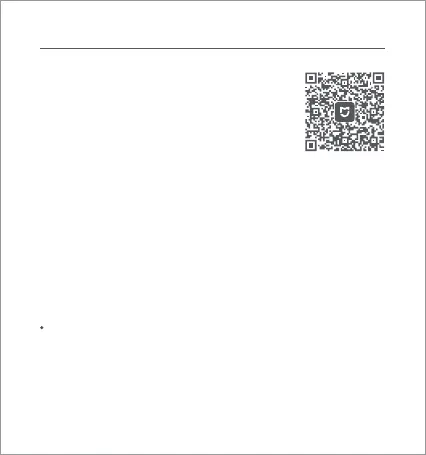
Scan the QR code to download and install the app.
You will be directed to the connection setup page
if the app is installed already. Or search for
"Xiaomi Home" in the app store to download and
install it.
Open the Xiaomi Home app, tap "+" on the upper
right, and then follow the instructions to add your
device.
73193C80
* Please download and use Xiaomi Home app version 9.4 and
above.
Note: The version of the app might have been updated, please
follow the instructions based on the current app version. Make sure
the camera is on and the network connection is stable during the
connection. The indicator is blinking orange quickly when waiting
for a connection, and stays blue once the camera is successfully
connected.
03






 To Next Page