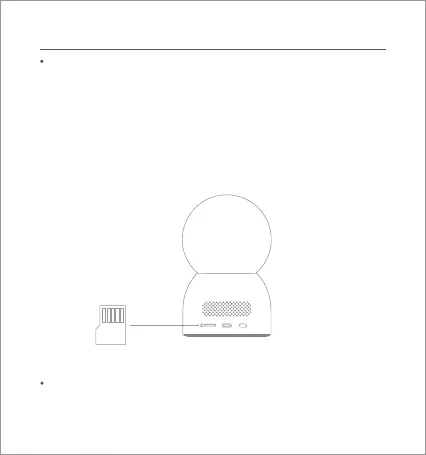
microSD
Installation
Installing a MicroSD Card
Disconnect the camera from power, and insert a microSD card
with its contact side facing up.
Note: Disconnect the camera from power before installing or
removing the microSD card. Please use a genuine microSD card
manufactured by a qualified supplier (with a capacity of 8–256
GB). It is recommended that the microSD card has a read/write
speed of no less than U1/Class 10.
Installing the Camera
Place the camera on a flat surface, such as a desk, dining table,
or coffee table, or mount it on a wall.
04












 To Next Page