EasyManua.ls Logo

Xiaomi Truclean W10 Pro B302GL - User Manual

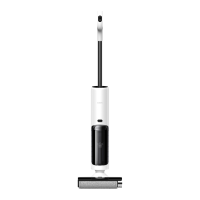
Xiaomi Truclean W10 Pro B302GL
21 pages
Print Icon
To Next Page IconTo Next Page
Loading...
Truclean W10 Pro Wet Dry Vacuum User Manual

Questions and Answers

  • D
    Dustin DawsonAug 5, 2025
    What to do if my Xiaomi Truclean W10 Pro B302GL does not work?
    • K
      Karen KentAug 5, 2025
      If your Xiaomi Vacuum Cleaner isn't working, several factors could be the cause. First, ensure the battery is fully charged. If that's not the issue, the battery might have overheating protection activated; allow it to cool down. Also, check that the clean water tank, dirty water tank, and roller brushbar are correctly installed. Make sure the dirty water tank isn't full and the clean water tank has enough water. Clear any blockages from the floor brush suction port or the dirty water outlet pipeline. Lastly, clean the roller brushbar if it's tangled.
  • M
    Melissa VelasquezAug 10, 2025
    Why Xiaomi Truclean W10 Pro B302GL cannot be charged?
    • W
      wilsonjacobAug 10, 2025
      If your Xiaomi Vacuum Cleaner isn't charging, ensure the self-cleaning charging dock is properly connected to a power source using the original power supply. If you're using a different power supply, switch to the original one, as this could be the reason it's not charging.
  • R
    robertsonjasonAug 14, 2025
    What to do if Xiaomi Truclean W10 Pro B302GL has no voice notification?
    • A
      Ana HayesAug 15, 2025
      If your Xiaomi Vacuum Cleaner has no voice notification, the feature might be disabled. To enable it, press and hold the voice button for three seconds.
  • R
    Raymond McneilAug 19, 2025
    What to do if Xiaomi Truclean W10 Pro B302GL Vacuum Cleaner gives a false alert for a full dirty water tank?
    • M
      Megan JonesAug 19, 2025
      If your Xiaomi Vacuum Cleaner falsely alerts that the dirty water tank is full, the water level sensor might be dirty. Clean the water level sensor to resolve this issue.
  • J
    Jacob KellyAug 25, 2025
    Why Xiaomi Truclean W10 Pro B302GL cannot carry out self-cleaning?
    • W
      William ThompsonAug 25, 2025
      If your Xiaomi Vacuum Cleaner isn't self-cleaning, check these potential issues: ensure the clean water tank has enough water and is correctly installed. Also, verify that the dirty water tank isn't full and is properly installed. Self-cleaning requires sufficient battery level, so charge the vacuum if the battery is low. Finally, make sure the self-cleaning charging dock is connected to a power source using the original power supply.
  • R
    Rebecca WellsAug 30, 2025
    Why Xiaomi Truclean W10 Pro B302GL cannot recycle dirty water properly?
    • D
      Destiny HarrisAug 30, 2025
      If your Xiaomi Vacuum Cleaner isn't recycling dirty water correctly, the filter might be missing. Ensure the filter is installed before using the vacuum.

Summary

Safety Instructions

General Usage and Electrical Safety

Guidelines for safe operation, handling electrical components, and avoiding hazards.

Operational and Maintenance Safety

Precautions during cleaning, maintenance, and handling of specific parts.

Specific Warnings and Cautions

Important warnings regarding battery use, fragrances, and accessory compatibility.

Regulatory Compliance Information

EU Declaration of Conformity

Official statement of compliance with European Union directives and norms.

WEEE Disposal and Recycling Information

Guidelines for responsible disposal of electronic waste according to WEEE directive.

Accessory List

Accessories for Vacuum Installation

List of accessories that attach directly to the vacuum unit.

Accessories for Charging Dock Installation

List of accessories designed for the self-cleaning charging dock.

Other Included Accessories

Miscellaneous accessories provided with the product.

Product Overview

Vacuum Components and Controls

Identification and function of the vacuum cleaner's main parts and buttons.

Display Screen Indicators

Explanation of the information shown on the vacuum's digital display.

Charging Dock and Tank Components

Self-cleaning Charging Dock Layout

Diagram showing the parts and connection points of the charging dock.

Water Tank Components Identification

Identification of the clean and dirty water tanks and their features.

Installation Guide

Installing the Roller Brushbar

Step-by-step instructions for fitting the roller brushbar onto the vacuum.

Installing the Handle and Accessories

Procedure for attaching the vacuum's handle and mounting the accessory container.

Setting Up the Self-cleaning Charging Dock

Steps for setting up the charging dock, including power cord and mounting clip.

Charging the Vacuum Cleaner

Instructions for connecting the charging dock to power and initiating vacuum charging.

How to Use the Vacuum

Adding Water to the Clean Tank

Guidance on filling the clean water tank before operation.

Turning On, Off, and Pausing

Steps for powering the vacuum on, off, and pausing its operation.

Switching Cleaning Modes

Explanation of how to select different cleaning modes (Auto, Water Absorbing, Turbo).

Using Scenarios and Cautions

Suitable Flooring and Under-Furniture Cleaning

Information on floor types and using the vacuum for hard-to-reach areas.

Important Usage Cautions

Warnings regarding vacuum use on carpets and avoiding tilting during operation.

Care and Maintenance Schedule

Operating the Self-cleaning Function

How to activate and manage the automatic self-cleaning cycle for the vacuum.

Maintenance and Replacement Frequencies

Recommended intervals for cleaning components and replacing worn parts.

Component Cleaning Procedures

Cleaning the Dirty Water Tank

Detailed steps for emptying and cleaning the dirty water tank and its components.

Cleaning the Floor Brush Assembly

Instructions for removing, cleaning, and reassembling the roller brushbar.

Cleaning Separators and Sensors

Procedures for cleaning the water & air separator and the dirt detection sensor.

Cleaning the Filter and Dock

Steps for cleaning the filter and the self-cleaning charging dock.

Cleaning the Vacuum Body

Method for cleaning dust and debris from the vacuum cleaner's exterior.

Troubleshooting Common Issues

Error Icons and Voice Notification Solutions

Troubleshooting common errors indicated by icons or voice alerts on the vacuum.

Common Operational Problem Resolution

A guide to resolving frequent operational problems and their possible causes.

Product Specifications

Vacuum Cleaner Specifications

Technical details and ratings for the vacuum cleaner unit.

Charging Dock and Power Supply Specs

Technical details for the charging dock and its power supply.

Warranty Information

Limited Product Warranty Terms

Details on the warranty coverage, duration, and terms for the product.

Warranty Exclusions and Limitations

Conditions and circumstances under which the warranty may not apply.

Xiaomi Truclean W10 Pro B302GL Specifications

General IconGeneral
CategoryVacuum Cleaner
Dust Collection TypeBagless
Cord TypeCordless
Filter TypeHEPA
ModelB302GL

Related product manuals