EasyManua.ls Logo

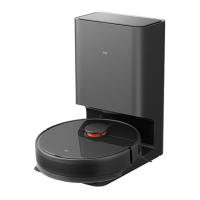
Xiaomi Mi Robot Vacuum-Mop 2 Pro+ - User Manual

Xiaomi Mi Robot Vacuum-Mop 2 Pro+
219 pages
Print Icon
To Next Page IconTo Next Page
Loading...
Mi Robot Vacuum-Mop 2 Pro+ User Manual · 01
Робот-пылесос с функцией влажной уборки Mi 2 Pro+ Руководство пользователя · 97
Manuel d’utilisation duMi Robot Vacuum-Mop 2 Pro+ · 49
Mi Staubsauger-Wischer-Roboter 2 Pro+ Benutzerhandbuch · 146
Manual de usuario de Mi Robot Vacuum-Mop 2 Pro+ · 25
Odkurzacz z mopem Mi Robot 2 Pro+ — instrukcja obsługi · 122
Manuale utente Mi Robot Vacuum-Mop 2 Pro+ · 73
Mi Temizlik Robotu 2 Pro+ Kullanım Kılavuzu · 170
Mi  +Pro 2       · 194

Table of Contents

Questions and Answers

  • E
    edwardsbrianAug 23, 2025
    What to do if my Xiaomi Vacuum Cleaner does not charge?
    • P
      Pedro HarrisAug 23, 2025
      If your Xiaomi Vacuum Cleaner isn't charging, verify that the power cord is securely plugged into both the charging dock and the power outlet. Also, ensure the charging contacts are clean. If they aren't, wipe the charging contacts on both the dock and the vacuum-mop with a dry cloth.
  • D
    David SloanAug 25, 2025
    Why Xiaomi Vacuum Cleaner doesn't clean efficiently or leaves dust behind?
    • T
      tsmithAug 26, 2025
      If your Xiaomi Vacuum Cleaner isn't cleaning as efficiently as before or is leaving dust behind, check if the dust compartment is full and empty it if necessary. Additionally, inspect the filter, clean it if needed, and check the brushes for any wrapped debris.
  • J
    Jennifer RomeroAug 26, 2025
    What to do if Xiaomi Mi Robot Vacuum-Mop 2 Pro+ Vacuum Cleaner releases no water when mopping?
    • C
      cruzryanAug 27, 2025
      If no water or very little water comes out of your Xiaomi Vacuum Cleaner when mopping, check if the water tank is filled and the mop is properly installed. Clean the mop regularly.
  • J
    Jerome BakerAug 27, 2025
    What to do if my Xiaomi Mi Robot Vacuum-Mop 2 Pro+ Vacuum Cleaner does not turn on?
    • L
      Louis RichardsonAug 27, 2025
      If your Xiaomi Vacuum Cleaner isn't turning on, it might be due to a low battery, especially if the ambient temperature is below 0°C or above 40°C. Only use the vacuum-mop in environments with a temperature between 0–40°C and charge it before use.
  • T
    Teresa MaddoxSep 16, 2025
    What to do if Xiaomi Vacuum Cleaner asks to clean cliff sensor?
    • H
      Heather Cordova MDSep 16, 2025
      If your Xiaomi Vacuum Cleaner is displaying this message, place it on level ground and reactivate it. This issue occurs when part of the vacuum-mop is off the ground. Clean the cliff sensor to ensure it is not dirty.
  • D
    dianasmithSep 13, 2025
    What to do if Xiaomi Vacuum Cleaner has incorrect Wi-Fi password?
    • G
      garnergregorySep 13, 2025
      If the Wi-Fi network user name or password is incorrect, make sure the user name and password used to connect your Xiaomi Vacuum Cleaner to your Wi-Fi network are correct.
  • J
    Janet MooreSep 14, 2025
    What to do if Xiaomi Mi Robot Vacuum-Mop 2 Pro+ bumper is stuck?
    • D
      Deborah GonzalezSep 14, 2025
      If your Xiaomi Vacuum Cleaner isn't working because the collision buffer is stuck, gently tap it to remove any foreign objects. If that doesn't work, move the vacuum-mop to a new area and reactivate it.
  • T
    timothy12Sep 5, 2025
    How to clean visual navigation sensor on Xiaomi Vacuum Cleaner?
    • M
      Martin SolomonSep 5, 2025
      Wipe the visual navigation sensor of your Xiaomi Vacuum Cleaner, then reactivate the vacuum-mop.
  • A
    Ashley SpencerSep 3, 2025
    How to clean Xiaomi Vacuum Cleaner side brush?
    • W
      walkerkirkSep 3, 2025
      If your Xiaomi Vacuum Cleaner is prompting this, remove the side brush and clean it to remove any foreign objects.
  • J
    Jennifer WeeksSep 4, 2025
    How to clean Xiaomi Mi Robot Vacuum-Mop 2 Pro+ Vacuum Cleaner wheels?
    • M
      Michael WilliamsSep 4, 2025
      If your Xiaomi Vacuum Cleaner is prompting this, check whether any objects are wrapped around the main wheels. Clean the wheels, then reactivate the vacuum-mop.

Summary

Welcome

Safety Information

Usage Restrictions

Guidelines for safe use of the appliance by children and individuals with reduced capabilities.

Product Overview

Accessories

Illustrations and names of included accessories for the vacuum-mop.

Vacuum-Mop Components

Identification of buttons, indicators, and their functions on the vacuum-mop.

Dust Compartment and Mopping Assembly

Details of the dust compartment, filter, water tank, and mop pad attachment.

Vacuum-mop and Sensors

Identification of various sensors and contact points on the vacuum-mop.

Charging Dock Components

Identification of signaling area, charging contacts, and power port on the charging dock.

Before Use

Remove Protective Coverings

Instructions for removing protective strips and films before initial operation.

Charge the Vacuum-mop

Steps to place the vacuum-mop on the charging dock and indicators for charging status.

Connect with Mi Home;Xiaomi Home App

Guide to downloading, installing, and connecting the vacuum-mop to the Mi Home app.

How to Use

Start Cleaning

Instructions on how to turn on and start the automatic cleaning cycle.

Spot Clean Mode

How to activate and use the spot cleaning mode for concentrated area cleaning.

Do Not Disturb Mode

Explanation of the DND mode and how it affects scheduled cleaning tasks.

More App Features

Overview of advanced cleaning modes and features available in the Mi Home app.

Using the Mopping Function

Step-by-step guide to installing the mop pad, filling the water tank, and starting mopping.

Adding Water and Adjusting Flow Rate

How to add water during cleaning and adjust water flow rate via the app.

Remove the Mopping Assembly

Instructions for detaching the mopping assembly after cleaning is completed.

Care & Maintenance

Brush Maintenance

Weekly cleaning and replacement recommendations for the main brush.

Side Brush Maintenance

Monthly cleaning and replacement guidelines for the side brush.

Vacuum-Mop Sensors Cleaning

How to clean cliff sensors, charging contacts, optical, and infrared sensors.

Dust Compartment and Filter Maintenance

Procedures for removing, cleaning, and drying the dust compartment and filter.

Cleaning the Washable Filter

Detailed steps for rinsing and drying the washable filter with clean water.

Mop Pad Cleaning and Replacement

Instructions for cleaning and drying the mop pad after each use and replacement frequency.

Battery Care

Information on battery performance and charging recommendations for extended periods.

Charging Dock Maintenance

Guidance on cleaning the charging contacts of the charging dock.

Firmware Update

Procedure for updating the vacuum-mop's firmware via the mobile application.

Restarting and Factory Reset

How to restart the vacuum-mop or restore it to factory default settings.

Troubleshooting

Error Solutions

Table of common faults, their causes, and step-by-step solutions.

More Troubleshooting Tips

Additional solutions for charging errors, filter issues, and sensor problems.

FAQ

Common Questions and Answers

Answers to frequent user queries regarding operation, charging, and Wi-Fi connectivity.

Additional FAQ

Further answers to questions about scheduled cleanup, battery consumption, and mopping issues.

Specifications

Vacuum-Mop and Charging Dock Specs

Technical details including model, dimensions, battery, connectivity, and power ratings.

Xiaomi Mi Robot Vacuum-Mop 2 Pro+ Specifications

General IconGeneral
Suction Power3000 Pa
Battery Capacity5200 mAh
Water Tank Capacity300 ml
Navigation SystemLDS Laser Navigation
ControlApp, Voice Control
Weight3.7 kg
RuntimeUp to 180 minutes
ConnectivityWi-Fi
Noise Level65 dB
Mopping FunctionYes
Auto Carpet DetectionYes
Virtual No-go ZonesYes
FeaturesAuto-recharge
Compatible AppMi Home
Voice ControlGoogle Assistant, Amazon Alexa
Charging Time4 hours

Related product manuals