EasyManua.ls Logo

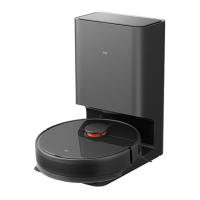
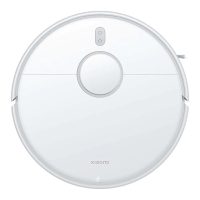
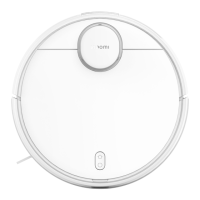
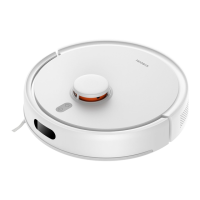
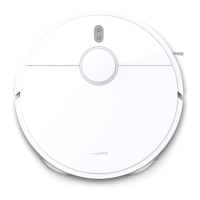
Xiaomi Mi Robot Vacuum-Mop 2 Pro+ - User Manual

Xiaomi Mi Robot Vacuum-Mop 2 Pro+
219 pages
Print Icon
To Next Page IconTo Next Page
Loading...
Mi Robot Vacuum-Mop 2 Pro+ User Manual · 01
Робот-пылесос с функцией влажной уборки Mi 2 Pro+ Руководство пользователя · 97
Manuel d’utilisation duMi Robot Vacuum-Mop 2 Pro+ · 49
Mi Staubsauger-Wischer-Roboter 2 Pro+ Benutzerhandbuch · 146
Manual de usuario de Mi Robot Vacuum-Mop 2 Pro+ · 25
Odkurzacz z mopem Mi Robot 2 Pro+ — instrukcja obsługi · 122
Manuale utente Mi Robot Vacuum-Mop 2 Pro+ · 73
Mi Temizlik Robotu 2 Pro+ Kullanım Kılavuzu · 170
Mi  +Pro 2       · 194

Table of Contents

Questions and Answers

  • J
    Jennifer RomeroAug 26, 2025
    What to do if Xiaomi Mi Robot Vacuum-Mop 2 Pro+ Vacuum Cleaner releases no water when mopping?
    • C
      cruzryanAug 27, 2025
      If no water or very little water comes out of your Xiaomi Vacuum Cleaner when mopping, check if the water tank is filled and the mop is properly installed. Clean the mop regularly.
  • D
    David SloanAug 25, 2025
    Why Xiaomi Vacuum Cleaner doesn't clean efficiently or leaves dust behind?
    • T
      tsmithAug 26, 2025
      If your Xiaomi Vacuum Cleaner isn't cleaning as efficiently as before or is leaving dust behind, check if the dust compartment is full and empty it if necessary. Additionally, inspect the filter, clean it if needed, and check the brushes for any wrapped debris.
  • T
    Tabitha NealAug 22, 2025
    Why Xiaomi Mi Robot Vacuum-Mop 2 Pro+ Vacuum Cleaner doesn't return to the dock to charge?
    • D
      douglasdonnaAug 22, 2025
      If your Xiaomi Vacuum Cleaner isn't returning to its dock to charge, ensure there aren't too many obstacles around the charging dock. Place the dock in an open location, ensuring there are no obstacles within 0.5 meters on both sides and 1.5 meters in front of it. Also, clean the dock's signaling area.
  • A
    AbdulAug 25, 2025
    My vacuum no longer works as expected, the one wheel doesn't turn. When controlling it using the remote option, any instruction makes the one wheel turn and it does not stop turning, ultimately in circles.

    Summary

    Welcome

    Safety Information

    Usage Restrictions

    Guidelines for safe use of the appliance by children and individuals with reduced capabilities.

    Product Overview

    Accessories

    Illustrations and names of included accessories for the vacuum-mop.

    Vacuum-Mop Components

    Identification of buttons, indicators, and their functions on the vacuum-mop.

    Dust Compartment and Mopping Assembly

    Details of the dust compartment, filter, water tank, and mop pad attachment.

    Vacuum-mop and Sensors

    Identification of various sensors and contact points on the vacuum-mop.

    Charging Dock Components

    Identification of signaling area, charging contacts, and power port on the charging dock.

    Before Use

    Remove Protective Coverings

    Instructions for removing protective strips and films before initial operation.

    Charge the Vacuum-mop

    Steps to place the vacuum-mop on the charging dock and indicators for charging status.

    Connect with Mi Home;Xiaomi Home App

    Guide to downloading, installing, and connecting the vacuum-mop to the Mi Home app.

    How to Use

    Start Cleaning

    Instructions on how to turn on and start the automatic cleaning cycle.

    Spot Clean Mode

    How to activate and use the spot cleaning mode for concentrated area cleaning.

    Do Not Disturb Mode

    Explanation of the DND mode and how it affects scheduled cleaning tasks.

    More App Features

    Overview of advanced cleaning modes and features available in the Mi Home app.

    Using the Mopping Function

    Step-by-step guide to installing the mop pad, filling the water tank, and starting mopping.

    Adding Water and Adjusting Flow Rate

    How to add water during cleaning and adjust water flow rate via the app.

    Remove the Mopping Assembly

    Instructions for detaching the mopping assembly after cleaning is completed.

    Care & Maintenance

    Brush Maintenance

    Weekly cleaning and replacement recommendations for the main brush.

    Side Brush Maintenance

    Monthly cleaning and replacement guidelines for the side brush.

    Vacuum-Mop Sensors Cleaning

    How to clean cliff sensors, charging contacts, optical, and infrared sensors.

    Dust Compartment and Filter Maintenance

    Procedures for removing, cleaning, and drying the dust compartment and filter.

    Cleaning the Washable Filter

    Detailed steps for rinsing and drying the washable filter with clean water.

    Mop Pad Cleaning and Replacement

    Instructions for cleaning and drying the mop pad after each use and replacement frequency.

    Battery Care

    Information on battery performance and charging recommendations for extended periods.

    Charging Dock Maintenance

    Guidance on cleaning the charging contacts of the charging dock.

    Firmware Update

    Procedure for updating the vacuum-mop's firmware via the mobile application.

    Restarting and Factory Reset

    How to restart the vacuum-mop or restore it to factory default settings.

    Troubleshooting

    Error Solutions

    Table of common faults, their causes, and step-by-step solutions.

    More Troubleshooting Tips

    Additional solutions for charging errors, filter issues, and sensor problems.

    FAQ

    Common Questions and Answers

    Answers to frequent user queries regarding operation, charging, and Wi-Fi connectivity.

    Additional FAQ

    Further answers to questions about scheduled cleanup, battery consumption, and mopping issues.

    Specifications

    Vacuum-Mop and Charging Dock Specs

    Technical details including model, dimensions, battery, connectivity, and power ratings.

    Xiaomi Mi Robot Vacuum-Mop 2 Pro+ Specifications

    General IconGeneral
    Suction Power3000 Pa
    Battery Capacity5200 mAh
    Water Tank Capacity300 ml
    Navigation SystemLDS Laser Navigation
    ControlApp, Voice Control
    Weight3.7 kg
    RuntimeUp to 180 minutes
    ConnectivityWi-Fi
    Noise Level65 dB
    Mopping FunctionYes
    Auto Carpet DetectionYes
    Virtual No-go ZonesYes
    FeaturesAuto-recharge
    Compatible AppMi Home
    Voice ControlGoogle Assistant, Amazon Alexa
    Charging Time4 hours

    Related product manuals