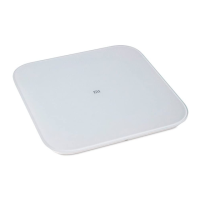
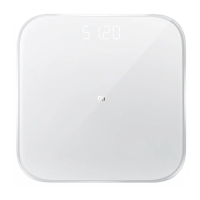
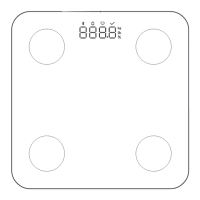
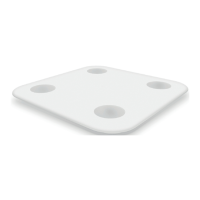
Xiaomi scales with the function of measuring
body fat
Installing of battery
Open a battery compartment cover, under direction
from the picture, insert four batteries are included.
Installing the App
Enter a search «Mi Fit» at Xiaomi app store or App
Store, or scan the QR-code below to download and
install the latest version.
Adding the scales
Open MiFit Xiaomi app and add scales, follow the
prompts to enter personal data.
After adding scales view a history of weighing and
information on the state of the body in a mobile
application.
Usage
Place the scales on a hard, at surface. Barefoot
stand on the surface of the scales as indicated in the
picture, provide good contact of skin with two metal
electrodes.
Once weight indicator stabilized, starts measuring
a composition of body. When a progress indicator
below the display weight ashes, which means that
a measurement is completed, then you can enter
at MiFit application to view the information of body
composition.
Precautions
1. Do not place weight on wet and slippery surfaces,
and should not stand on the scale with wet feet or
stand on a wet surface weights to avoid slipping.
2. When weighing both feet must be located in the
center of scale to avoid tipping of device.
3. Operational environment must be dry, it is forbidden
to put weight in water.
4. Use a damp cloth and neutral detergent to clean the
surface of the weights, contact with organic solvents
and other chemicals is forbidden.
5. When battery charge is over, immediately remove a
battery to avoid leakage of electrolyte and damage of
scales.
6. Persons with pacemakers and other medical
equipment is not recommended to use this device. In
body composition analysis of professional athletes,
pregnant women or others, who are a few special
provisions, result can be error.
Dimensions: 300mm x 300mm x 20 mm;
Net Weight: 1.6 kg;
Limit of measurement: 5 kg - 150 kg;
Units of measurement: Jin / kg / pound;
Step of measurement: 50 g;
Case Material: ABS plastic;
Wireless: Bluetooth 4.0;
Operating temperature 0 ° C ~ 40 ° C;
Battery: 4 AAA batteries;
Hardware Requirements: OS Android 4.4 / iOS 8.0;
and above, supports Bluetooth 4.0.
Main specications

 Need help?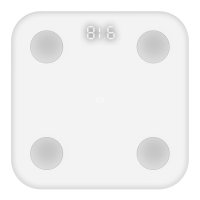

 To Next Page
 General