XIAOMI-MI.COM
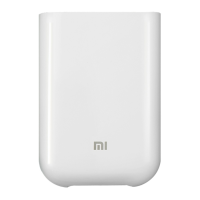
Portable printer XPrint™
User`s manual
Settings
01. Install the APP
Scan the QR code, or download from the App store and
download the mobile app XPrint ™.
02. Turn on printer
Press and hold the power button to turn on the printer..
For transportation safety, the battery is not fully
charged. After turning on, you need to charge the
device, according to prompts in the mobile application.
To charge,
connect the Micro USB
cable to the power source, and plug it into
recharging slot on the back of the printer.
When fully charged, the charging
indicator will glow green.
Charge approximately 1 hour *, using the
charger 5В⎓2А 10W.
* Data obtained under laboratory
conditions, depending on your
conditions, the charging time may be
different.

 Need help?

 To Next Page
 General