XIAOMI-MI.COM
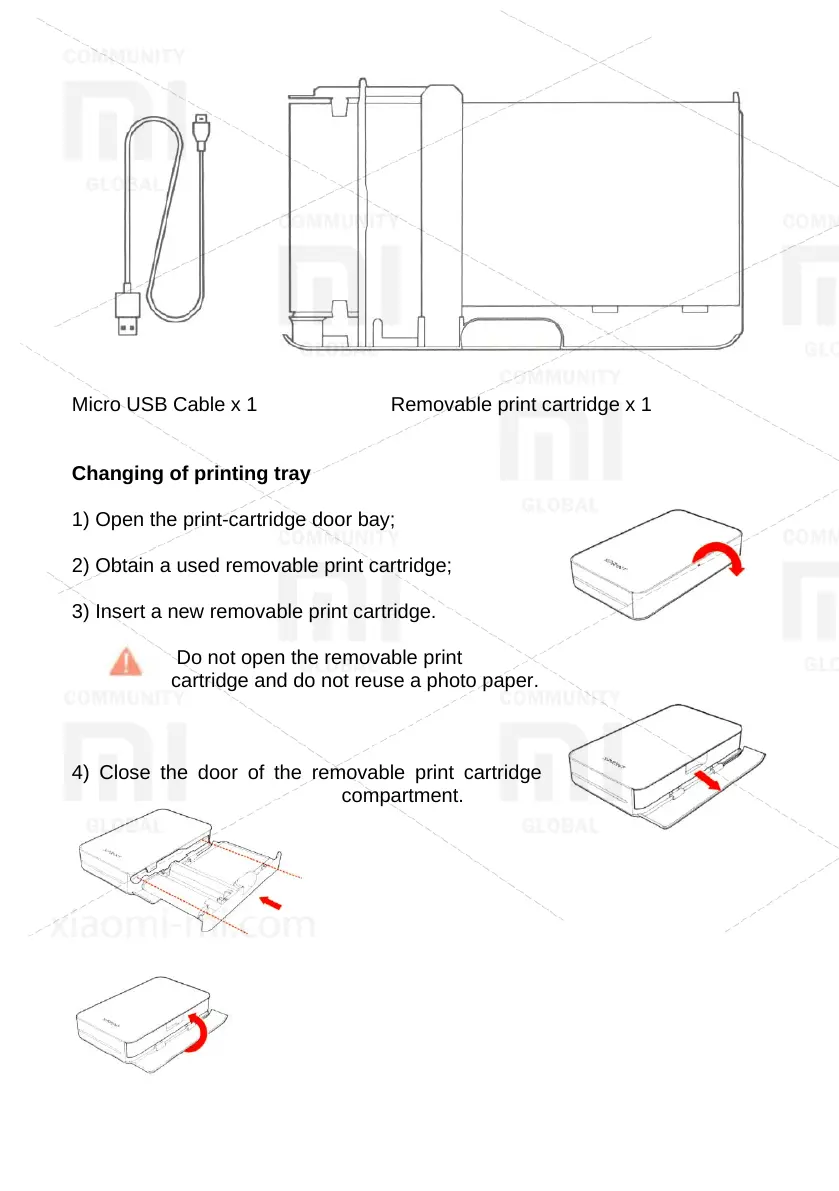
Micro USB Cable x 1 Removable print cartridge x 1
Changing of printing tray
1) Open the print-cartridge door bay;
2) Obtain a used removable print cartridge;
3) Insert a new removable print cartridge.
Do not open the removable print
cartridge and do not reuse a photo paper.
4) Close the door of the removable print cartridge
compartment.



 To Next Page