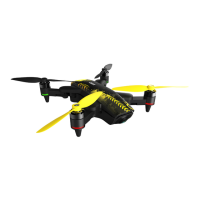
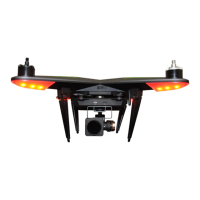
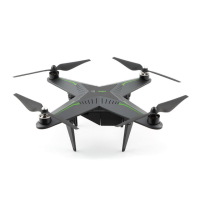
Maintenance tips
Hints and Tips
1. Store the Xplorer and all parts at normal room temperature and in a dry environment.
2. Do not put heavy stuff on your Xplorer Mini.
3. Do not insert anything into the ventilator opening in case of damaging the ventilator.
4. Remove the smart flight battery from the Xplorer when not using the Xplorer.
1. Only use the XIRO smart flight battery and the XIRO charger with the Xplorer. XIRO does not take any
responsibility for damages caused by third party batteries or battery chargers. Your warranty will become
void when using the third party parts in combination with the Xplorer.
2. Do not charge a battery that is still warm from usage and never use a battery in your Xplorer that is still
warm from charging.
3. Replace the battery when it has been discharged over 300 times.
4. Never recharge or use a (visually) defective battery.
5. When you store your Xplorer for longer period make sure the battery power level is around 50% to optimize
its lifespan.
6. Discharge the battery completely once every 20 charge/discharge cycles. This will optimize the battery
lifespan.
7. Please deliver used batteries to the designated battery disposal locations in your area.
8. When you come in contact with battery acid, immediately wash your skin or eyes with fresh water for at
least 15 minutes and see your doctor instantly.
9. A LiPo battery fire is similar to a chemical fire. Put out the fire by using sand or use a Class D, dry powder
fire extinguisher. DO NOT use water!
When GPS becomes instable during the GPS flight mode, the Xplorer will hover at its current position
when the conditions for Visual positioning mode are available. Otherwise, the drone will switch to the
Attitude flight mode and land slowly. You can control the height of your Xplorer Mini during landing until
the conditions for the Visual positioning mode are valid again.
Smart flight battery safety guideline
GPS failure during flying
When GPS becomes instable during auto return home function, the drone will stop this functon and a
warning will be shown in the XIRO App. When Visual positioning conditions are available the Xplorer will
hover at its current position. Otherwise, the Xplorer will switch to the Attitude flight mode and land slowly.
You can control the height of your Xplorer Mini during landing until the conditions for the Visual positioning
mode are valid again.
GPS failure during returning
The GPS failure protection (Only available in GPS flight mode)
Battery Lifespan
Checking battery lifespan: Long press the power button on the smart flight battery for 5 seconds, LED
indicators will show you the battery lifespan.
70% ~ 80%
60% ~ 70%
50% ~ 60%
40% ~ 50%
30% ~ 40%
20% ~ 30%
80% ~ 90%
LED1 LED2 LED3 LED4
Remaining battery lifespan
90% ~ 100%
< 20%


 To Next Page
 Loading...