Need help?
Do you have a question about the Xite Solutions XS90116CA and is the answer not in the manual?
Observes driver distraction, power supply, unit integrity, and proper usage.
Details FCC rules, interference, and radiation exposure compliance.
Explains video display restrictions and safety feature adherence.
Provides guidance on LCD panel care, temperature effects, and cleaning.
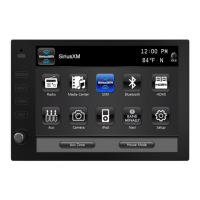
Describes the function of buttons like MENU, NAVI, DIM, and FAV.
Explains how to navigate the main menu and select sources.
Covers Auto dim, Dim (Day/Night Time), AUX Zone, Beep Tone, and Standby Screen.
Configures Screen Saver, Temperature, Compass, Time, and Language.
Details factory reset and Wi-Fi network connection procedures.
Adjusts Brightness, Contrast, Tint, and Sharpness for video output.
Manages Treble, Mid, Bass Gain, Equalizer, Fader, and Balance.
Sets speaker volume, loudness, NAV volume, and NAV audio mix.
Explains basic radio functions like tuning, presets, and Auto Store.
Details advanced features like TA, AF, REG, and Program Type selection.
Covers selecting, copying, pasting, deleting, and viewing files.
Details playback controls and supported media file formats.
Configures connection role, auto connect, gain, and PIN code.
Step-by-step guide for pairing mobile phones via Bluetooth.
Handles incoming/outgoing calls and A2DP audio streaming.
Instructions for subscribing and activating the SiriusXM service.
Covers basic operation, presets, direct tuning, and scanning.
Explains channel locking, skipping, and mature content filtering.
Sets alerts for favorite artists/songs and uses the replay feature.
Customizes channel display, alerts, lock codes, and skips.
Troubleshoots common advisory messages from SiriusXM.
Details connection and basic playback functions for iPod/iPhone devices.
Enables viewing navigation and other options simultaneously.
Describes Horizon, Normal, and Hitch modes for camera views.
 General
| Brand | Xite Solutions |
|---|---|
| Model | XS90116CA |
| Category | Car Video System |
| Language | English |

 To Next Page