Need help?
Do you have a question about the Xite Solutions XSG4NA-X4S and is the answer not in the manual?
Explains restrictions on video display and safety features for driver distraction.
Guidance on handling the LCD panel and precautions for temperature and cleaning.
Details the function of the Bluetooth microphone.
Explains the function of light dependent resistor and IR receiver.
How to navigate the main menu using the MENU button.
How to use the NAVI button for navigation and audio.
How to use the FAV button for quick access to favorite audio sources.
Controls for powering the unit on/off and adjusting volume.
Information on connecting and using USB devices, specifically for iPod/iPhone.
Describes the top bar displaying source, temperature, time, and Bluetooth status.
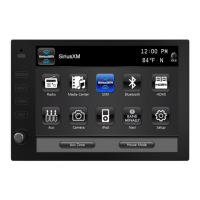
Overview of the main menu for navigating sources and functions.
Allows selection of source for display on secondary monitors or house mode.
Configures system-wide settings like dimming, beep tones, and standby screen.
Adjusts display parameters like brightness, contrast, tint, and sharpness.
Manages audio output including EQ, fader, balance, and navigation audio mix.
Manages screen saver, temperature, compass, and time display settings.
Sets favorite audio source and user interface language.
Allows factory reset and configuration of Wi-Fi network connections.
Explains basic radio interface and button functions for tuning and presets.
Details advanced radio functions like TA, AF, REG, and PTY for enhanced listening.
Guides on managing files, including copying, deleting, selecting, and viewing.
Details how to play audio/video files and use playback controls.
Explains track navigation, seeking, and playback options like repeat and random.
Steps to set up and configure Bluetooth for phone and audio connections.
Guide to pairing a mobile phone, including notes and troubleshooting.
Handles incoming/outgoing calls, phonebook dialing, and A2DP audio playback.
Guide to subscribing to the SiriusXM service and activating the vehicle tuner.
Explains how to use the SiriusXM interface, channels, and presets.
Covers tuning to channels via presets, direct entry, scanning, and category browsing.
Details on setting, editing, and resetting the lock code for parental controls.
Explains how to enable/disable lock mode to access locked channels.
Enables automatic locking of mature-themed channels requiring a lock code.
Steps to lock and unlock specific channels using the lock code.
How to ignore channels during tuning without locking them.
How to set up alerts for favorite songs and artists.
Viewing, removing alerts, and using virtual categories.
How to enter replay mode, pause, rewind, and navigate buffered content.
Manage unsubscribed channels, content alerts, and metadata display.
Configure mature channel lock, clear skips/locks, and set new lock codes.
Steps to diagnose and resolve issues with the antenna and tuner.
Understanding messages related to signal reception and subscription status.
Information on channels that are unavailable, not subscribed, or locked.
How to connect and navigate your iPod or iPhone via the infotainment system.
Functions for playback, track selection, seeking, repeat, and random modes.
Explains Horizon, Normal, and Hitch modes for viewing camera feeds.
Steps to enter and exit the navigation program from the main menu.
Details on registering the product and contact information for support.
 General
| Brand | Xite Solutions |
|---|---|
| Model | XSG4NA-X4S |
| Category | Car Video System |
| Language | English |


 To Next Page