EasyManua.ls Logo

xLab TORPEDO VERSA 200 - User Manual

xLab TORPEDO VERSA 200
3 pages
Print Icon
To Next Page IconTo Next Page
Loading...
2. Remove the Torpedo Bottle from the cage by holding the mount and twisting the
bottle and pulling out.
4. Place the mount on the aerobars by placing each of the mounting
clamps onto the extensions. Ensure the clamp is secure and
completely touching the extensions.
3. Loosen the mounting clamp screws using the 3 mm Hex Wrench.
5. Center the mounting plate and hand tighten each of
the screws.
6. Secure the Velcro straps by routing them through the clamps.
Pull the straps as tight as possible and attach them in place.
7. Tighten both mounting clamp screws to 4.0 Nm (35 in-lbs).
TOOLS REQUIRED
MOUNTING TO BIKE
3 mm Hex Wrench
Torque Wrench up to 4.0 Nm (35 in-lbs)
HARDWARE
CAGE MOUNTING
M5 x 12 mm
Socket Head
M5 x 16 mm
Socket Head
M5 Flat Washer
(x2)
M5 Nylon Insert
Lock Nut (x2)
M5 Nylon Spacer
M4 x 20 mm
Flat Head Screw
M5 x 12 mm Button Head
Flange Screw (x2)
MOUNTING CLAMP BOTTLE
M4 x 10 mm
Button Head Screw
(x2)
M3 x 6 mm
Flat Head Screw
(x2)
Screw Post / Screw Spring
M5 x 25 mm
Flat Head Screw
IMPORTANT:
PLEASE COMPLETELY UNDERSTAND ALL USER INSTRUCTIONS AND SAFETY INFORMATION BEFORE USING THIS PRODUCT. AS WITH ANY HIGH TECH PRODUCT YOU WILL NEED TO
ROUTINELY CHECK FOR LOOSE HARDWARE, CRACKS OR OTHER DAMAGE AND REPLACE ITEMS AS NECESSARY. DO NOT USE PRODUCT IF ANY OF THESE CONDITIONS EXIST.
COMPUTER MOUNT
TORPEDO VERSA 200
TORPEDO VERSA 200
1. Rotate the top of the computer mount all the way forward to allow room for the bottle.
Dolphin Breather Valve
CAGE HARDWARE
DIAGRAM
REAR OF CAGE
M5 NYLON
SPACER
M5 x 16 mm
SOCKET HEAD
M5 FLAT
WASHER
M5 FLAT
WASHER
M5 x 12 mm
SOCKET HEAD

Other manuals for xLab TORPEDO VERSA 200

Question and Answer IconNeed help?

Do you have a question about the xLab TORPEDO VERSA 200 and is the answer not in the manual?

Summary

Mounting the Torpedo Versa to Your Bike

Tools Required for Bike Mounting

Lists the necessary tools for attaching the mount to the bike, including specific wrenches and torque settings.

Bike Mounting Procedure

Step-by-step instructions for attaching the mount to aerobars, including clamp placement and screw tightening.

Bottle Installation and Usage

Torpedo Bottle Installation

Detailed steps for installing the bottle into the cage, including straw positioning and securing the bottle.

Dolphin Breather Valve Installation

Instructions for installing or reinstalling the bottle's breather valve using silicone adhesive.

Adjusting the Computer Mount

Tools Required for Computer Mount Adjustment

Specifies the tools needed for adjusting the computer mount's height and angle.

Computer Mount Adjustment Procedure

Steps to loosen, adjust height and angle, and then tighten the computer mount for optimal viewing.

Computer Mount Compatibility and Setup

Compatibility with GPS Computers

Notes compatibility with Garmin and Wahoo computers, mentioning optional adapters for others.

Computer Mount Rotation Setup

Instructions for rotating the computer mount holder by 90 degrees and securing it.

Product Care and Warranty

Product Warranty Information

Details the warranty periods for different components of the Torpedo Versa system.

Bottle and Straw Cleaning Instructions

Provides guidance on hand washing the bottle, straw, and accessories to maintain hygiene and material integrity.

Summary

Mounting the Torpedo Versa to Your Bike

Tools Required for Bike Mounting

Lists the necessary tools for attaching the mount to the bike, including specific wrenches and torque settings.

Bike Mounting Procedure

Step-by-step instructions for attaching the mount to aerobars, including clamp placement and screw tightening.

Bottle Installation and Usage

Torpedo Bottle Installation

Detailed steps for installing the bottle into the cage, including straw positioning and securing the bottle.

Dolphin Breather Valve Installation

Instructions for installing or reinstalling the bottle's breather valve using silicone adhesive.

Adjusting the Computer Mount

Tools Required for Computer Mount Adjustment

Specifies the tools needed for adjusting the computer mount's height and angle.

Computer Mount Adjustment Procedure

Steps to loosen, adjust height and angle, and then tighten the computer mount for optimal viewing.

Computer Mount Compatibility and Setup

Compatibility with GPS Computers

Notes compatibility with Garmin and Wahoo computers, mentioning optional adapters for others.

Computer Mount Rotation Setup

Instructions for rotating the computer mount holder by 90 degrees and securing it.

Product Care and Warranty

Product Warranty Information

Details the warranty periods for different components of the Torpedo Versa system.

Bottle and Straw Cleaning Instructions

Provides guidance on hand washing the bottle, straw, and accessories to maintain hygiene and material integrity.

Overview

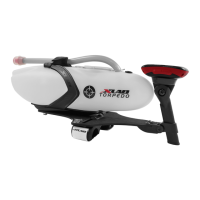
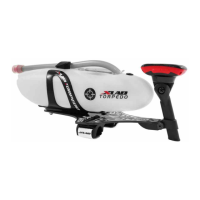
The XLAB Torpedo Versa 200 is a hydration and computer mounting system designed for bicycles, specifically for use with aerobars. It allows cyclists to easily access hydration and view their cycling data during rides.

Function Description:

The Torpedo Versa 200 integrates a hydration bottle and a computer mount into a single unit that attaches to a bicycle's aerobars. The system is designed to provide convenient access to fluids and cycling data, enhancing performance and comfort for riders. The hydration system includes a bottle, straw, and a Dolphin Breather Valve for leak-free operation. The computer mount is adjustable and compatible with various cycling computers and watches.

Important Technical Specifications:

Hardware:

  • Cage Mounting:
    • M5 x 12 mm Socket Head screws
    • M5 x 16 mm Socket Head screws
    • M5 Flat Washers (x2)
    • M5 Nylon Insert Lock Nuts (x2)
    • M5 Nylon Spacers
  • Mounting Clamp:
    • M5 x 12 mm Button Head Flange Screws (x2)
  • Bottle:
    • M4 x 20 mm Flat Head Screw
    • Dolphin Breather Valve
  • Computer Mount:
    • M5 x 25 mm Flat Head Screw
    • M4 x 10 mm Button Head Screws (x2)
    • M3 x 6 mm Flat Head Screws (x2)
    • Screw Post / Screw
    • Spring

Tools Required:

  • Mounting to Bike:
    • 3 mm Hex Wrench
    • Torque Wrench (up to 4.0 Nm / 35 in-lbs)
  • Adjust Versa Computer Mount:
    • 3 mm Hex Wrench
    • Torque Wrench (up to 2.8 Nm / 25 in-lbs)
  • For Garmin Multisport Watches & Wahoo Computers:
    • 2 mm Hex Wrench
    • Torque Wrench (up to 1.1 Nm / 10 in-lbs)

Compatibility:

  • Garmin® & Wahoo® bike computers and watches.
  • Optional adapters available for Polar® and strap-mounted computers.
  • The computer mount's default position accommodates Garmin® bike computers without adjustment.

Warranty:

  • Versa Aluminum Mounting Plate: 3 Year
  • Vee Cage: 3 Year
  • Torpedo Computer Mount: Limited 3 Year
  • Torpedo Bottle: Limited 3 Year
  • All Other Parts: Limited 6 Month

Usage Features:

Mounting to Bike:

  1. Rotate the top of the computer mount forward to allow room for the bottle.
  2. Remove the Torpedo Bottle from the cage by twisting and pulling.
  3. Loosen the mounting clamp screws using a 3 mm Hex Wrench.
  4. Place the mount on the aerobars by positioning each clamp onto the extensions, ensuring a secure fit.
  5. Center the mounting plate and hand tighten the screws.
  6. Secure the Velcro straps by routing them through the clamps and pulling them tight.
  7. Tighten both mounting clamp screws to 4.0 Nm (35 in-lbs).

Bottle Install:

  1. Select the appropriate straw hole (forward or rearward). The plug goes in the opposite hole. To switch, push the plug from the top and remove from the bottle, then insert the plug into the new hole from inside the bottle.
  2. Trim the straw to the desired length at an angle for easier installation.
  3. Insert the straw by pinching the end and pushing it through the chosen hole. If using a solid lid, ensure the straw goes through the tether hole.
  4. Position the straw in the bottle's bottom groove: in front for a more horizontal straw, behind for a more vertical straw.
  5. Place the bottle in the cage by pushing it straight back until it clicks and locks into place, ensuring the rear tab slides into the bottle recess.
  6. The pre-installed Dolphin Tail can be used to tuck the straw underneath to keep it out of the way while riding.

Dolphin Breather Valve Install (if re-installing):

  1. Remove the old breather valve and clean any remaining adhesive.
  2. Apply a small amount of food-grade silicone adhesive to the underside of the new breather valve head.
  3. Insert the valve into the hole, ensuring it is fully inserted and the top is flat against the bottle.
  4. Clean up any excess silicone with a wet rag.
  5. Allow adhesive to set for at least 24 hours before use/washing. The flange of the valve should fit completely below the bottle surface.

Adjust Versa Computer Mount:

  1. Loosen the side screw at the base of the mount using a 3 mm Hex Wrench.
  2. Adjust the computer mount's height by moving the post. The top can then be rotated to the preferred angle.
  3. Tighten the side screw to 2.8 Nm (25 in-lbs) to lock the mount in place.
  4. Attach the computer and rotate as needed.

For Garmin Multisport Watches & Wahoo Computers:

  1. Remove the two screws at the top of the computer mount using a 2 mm Hex Wrench.
  2. Rotate the holder 90 degrees.
  3. Reinsert and tighten the screws.
  4. Torque both screws to 1.1 Nm (10 in-lbs).

Maintenance Features:

Bottle Care:

  • Hand wash the Torpedo Bottle, Straw, Plug, Bite Valve, and Lid every time you use it and before initial first use.
  • It is not necessary to remove accessories for hand washing.
  1. Fill the Torpedo Bottle with soapy water.
  2. Cover the holes on top of the bottle with one hand.
  3. Shake the bottle vigorously.
  4. Rinse and repeat.

Straw Care:

  • Hand wash the straw in lukewarm water only.
  • Use a long thin brush to clean the tube.
  • Hot water or a dishwasher will damage the straw material.

Important Safety Information:

  • Completely understand all user instructions and safety information before using this product.
  • Routinely check for loose hardware, cracks, or other damage. Replace items as necessary.
  • Do not use the product if any of these conditions exist.

xLab TORPEDO VERSA 200 Specifications

General IconGeneral
BrandxLab
ModelTORPEDO VERSA 200
CategoryBicycle Accessories
LanguageEnglish

Related product manuals