12
Menu Options
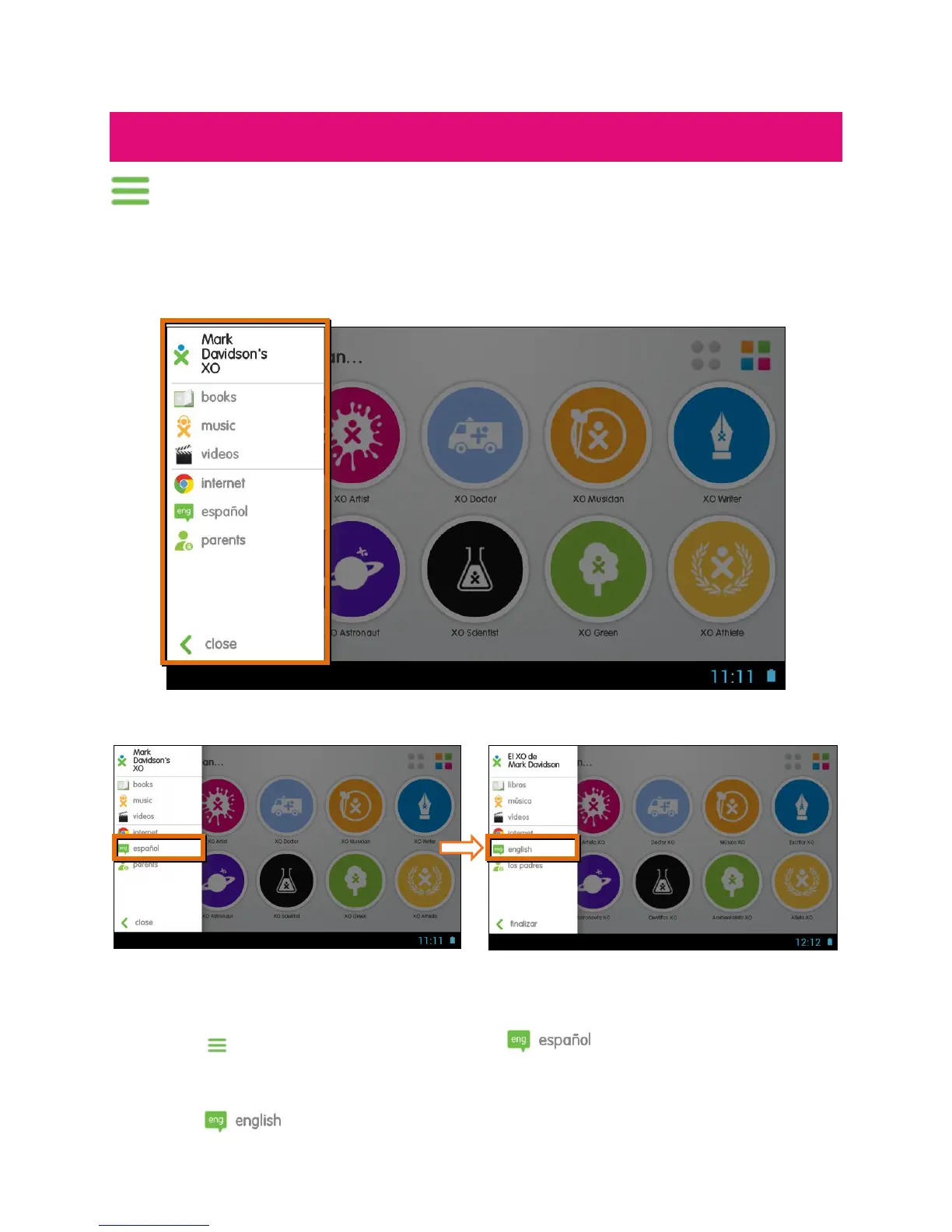
Touch the Menu Bar on the top left of the Dreams Home screen to view the
following menu options:
CURRENT USER PROFILE; ACCESS TO YOUR BOOKS, MUSIC, VIDEOS AND
INTERNET; LANGUAGE SELECTION; PARENTAL CONTROLS
Note: To exit the Menu Bar, touch Close.
LANGUAGE SELECTION – ENGLISH/SPANISH:
Your XO tablet comes with full content in both English and Spanish. All of the
Dreams offer their apps, books, games, videos and other content in both
languages with just a touch of an icon.
Touch the Menu Bar, and then touch the Español icon.
All XO tablet screens automatically switch to Spanish.
Note: When you are viewing the XO Tablet in Spanish, to switch back to English,
touch the English icon from the Menu Bar.



 To Next Page