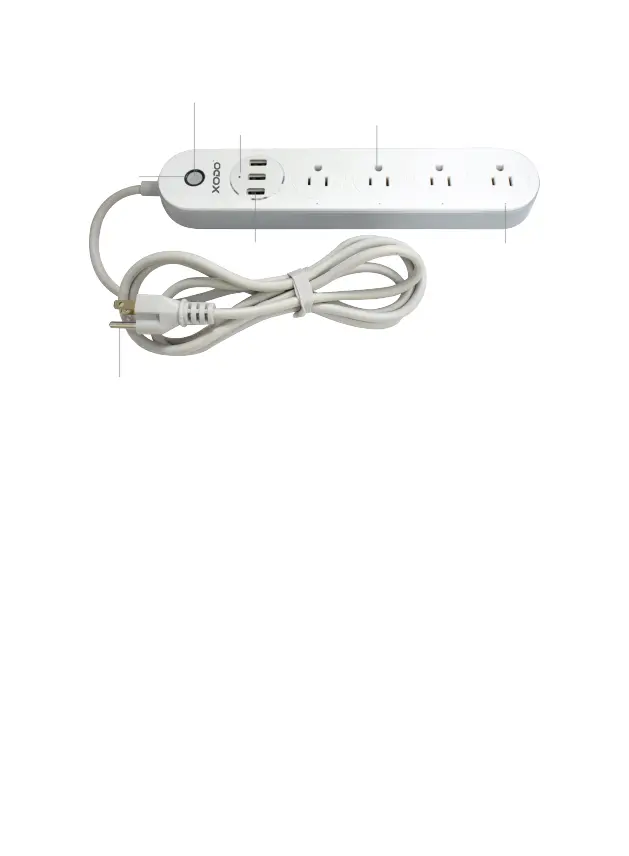
Indicator Light
Buon — Press to turn on/off the Plug
USB Output — Charging via USB
Output AC plug — Charging via charger
Input AC plug — Plug in a normal socket
Blinking blue: Configuraon status
Blue light ON: Smart power strip is working
Blue light OFF: Smart power strip stop working
Smart Power Strip Introducon
WiFi Smart Power Strip Components
1. Manual control buon
2. Power indicator
4. Power indicator
6. Power indicator
5. USB Output
3. Output AC outlet
7. Input AC plug


 To Next Page