Make sure to refer to Google instrucons and always follow safety precauons.
Here is a quick overview to get setup with Google Home:
Run the Google Home APP and sign in a Google account. Then connect the
Google Home APP with your Google Home device according to the Instrucons
on Google Home.
Choose the WiFi network you want to connect to your Google Home. Then
connect it toy your Google Home according to the instrucons.
Make sure your Google Home APP and Google Home are in the same
WiFi network.
Only Google Home account can be used with “Home Control Acon” as a
security precauon.
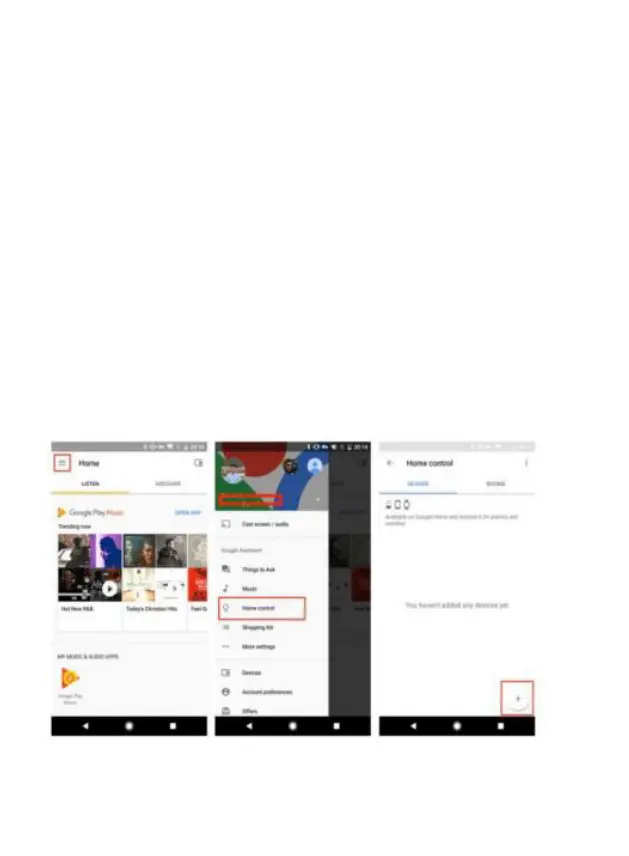
Tap Home Control on the home page, then tap “+”.
Select your region, type your Xodo account, then tap “Link Now”. Aer you
assign rooms for devices you will be listed in the home control page.
Now you can control your smart device through Google Home.
Setup Google Home APP


 To Next Page