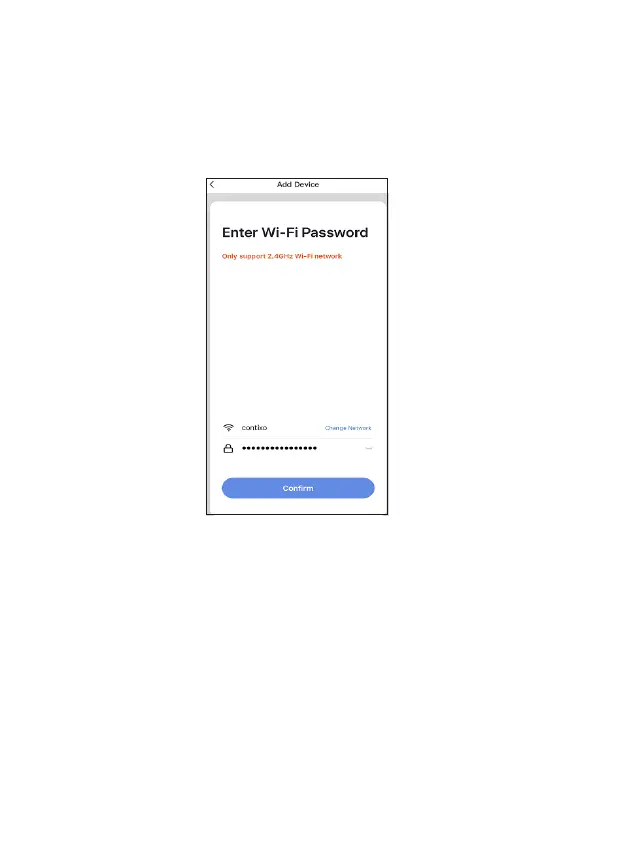
The next step to connect the smart device is to connect to a WiFi network. If
the proper network is not listed on this page, select the “Change Network”
link to see a list of available networks. Enter the password next to the lock icon.
Press “Confirm” to connue.
Connect to a WiFi network
The “Connecng” screen will appear. It will usually register within by
approximately 30% range. The Device found will checkmark green, then
Inializing device will complete. Aer connecng process completes it will
connue on toward the next screen.
Connecng


 To Next Page