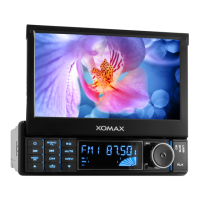
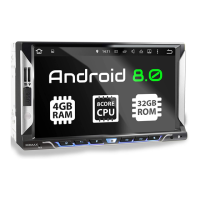
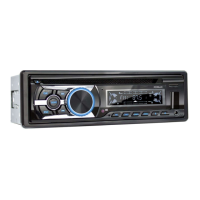
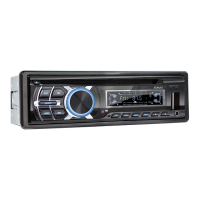
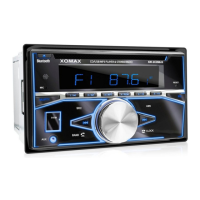
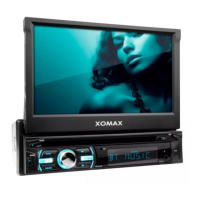
This document describes the XM-RD276 Car MP3 Player with Radio, USB, SD/MMC, and Bluetooth functionality.
Function Description
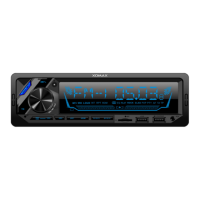
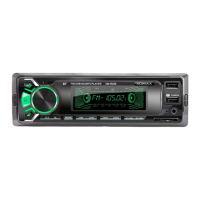
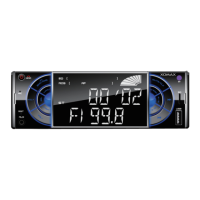
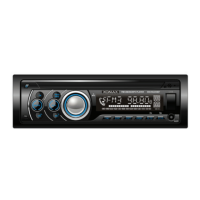
The XM-RD276 is a car audio system designed to play MP3 files from various sources and receive radio broadcasts. It features a front panel with a volume knob, LCD display, and multiple buttons for controlling playback, radio functions, and sound effects.
Playback Sources:
- USB: Supports USB disks for MP3 playback. A dedicated USB slot is available, with one port also offering fast charging for cellphones.
- SD/MMC: Compatible with SD and MMC cards for MP3 playback via a dedicated slot.
- AUX In: Allows connection of external audio devices through a 3.5mm auxiliary input jack.
- Bluetooth (BT): Enables wireless audio streaming from mobile phones and hands-free calling. The BT symbol flashes when searching for a connection and becomes steady when connected.
- Radio: Supports FM and DAB+ radio bands.
Radio Functions:
- Band Selection: Users can switch between FM1, FM2, and FM3 bands in FM mode.
- Automatic Search and Store (AMS): The system can automatically search for strong radio signals and store them into memory numbers (1-6). For DAB+ mode, pressing the "BND/AMS" button for about 2 seconds initiates an automatic channel scan.
- Manual Search: Users can manually search for radio stations by long-pressing the search buttons.
- Memory Presets: Up to six radio stations can be saved to memory numbers for quick access.
- DAB+ Mode: The device supports DAB+ radio, accessible by pressing the MODE button until "DAB" is displayed.
MP3 Playback Controls:
- Play/Pause: Short press to pause or resume playback.
- Next/Previous Song: Short press to skip to the next or previous track.
- Fast Forward/Rewind: Not explicitly mentioned but typically implied with next/previous controls.
- -10/+10 Songs: Dedicated buttons to skip backward or forward by 10 songs. Long pressing these buttons allows skipping to the previous or next folder.
- INT (Intro Scan): Scans the beginning of each track.
- RPT (Repeat): Repeats the current track.
- RDM (Random Play): Plays tracks in a random order.
Sound and Display Features:
- Volume Control: A rotary knob controls the audio volume.
- Sound Effects (EQ): Users can select various preset equalizer modes such as POP, ROCK, CLASS, and FALT.
- Sound Adjustments (SEL): Pressing the SEL button allows adjustment of Volume, Bass, Treble, Balance, Fader, and Loudness (ON/OFF).
- LCD Display: Shows radio frequency, track information (for SD/USB), and clock time.
- Color Change (TR): A dedicated button allows changing the display color. It can cycle through seven colors automatically every 3 seconds, or users can select a single color. Long pressing this button turns off the color light.
- Clock: Displays the current time. Long pressing the clock button allows adjustment of hour and minute.
General Features:
- Power On/Off: Short press to power on, long press to power off.
- Mode Selection: A MODE button cycles through available input sources: Radio, SD/MMC, USB, AUX IN, and BT.
- Reset: A reset button is available to restart the system in case of a crash.
Important Technical Specifications
Tuner Part:
- FM Frequency Range: 87.5MHz - 108MHz
- FM Noise-Limited Sensitivity: ≤26dB
- FM Signal to Noise Ratio (S/N): ≥45dB
USB/MMC/SD Part:
- Frequency Response: 100Hz - 10kHz (+10dB)
- MP3 Bit Rates: 8 - 320kbps
- Channel Balance: ≤3 dB
- Channel Separation: ≤22dB
- MP3 Signal to Noise Ratio (S/N): ≥55dB
General:
- Working Voltage: 12V DC
- Real Power Output: 4x60W/14.4V
- Speaker Impedance: 4Ω - 8Ω
- Size Dimension: 180mm(W) x 52mm(H) x 115mm(L)
Wiring Diagram:
The device uses a standard wiring harness with color-coded wires for power, antenna, and speaker connections.
- Yellow wire: To positive pole (battery +)
- Red wire: Ignition switch
- Black wire: To negative pole
- Orange wire: To antenna
- Speaker Wires:
- Front Left: Blue / Blue-Black
- Front Right: Green / Green-Black
- Rear Left: Gray / Gray-Black
- Rear Right: Brown / Brown-Black
- RCA Out: For external amplifier connection.
- Fuse: 10A fuse for protection.
Usage Features
- Intuitive Controls: The front panel is clearly labeled with buttons for common functions, making it easy to navigate.
- Quick Source Switching: The MODE button allows for rapid switching between different audio sources.
- Hands-Free Calling: Bluetooth connectivity enables answering and ending calls directly from the unit.
- Cellphone Charging: The dedicated "Fast charge USB" port provides convenient charging for mobile phones.
- Customizable Display: The TR button allows users to personalize the display color to match their preference or vehicle interior.
- Memory Function: Radio station presets and last played song/folder memory enhance user convenience.
Maintenance Features
Troubleshooting Guide:
The manual provides a troubleshooting section to address common issues:
- LCD Doesn't Display:
- Problem: Yellow wire not connected to battery +, or fuse of red wire is open.
- Solution: Assure yellow wire is connected to battery +, replace fuse.
- No Sound:
- Problem: No power supply, speaker wire open circuit, SD/MMC/U disk content issue, or dirty golden finger on SD/MMC/U disk.
- Solution: Connect power wire, connect speaker wire, check SD/MMC/U disk contents, clean golden finger with absolute alcohol.
- Low Sound (Not Clear):
- Problem: High power internal resistance, or bad antenna contact.
- Solution: Replace power supply, tighten antenna plug.
- Mono Track:
- Problem: One channel of speaker wire open circuit, or amplifier integrated circuit damaged.
- Solution: Connect speaker wire, replace IC of amplifier.
General Maintenance:
- Keep SD/MMC cards and USB disks clean to ensure proper contact and prevent playback issues.
- Ensure proper wiring connections for stable operation and power delivery.
- Technical data is subject to change without prior notification, implying that users should refer to the latest available documentation for the most accurate information.

 Need help?
 General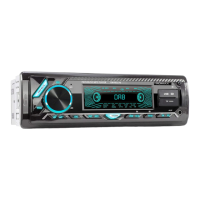

 To Next Page