Need help?
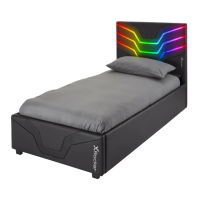
Do you have a question about the XROCKER Cerberus Ottoman Gaming Bed and is the answer not in the manual?
Attaches headboard support block (10) and footboard support rail (12) to headboard (1) and footboard (2) using screws (E).
Connects side rails (3) to the headboard (1) and footboard (2) using bolts (B) and Allen key (H).
Secures metal corner plates (17) to the headboard/footboard and side rails using bolts (C) and washers (D).
Attaches the horizontal support bar (11) to the side rail (3) using bolts (B) and Allen key (H).
Installs centre support rails (4) and long frame rails (5, 6, 7, 8) using bolts (A) and Allen key (H).
Secures the feet (15) to the underside of the bed frame using bolts (A) and Allen key (H).
Installs non-woven fabric (13) and attaches bed feet (15) using screws (F) at specified positions.
Secures pneumatic lifting mechanisms to the side rails (3) using flange nuts and a spanner (G).
Attaches a strap (16) and a felt pad (L) to the mechanism or frame for stability.
Installs end slat caps (J) and centre slat caps (K) onto the slats (14) for mattress support.
 General
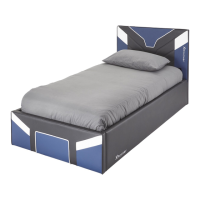
| Product Name | XROCKER Cerberus Ottoman Gaming Bed |
|---|---|
| Category | Indoor Furnishing |
| Type | Gaming Bed |
| Color | Black |
| Material | Faux Leather, Wood, Metal |
| Features | storage compartment |
| Connectivity | Bluetooth |

 To Next Page