Need help?
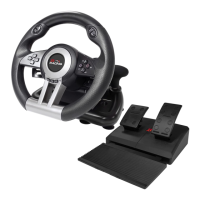
Do you have a question about the XROCKER XR Racing Pro Sim and is the answer not in the manual?
Lists compatible systems: PC/PS3/PS4/XBOX ONE/SWITCH and PC OS versions.
General guide for connecting the racing wheel and its components.
Step-by-step instructions for securing the racing wheel using clamps.
Details X-input and D-input modes for PC connectivity.
Procedure to connect the racing wheel to a PS4 console.
Procedure to connect the racing wheel to an Xbox One console.
Instructions for connecting to Switch via tabletop or dock.
Guide on setting high, medium, or low sensitivity for the wheel.
Procedure to customize the maximum steering angle of the wheel.
How to set, clear single, and clear all programmable buttons.
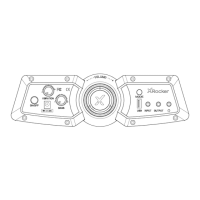
Connecting a headset for voice chat on PS4/XBOX ONE.
Important safety precautions for proper and safe use of the racing wheel.
Details on model, dimensions, weight, and environmental operating limits.
Table showing button assignments for PS3, PS4, Xbox One, PC, and Switch.
 General
| Brand | XROCKER |
|---|---|
| Model | XR Racing Pro Sim |
| Category | Video Gaming Accessories |
| Language | English |


 To Next Page