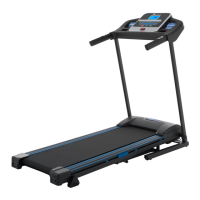
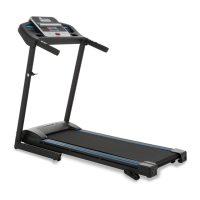
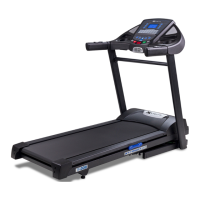
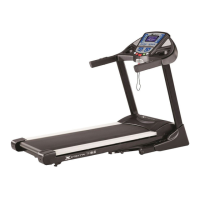
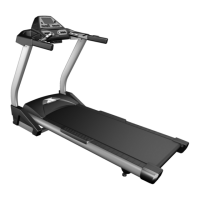
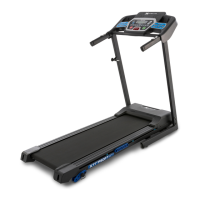
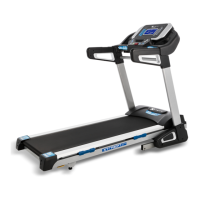
The XTERRA Fitness TR260 Treadmill is a fitness machine designed for residential use, offering a range of features for effective workouts and ease of maintenance.
Function Description:
The TR260 Treadmill provides a platform for walking, jogging, and running exercises within a home environment. It features a motorized running belt and an incline system to simulate varied terrains and intensity levels. The console displays key workout metrics and offers programmable features to customize exercise routines. The treadmill is also designed with a folding mechanism for space-saving storage and transport wheels for easy relocation.
Important Technical Specifications:
While specific detailed technical specifications like motor horsepower or maximum user weight are not explicitly listed in the provided pages, the manual indicates the following:
- Power Supply: Requires a 120-volt, 15-amp grounded outlet. It is crucial not to use an extension cord unless it is 14AWG or better, with only one outlet on the end, and the treadmill should be the only appliance on the circuit.
- Dimensions (Implied from assembly): The treadmill has a running deck, console, and uprights, suggesting a standard treadmill footprint when unfolded and a more compact form when folded.
- Connectivity: Equipped with a Bluetooth® transceiver, allowing it to interact with selected phones or tablet computers via the Xterra + App. This requires a minimum operating system of iOS 10.1 or Android 6.0 for proper operation.
- Warranty:
- Frame: Lifetime
- Motor: 1 Year
- Parts: 90 Days
- Labor: 90 Days
- This warranty is for residential use only; any other application voids it.
Usage Features:
- Quick-Start Operation: Users can quickly begin a workout by attaching the safety key and pressing the Start key. Speed and incline can be adjusted using dedicated keys or rapid adjustment buttons on the console.
- Speed Adjustment: The console includes speed adjustment keys (up/down arrows) and rapid SPEED buttons (2, 4, 6, 8, 10 mph) for quick changes.
- Incline Adjustment: Incline can be adjusted using incline keys (up/down arrows) and rapid INCLINE buttons (0, 3, 5, 7, 10 levels).
- Pause/Stop/Reset Feature: The red Stop key allows users to pause a workout, decelerating the belt to a stop while retaining workout data. Pressing Start resumes the workout. Pressing Stop a second time resets the console to idle mode. The safety key can also be pulled away to stop the treadmill.
- Manual Program: In standby mode, users can set countdown parameters for time, distance, or calories. The system accepts only the last parameter input.
- Time preset value: 30:00 (range 5:00 - 99:00), adjustable in 1:00 increments.
- Distance default: 5.00 miles (range 1.00 - 99.00), adjustable in 0.1 increments.
- Calories preset: 500 (range 10 - 990), adjustable in 10 increments.
- Starting speed: 0.5 miles, starting incline: zero.
- Preset Program Profiles: The TR260 offers 12 preset programs (P1-P12), each with specific speed and incline variations, designed to last 30 minutes. Users can select a program and press Start to begin. Speed can be manually adjusted during a program.
- Heart Rate Features: Handgrip pulse sensors display heart rate during operation. Users should grasp firmly for accurate readings. The treadmill is also compatible with Bluetooth-enabled wireless heart rate transmitters.
- Kilometer and Mile Switching Function: In standby mode, pressing the speed deceleration key and the program key simultaneously switches between kilometer and mile display.
- Calorie Display: Shows cumulative calories burned during a workout, serving as a rough guide for comparison between sessions.
- Automatic Shut-off: The display automatically turns off (goes to sleep) after 30 minutes of inactivity to conserve power.
- XTERRA + App Integration: The treadmill connects via Bluetooth to the Xterra + App (available on Apple Store and Google Play). The app allows users to view current workout data, save workout data, and sync data with fitness cloud sites like Strava, Map My Fitness, or Fitbit.
Maintenance Features:
- Preventative Maintenance Chart: Provides a schedule for routine maintenance tasks:
- Vacuum Under Motor Cover & Check Wiring: Every other month.
- Clean & Inspect Deck for Lubrication: Every other month.
- Lubricate Deck: Every 40 hours of use or sooner if dry.
- Inspect Belt Tracking: Monthly, adjust if necessary.
- General Maintenance:
- Cleaning: The treadmill deck and belt should be kept clean. Use a soft, damp cloth or paper towel with water and mild soap for the belt. Avoid operating on deeply padded, plush, or shag carpets.
- Motor Cover Cleaning: Vacuum under the motor hood monthly to remove lint, hair, and dust.
- Tread-belt Tension Adjustment: Important for smooth running. Adjustments are made from the rear roller with a 6mm Allen wrench.
- Treadbelt Tracking Adjustment: The belt should remain centered. If it drifts, use a 5mm Allen wrench to make 1/4 turn adjustments on the left side bolt (clockwise for left drift, counter-clockwise for right drift) while the belt runs at 3 mph. Improper tracking/tension adjustments can void the warranty.
- Belt/Deck Lubrication Procedure: Essential for longevity and proper function. Check lubrication every 80 hours of use or if the deck feels dry/dirty. Only use XTERRA Fitness approved lubricant. The manual provides detailed steps for lubrication, including how to apply the lubricant and how to reset the "Lube" message on the console (hold Program for 3 seconds after application).
- Troubleshooting Guide: The manual includes a service checklist and diagnosis guide for common issues, such as console errors (E0, E1, E2, E4, E5, E6, E7), and provides solutions or causes.

 Need help?

 To Next Page
 General