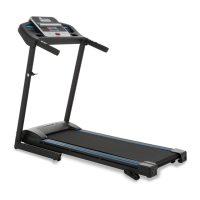
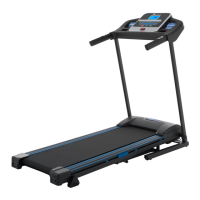
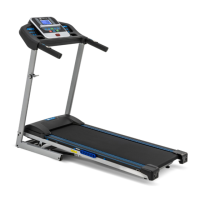
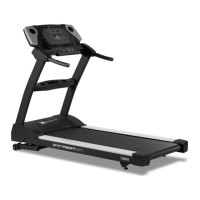
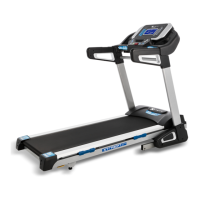
The TR300 Treadmill is a fitness device designed for residential use, offering a comprehensive set of features for cardiovascular exercise and weight management. It is manufactured by XTERRA Fitness and comes with a limited warranty, emphasizing its quality and reliability. The treadmill is equipped with a range of programmable features and safety mechanisms to ensure a secure and effective workout experience.
Function Description
The TR300 Treadmill provides a platform for walking, jogging, and running exercises. It allows users to control speed and incline, offering varied workout intensities to target different fitness goals, such as weight loss and cardiovascular fitness. The device includes a console that displays important workout metrics and offers various preset programs, as well as a Heart Rate Control (HRC) program for targeted training. The treadmill is designed to be foldable for space-saving storage and includes transport wheels for easy relocation.
Important Technical Specifications
The treadmill operates on a nominal 120-volt circuit and requires a 15-amp grounded outlet. It is recommended to avoid using extension cords unless they are 14AWG or better, with only one outlet on the end, and the treadmill should be the only appliance on the circuit. The operating temperature specification is 40 degrees C, with humidity up to 95% (non-condensing). The console features a 5.5" blue backlit LCD display for clear feedback and scrolling messages. The treadmill's belt and deck are designed for low-friction performance, requiring periodic lubrication.
Usage Features
- Quick-Start Operation: Users can quickly begin a workout by attaching the safety key, pressing the "Start" key, and adjusting speed using the Speed ▲/▼ keys or quick-select buttons (3, 6, 9 mph). Incline can also be adjusted using the Incline ▲/▼ keys or quick-select buttons.
- Pause/Stop Function: The treadmill can be paused during a workout by pressing the "Stop" key once, which decelerates the belt to a stop and sets the incline to zero. Workout metrics are held during pause mode. Pressing "Start" resumes the workout with previous settings. Pressing "Stop" a second time ends the program and displays a workout summary.
- Incline Feature: Incline can be adjusted at any time after the belt starts moving, allowing users to vary the intensity of their workout. The console displays the current incline position.
- Preset Programs (P1-P24): The TR300 offers 24 preset programs. Programs P1-P14 feature speed variations only, while P15-P24 include both speed and incline variations, designed for advanced users. Each program has a default duration of 30 minutes, with manual or automatic adjustments possible every minute.
- Heart Rate Control (HRC) Program: This program allows users to train within a target heart rate zone. After selecting HRC mode, users can set time, weight, age, and target heart rate. The treadmill automatically adjusts incline to maintain the target heart rate. If the heart rate is too low, incline increases; if too high, incline decreases. If the heart rate cannot be lowered further, the machine stops to protect the user.
- Pulse Grip Feature: The treadmill includes stainless steel sensors on the handrails to measure and display the user's current heart rate in beats per minute.
- Calorie Display: The console shows the cumulative calories burned during a workout, serving as a general guide for comparing exercise sessions.
- Audio Input and Speakers: Integrated speakers and an audio input jack allow users to connect an MP3 player for customized listening during workouts.
- Turbo Fan: A built-in turbo fan helps keep the user cool during exercise.
- Convenient Storage: Water bottle holders and a cargo compartment are provided for storing a phone or MP3 player.
- Folding Mechanism: The treadmill can be folded for storage by lifting the running deck until it locks into place. To unfold, apply slight forward pressure on the deck, pull out the round knob, and slowly lower the deck.
- Transportation Wheels: Four transport wheels engage when the treadmill is folded, making it easy to roll the unit away.
- Safety Tether Cord: A magnetic safety tether cord is provided and must be attached to the console for the treadmill to operate. Pulling the cord stops the tread-belt, enhancing user safety.
Maintenance Features
- Belt and Deck Cleaning: The deck should be kept as clean as possible. Users should wipe the edge of the belt and the area between the belt edge and frame with a soft, damp cloth or paper towel every other month. A mild soap and water solution can be used to clean the top of the textured belt.
- Belt Dust Management: Excess belt dust, which can occur during normal break-in, should be wiped off with a damp cloth.
- General Cleaning: To prevent buildup, users should vacuum underneath the treadmill monthly. Every other month, the black motor hood should be removed to vacuum out accumulated dirt. The power cord must be unplugged before this task.
- Tread-belt Tension Adjustment: For joggers and runners, proper belt tension is important for a smooth running surface. Adjustments are made from the rear roller using a 6mm Allen wrench. Bolts on both sides must be turned evenly (1/4 turn at a time) to prevent the belt from tracking to one side. Overtightening should be avoided to prevent belt damage and premature bearing failure.
- Treadbelt Tracking Adjustment: If the tread-belt drifts to one side during use, adjustments can be made using a 6mm Allen wrench on the left side bolt. Turning the bolt clockwise moves the belt to the right, and counter-clockwise moves it to the left. Small, gradual adjustments are recommended.
- Belt/Deck Lubrication Procedure: The belt and deck come pre-lubricated. Subsequent lubrication is required every 90 hours of use or if the deck feels dry. XTERRA Fitness approved lubricant should be applied in an "S" pattern under the belt, 18 inches from the motor cover. After lubrication, walk on the belt at a moderate speed for five minutes to distribute the silicone lube. The "Lube" message on the console can be reset through the Engineering Mode Menu.
- Calibration Procedure: To ensure accurate speed and incline settings, a calibration procedure can be performed by holding the "Enter" button while installing the safety key. This process involves adjusting wheel size, selecting units (English/Metric), setting low and high speed limits, and setting the top incline. The treadmill then automatically calibrates.

 Need help?

 To Next Page
 General