EasyManua.ls Logo

Xterra TR3.0 - User Manual

Xterra TR3.0
28 pages
Print Icon
To Next Page IconTo Next Page
Loading...
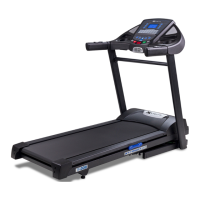
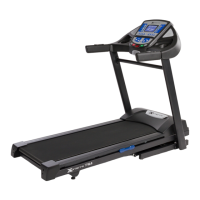
TR3.0 TREADMILL
OWNER’S MANUAL
PLEASE CAREFULLY READ THIS ENTIRE MANUAL BEFORE OPERATING YOUR NEW TREADMILL

Questions and Answers

  • E
    everettelizabethAug 20, 2025
    What to do if my Xterra TR3.0 Treadmill motor is not responsive after pressing Start?
    • T
      Todd ReedAug 20, 2025
      If the Xterra Treadmill motor isn't responsive after pressing Start: 1. If the belt moves briefly but stops and the display shows “LS”, run calibration. 2. If the belt doesn't move at all and the display shows “LS”, contact service.
  • J
    jay18Aug 22, 2025
    Why does my Xterra Treadmill tread-belt stop quickly when the tether cord is pulled?
    • C
      Corey BairdAug 22, 2025
      If the Xterra Treadmill tread-belt stops too quickly when the tether cord is pulled, it could be due to high belt/deck friction. Clean the deck following the instructions in the General Maintenance section. If the problem persists, check the deck for significant wear. If worn, the deck might need to be flipped if it's on its original side.
  • T
    Tracy AriasAug 25, 2025
    How to fix Xterra TR3.0 Treadmill tread-belt that does not stay centered?
    • S
      Stephanie KingAug 25, 2025
      If the Xterra Treadmill belt doesn't stay centered, it may be because you are favoring one foot over the other while walking or running. If this walking pattern is natural, adjust the belt slightly off-center to the side opposite from the belt movement, following the General Maintenance section on Tread-belt Tension. Adjust as necessary.
  • B
    betty51Aug 26, 2025
    Why does my Xterra TR3.0 tread-belt stop suddenly when the tether cord is pulled?
    • J
      Jeremiah NelsonAug 27, 2025
      If the tread-belt on your Xterra Treadmill stops too quickly when the tether cord is pulled, it could be due to high belt/deck friction. Refer to the General Maintenance section to clean the deck. If cleaning doesn’t prevent this from reoccurring, check to see if there is significant wear of the deck. If so, the deck may need to be flipped if it is on its original side.
  • A
    Anthony LewisAug 28, 2025
    How to fix Xterra TR3.0 Treadmill belt that hesitates and does not stay centered?
    • S
      Spencer SteeleAug 28, 2025
      If your Xterra Treadmill belt hesitates or doesn't stay centered, it might be because you're favoring one foot over the other while walking or running. Adjust your gait as necessary to distribute your weight more evenly.
  • R
    Rodney HooverAug 30, 2025
    What to do if my Xterra Treadmill display does not light up?
    • B
      Brittany Rogers DDSAug 30, 2025
      If the Xterra Treadmill display doesn't light up, check the following: 1. Ensure the tether cord is correctly positioned. 2. Check the circuit breaker on the front grill; push it in until it locks if tripped. 3. Make sure the plug is firmly pushed into the 115 VAC wall outlet. 4. Check your breaker panel's circuit breaker. 5. If none of these steps work, there may be a defect, contact XTERRA Fitness.
  • Z
    Zachary WilliamsSep 1, 2025
    Why does my Xterra Treadmill trip the circuit breaker?
    • C
      clarkreginaldSep 1, 2025
      The Xterra Treadmill might trip the circuit breaker due to high belt/deck friction. Refer to the General Maintenance section for cleaning instructions. If the issue continues after cleaning, check the motor's amp draw and inspect the deck for significant wear. If wear is present, the deck may need to be flipped if it's on its original side.
  • S
    sdownsSep 3, 2025
    Why does my Xterra TR3.0 only achieve approximately 7 mph but shows higher speed on display?
    • C
      Christy JohnsonSep 3, 2025
      If your Xterra Treadmill only reaches approximately 7 mph while displaying a higher speed, it may be due to low AC voltage. Avoid using an extension cord. If one is necessary, use a short, heavy-duty 16-gauge cord. Ensure a minimum of 110 volt AC current is supplied.
  • A
    Anthony LeeSep 5, 2025
    What to do if my Xterra TR3.0 computer shuts off when the console is touched?
    • J
      John WrightSep 5, 2025
      The Xterra Treadmill computer may shut off when the console is touched (especially on a cold day) due to static electricity if the treadmill isn't grounded properly. Refer to the Grounding Instructions on page 3.
  • T
    Tina JohnsonSep 7, 2025
    What to do if my Xterra TR3.0 Treadmill circuit breaker trips, but not the treadmill circuit breaker?
    • T
      Timothy MartinezSep 7, 2025
      Need to replace the breaker with a “High In-rush current” type breaker (see page 3 for details)

Summary

Product Registration

Record Your Serial Number

Record the serial number of the fitness product.

Register Your Purchase

Complete and return the product registration card or register online.

Important Safety Instructions

Fitness Equipment Safety Instructions

Guidelines for safe operation of fitness equipment.

Important Electrical Information

Grounding Instructions

Proper grounding procedures to prevent electric shock.

Important Operation Instructions

Safety Tether Cord

How to use the safety tether cord for safe operation.

Treadmill Assembly

Assembly Pack Checklist

List of hardware and tools for treadmill assembly.

Core Assembly Steps

Attaching base frame, uprights, and console components.

Final Assembly and Setup

Completing the process with final steps and calibration.

Folding and Transportation

Instructions for folding and moving the treadmill.

Treadmill Operation

Console Overview and Getting Started

Introduction to the console, its features, and initial setup.

Basic Operation and Controls

How to start, stop, pause, and adjust speed/incline.

Display Features and Workout Tracking

Understanding console displays and tracking progress.

Turning Off and Safety Features

Procedures for shutting down and safety notes.

Programmable Features

Select and Start a Preset Program

Guide to selecting and starting factory preset workout programs.

User Programs

How to create and use custom user-defined workout programs.

Heart Rate Training

Predicted Maximum Heart Rate

Calculating MHR and determining target heart rate zones.

Rate of Perceived Exertion

Understanding the Borg scale for measuring workout intensity.

General Maintenance

Belt and Deck Care

Cleaning and maintaining the belt and deck for optimal performance.

Belt Adjustments

Adjusting belt tension and tracking for proper operation.

Belt;Deck Lubrication

Procedure for lubricating the belt and deck.

Troubleshooting and Service

Service Checklist - Diagnosis Guide

Common problems and their solutions for the treadmill.

Error Messages and Engineering Mode

Understanding error codes and accessing diagnostic settings.

Manufacturers Limited Warranty

Warranty Coverage and Exclusions

Details of the treadmill's limited warranty and what is excluded.

Service and Claims Process

Steps for obtaining warranty service and making claims.

Xterra TR3.0 Specifications

General IconGeneral
BrandXterra
ModelTR3.0
CategoryTreadmill
LanguageEnglish

Related product manuals