MiraCast
Miracast is a peer-to-peer wireless screencasting standard formed via Wi-Fi Direct connections in a
manner similar to Bluetooth. It allows you to mirror the screen of your mobile phone or tablet to
your TV using Xtreamer Wonder.!
!
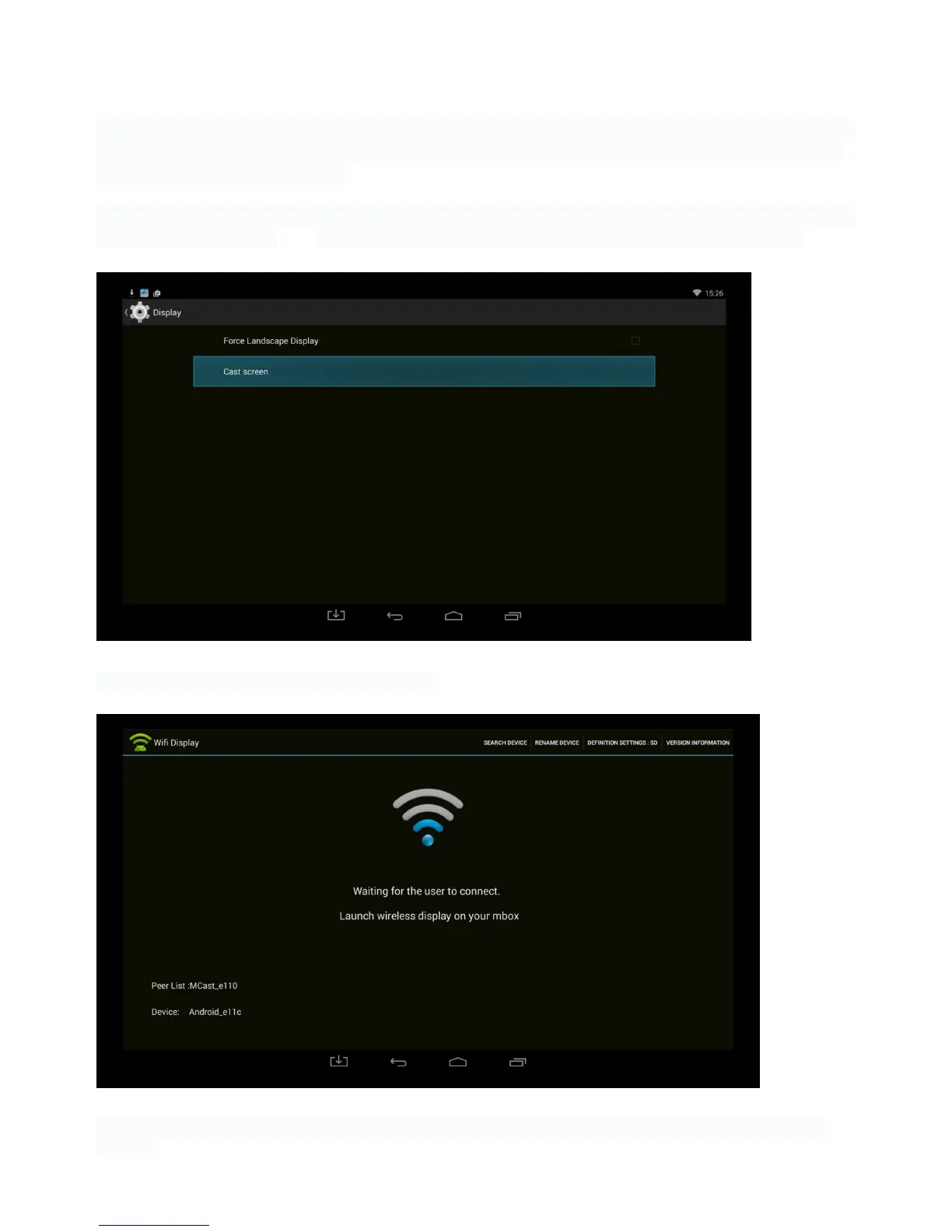
First of all, you need to make sure that both devices are on one Wi-Fi network and enable the Wi-Fi
on your Android device and go to ADVANCED SETTINGS -> DISPLAY to enable CAST SCREEN!
!
!
!
Switch on the Miracast app on your Wonder.!
!
!
Once your Android device is detected by the Xtreamer, click on the icon (for example Xtreamer
Ban-G).!



 To Next Page