4
HDMI
OK
*
AA
AA
AA
AA
1
OR
3
2
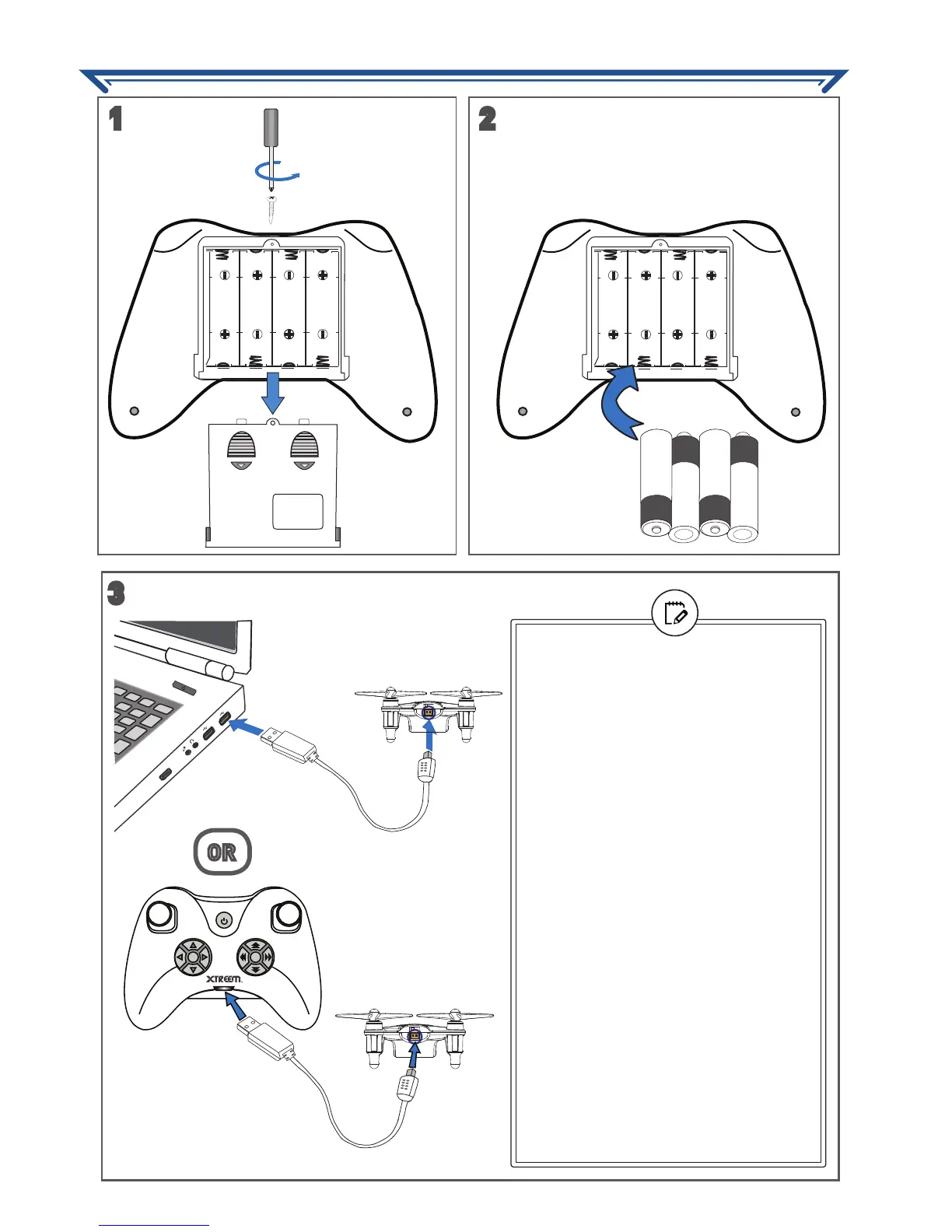
• Before the Atom can be charged, it
must be switched off - make sure the
Atom’s ON/OFF switch is in the OFF
position.
• If charging with the computer, make
sure it is turned on.
• The charging plug only fits into the
Atom one way. Do not force it in.
• You’ll know the Atom is fully charged
once the red indicator light glows on
the USB connector. Promptly remove
the charging plug from the Atom once
charging is complete.
• Charge time varies depending on the
Atom’s battery conditions. It typically
takes up to 30 minutes to fully charge
the Atom from empty.
• It may take longer to charge the Atom
with the controller. This method relies
on the controller’s remaining battery
power capacity.
• You do not have to fully charge the
Atom to fly. Shorter charge time will
result in reduced flying time.
PREPARING FOR FLIGHT


 To Next Page