EasyManua.ls Logo

Xtreme Power Conversion P91g Series - User Manual

Default Icon
36 pages
Print Icon
To Next Page IconTo Next Page
Loading...
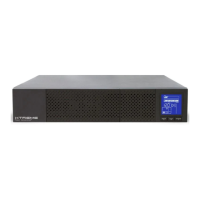
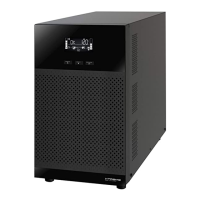
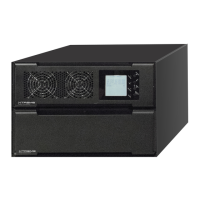
P91 / P91g Lead Acid Online UPS
1000VA, 2000VA, 3000VA Models
User & Installation Manual
www.xpcc.com | © 2021 Xtreme Power Conversion Corporation. All rights reserved. (Rev 10/21/21)

Questions and Answers

  • S
    Stephanie YoungAug 12, 2025
    What to do if Xtreme Power Conversion P91g UPS is overloaded and beeping?
    • M
      Mr. Thomas WebbAug 13, 2025
      If your Xtreme Power Conversion UPS is overloaded, it may be beeping and the LCD display may be flashing a warning code. This indicates that the UPS is drawing more power than it can handle. To resolve this issue: * Remove some of the devices connected to the UPS to reduce the load. * If the UPS has been overloaded repeatedly, it may be locked in Bypass mode. In this case, first remove excess loads, then shut down the UPS and restart it.
  • G
    Gina FisherAug 16, 2025
    What to do if Xtreme Power Conversion P91g UPS shows fault code 43 and beeps?
    • R
      Richard Reilly DDSAug 16, 2025
      If your Xtreme Power Conversion UPS displays fault code 43 and the icon is lit on the LCD display while the alarm is continuously sounding, it means the UPS shut down automatically due to an overload at the UPS output. To fix this, remove some of the devices connected to the UPS to reduce the load and then restart the UPS.
  • B
    Brittney TurnerAug 20, 2025
    What to do if my Xtreme Power Conversion P91g UPS shows fault code 49?
    • L
      lindseyallenAug 20, 2025
      If your Xtreme Power Conversion UPS displays fault code 49 and the alarm is continuously sounding, it indicates that the UPS is experiencing over input current. To resolve this, remove some of the devices connected to the UPS output to reduce the load.
  • L
    lisa85Aug 25, 2025
    What to do if my Xtreme Power Conversion P91g UPS shows fault code 14 and beeps?
    • B
      Brett WalkerAug 25, 2025
      If your Xtreme Power Conversion UPS displays fault code 14 and the alarm is continuously sounding, it means that the UPS shut down automatically because a short circuit occurred on the UPS output. You should check the output wiring and examine connected devices for any short circuit status.
  • B
    Brandon PopeAug 27, 2025
    Why is my Xtreme Power Conversion P91g UPS battery backup time so short?
    • Q
      qsellersAug 27, 2025
      If the battery backup time of your Xtreme Power Conversion UPS is shorter than expected, it could be due to a couple of reasons: * The batteries may not be fully charged. Charge the batteries for at least 5 hours and then check their capacity. * The batteries may be defective.
  • M
    Michael MaddenAug 31, 2025
    What to do if my Xtreme Power Conversion P91g UPS has no indication even though the mains is normal?
    • M
      mark59Sep 1, 2025
      If your Xtreme Power Conversion UPS shows no indication and alarm even though the mains is normal, it could be due to these reasons: * The AC input power is not connected well. Check if the input power cord is firmly connected to the mains. * The AC input is connected to the UPS output. Plug the AC input power cord to the AC input correctly.
  • V
    Veronica AdamsSep 4, 2025
    What to do if my Xtreme Power Conversion P91g shows fault code 2A and is beeping?
    • P
      Paula MorrisSep 4, 2025
      If your Xtreme Power Conversion UPS displays fault code 2A and the alarm is continuously sounding, it means there is a short circuit on the charger output. Check if the battery wiring of the connected external pack is in a short circuit status.
  • J
    Jennifer BarnettSep 8, 2025
    What to do if Xtreme Power Conversion UPS icon flashes and warning code flashes on LCD display?
    • J
      jennifer57Sep 8, 2025
      If the icon and the warning code flash on the LCD display and the alarm is sounding every 2 seconds on your Xtreme Power Conversion UPS, it indicates that the EPO (Emergency Power Off) function is activated. To disable the EPO function, set the circuit in the closed position.

Summary

Important Safety Warning

Transportation

Instructions for safe transport of the UPS system.

Preparation

Guidelines for preparing the UPS system for installation.

Installation

Precautions and requirements for installing the UPS system.

Operation

Key points and warnings regarding the operation of the UPS.

Maintenance, service and faults

Safety guidelines for maintenance, service, and fault handling.

Installation and setup

Rear panel view

Identification and description of rear panel connectors and ports.

Operating principle

Explanation of the UPS system's internal working mechanism.

Install the UPS

Instructions for physically installing the UPS unit.

Setup the UPS

Steps and considerations for configuring the UPS after installation.

Battery Replacement

Procedure and safety precautions for replacing UPS batteries.

Battery Kit Assembly

Guide for assembling battery kits for external battery connections.

Operations

Button operation

Detailed functions of each button on the UPS control panel.

LCD Panel

Description of the UPS LCD display and its indicators.

Audible Alarm

Explanation of the different audible alarm types and their meanings.

LCD display wordings index

Glossary of abbreviations and terms displayed on the LCD.

UPS Setting

Configuration parameters and how to adjust them using the UPS interface.

Operating Mode Description

Details on different operating modes like Online, ECO, Battery, Bypass.

Faults Reference Code

List of fault codes, their meanings, and associated icons.

Warning indicator

Explanation of warning indicators, codes, and alarms.

Troubleshooting

Storage and Maintenance

Specifications

Obtaining Service

Xtreme Power Conversion Limited Warranty

Xtreme Power Conversion Load Protection Policy

Xtreme Power Conversion P91g Series Specifications

General IconGeneral
CategoryUPS
Input Frequency50/60 Hz
Output Frequency50/60 Hz
TopologyLine Interactive
Battery TypeSealed Lead Acid
Efficiency95%
Humidity0% to 95% non-condensing
Input Voltage120V or 230V (depending on model)
Output Voltage120V or 230V (depending on model)
Battery RuntimeVaries by model and load
DimensionsVaries with model
WeightVaries with model
Operating Temperature0°C to 40°C
Communication PortsUSB, RS-232

Related product manuals