EasyManua.ls Logo

Xtreme Power Conversion 1000VA - User Manual

Xtreme Power Conversion 1000VA
35 pages
Print Icon
To Next Page IconTo Next Page
Loading...
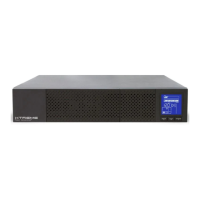
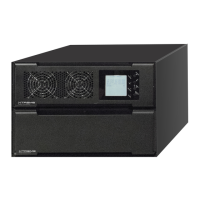
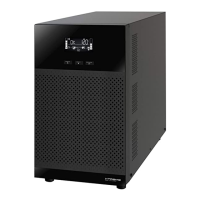
T91 Unity
Online UPS
700VA, 1000VA, 1500VA, 2000VA, 3000VA Models
User & Installaon Manual
www.xpcc.com | © 2017 Xtreme Power Conversion Corporaon. All rights reserved. (Rev 3/14/17)

Questions and Answers

  • D
    Dylan NealAug 14, 2025
    Why is the battery backup time shorter than expected on my Xtreme Power Conversion 1000VA?
    • T
      Tammy HamiltonAug 15, 2025
      There are a couple of reasons why the battery backup time on your Xtreme Power Conversion UPS might be shorter than expected: * The batteries may not be fully charged. Charge the batteries for at least 5 hours to check their capacity. * The batteries might be defective.
  • J
    jason74Aug 18, 2025
    Why is my Xtreme Power Conversion 1000VA beeping and showing overload?
    • B
      Brittany TorresAug 18, 2025
      The Xtreme Power Conversion UPS is overloaded. To resolve this: * Remove some of the devices connected to the UPS to reduce the load. * If the UPS has been overloaded repeatedly, remove excess loads, then shut down and restart the UPS.
  • R
    Ronald VaughnAug 21, 2025
    What to do if my Xtreme Power Conversion 1000VA UPS shows fault code 43 and the alarm is sounding?
    • M
      mmartinAug 21, 2025
      The Xtreme Power Conversion UPS shut down automatically because of an overload at the UPS output. Remove some of the devices connected to the UPS to reduce the load, and then restart the UPS.
  • J
    Jodi PerryAug 25, 2025
    What to do if my Xtreme Power Conversion UPS shows fault code 14 and the alarm is sounding?
    • L
      Lauren MccoyAug 26, 2025
      The Xtreme Power Conversion UPS shut down automatically because a short circuit occurred on the UPS output. Check the output wiring and the devices connected to see if they are causing a short circuit.
  • H
    haleyrodriguezAug 28, 2025
    What to do if my Xtreme Power Conversion 1000VA shows fault code 49 and the alarm is sounding?
    • H
      hvalenciaAug 28, 2025
      The Xtreme Power Conversion UPS is experiencing over input current. Remove some of the devices connected to the UPS to reduce the load.
  • B
    Benjamin HessAug 31, 2025
    What to do if the Xtreme Power Conversion 1000VA UPS icons are flashing and the alarm is sounding?
    • Z
      zachary07Aug 31, 2025
      The line and neutral conductors of the Xtreme Power Conversion UPS input are reversed, or the external or internal battery is incorrectly connected. * Rotate the mains power socket by 180° and then connect it to the UPS system. * Check if all batteries are well connected.
  • B
    Brandy HickmanSep 4, 2025
    What to do if my Xtreme Power Conversion UPS shows fault code 2A and the alarm is sounding?
    • R
      robert56Sep 4, 2025
      The short circuit occurs on the charger output of the Xtreme Power Conversion UPS. Check if the battery wiring of the connected external pack is in short circuit status.
  • C
    Carly JohnsonSep 6, 2025
    How to disable EPO function on Xtreme Power Conversion 1000VA UPS?
    • S
      Sherri ChoiSep 7, 2025
      The EPO (Emergency Power Off) function is activated on your Xtreme Power Conversion UPS. Set the circuit in a closed position to disable the EPO function.
  • F
    fcherrySep 10, 2025
    Why is there no indication or alarm on my Xtreme Power Conversion 1000VA UPS when the mains is normal?
    • A
      Ashley NielsenSep 12, 2025
      There could be a couple of reasons why your Xtreme Power Conversion UPS isn't showing any indication or alarm: * The AC input power is not connected well. Check if the input power cord is firmly connected to the mains. * The AC input is connected to the UPS output. Plug the AC input power cord to the AC input correctly.

Summary

Safety and Precautions

Critical Safety Instructions

Essential warnings for UPS installation, operation, and maintenance.

Electrical Safety Precautions

Details on voltage hazards, grounding, and servicing safety.

Installation and Setup

Installation Safety Practices

Critical safety points for installing the UPS and connecting loads.

UPS Operation and Monitoring

LCD Panel Display Guide

Explains various display indicators on the LCD panel.

UPS Settings and Configuration

UPS Setting Parameters

Configuration options for output voltage, frequency, and ECO mode.

Bypass and Outlet Settings

Settings for bypass function, voltage/frequency ranges, and programmable outlets.

UPS Operating Modes and Faults

Faults and Warnings Reference

Lists fault events, codes, icons, and warning indicators with alarms.

Troubleshooting and Maintenance

Troubleshooting UPS Issues

A guide to diagnosing and resolving common UPS problems.

Troubleshooting Common Faults

Continues troubleshooting common fault codes and symptoms.

Specifications and Support

Warranty and Protection Policies

Xtreme Power Conversion 1000VA Specifications

General IconGeneral
Capacity1000 VA / 600 W
Frequency50/60 Hz
Form FactorTower
Output Power600 Watts
Communication InterfaceUSB
Operating Temperature0°C to 40°C
Storage Temperature-15°C to 45°C
Humidity0-95% non-condensing
RuntimeVaries by load
Backup TimeVaries by load

Related product manuals