www.xtremevisionsecurity.com
How to Use the Easy Control Panel
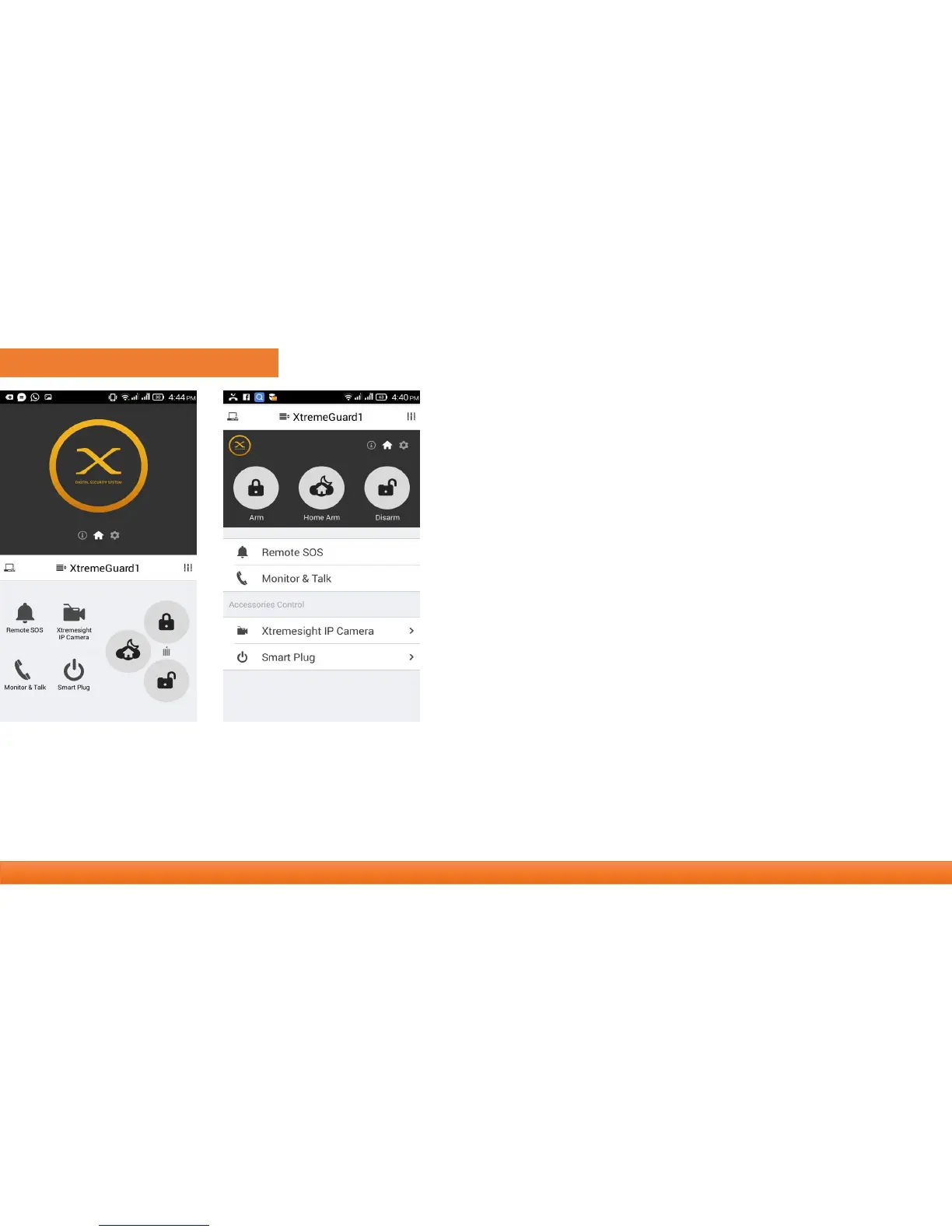
One/two hands mode
• There are different sizes of smart phones with Android or IOS system, which
bring operation al l inconvenience of users.
• We bring convenience by offering one/two hands mode for both small sizes
and big sizes phones and tablet.
Control panel uses
1. Navigator : Swap to switch between menus. The other two
menus are information and settings.
2. Easy control panel : Arm, Disarm, Home Arm , Sos,
3. Accessories Quick View : The faster way to Use your accessories.
4. Manage & Help : Add more main panels, Re initialization.
5. App settings & supports : Change app languages, information,
help & feedbacks.
1
1
2
3
4 5
2
3
4 5
• Arm : All accessories under none “Disable” status are on arm
• Home Arm : Only the accessories on “Instant” or “24 Hours” mode are on arm.
• Disarm : Only “24 Hours” mode accessories are on arm.



 To Next Page