www.xtremevisionsecurity.com
How to add Emergency Contacts
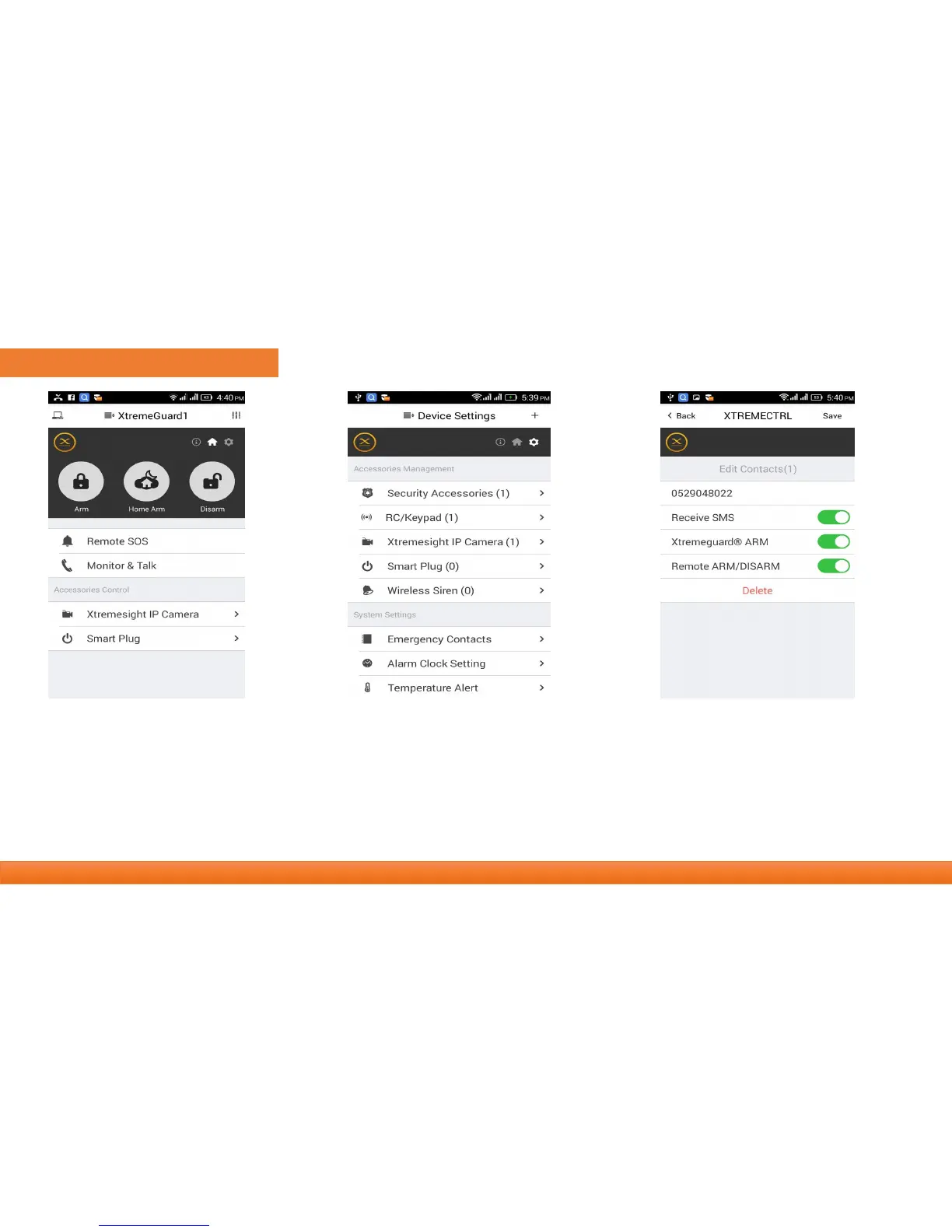
• Slide softly on main panel, switch to SETTINGS menu.
• Click [Emergency contacts]. Up to 6 emergency contacts for settings. Tap any of them for editing.
• The Xtremeguard calls and text to emergency contacts when alarming. You can decide which informing message to
receive.
• Please set your cell phone number as the 1
st
emergency contact. Because only first one could receive important
notification(Arm, Power Lost, etc.).



 To Next Page