Need help?
Do you have a question about the XtremeAIR PX06-I42 and is the answer not in the manual?
Marks the ceiling bracket outline and duct hole.
Secures the ceiling bracket and routes ducting and electrical work.
Attaches multi-hole brackets to ceiling brackets for hood support.
Attaches the hood body to support brackets and connects ductwork.
Installs upper and lower chimney sections, securing them to the ceiling bracket.
Details touch screen controls for PX06 models, including light, blower, and delay functions.
Describes touch button controls for PX04 models, including power, speed, and timer functions.
Explains how to turn the blower on and adjust speed using touch controls.
Details how to increase or decrease blower motor speed using touch controls.
Instructions on how to turn off the blower using the power button.
How to activate or deactivate the hood's lighting.
Setting the timer for delayed blower shut-off.
How to activate the delay off timer for the blower.
Resets the cleaning reminder indicator after maintenance.
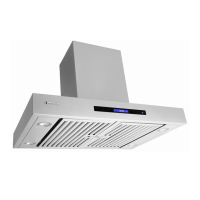
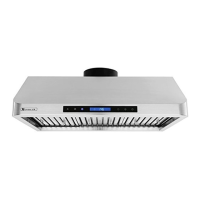
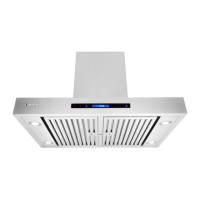
This document serves as an installation guide and user's manual for XtremeAIR's Pro-X Series PX06-136, PX06-142, PX06-148, PX04-136, and PX04-142 island mount range hoods. It provides comprehensive instructions for installation, operation, and maintenance, emphasizing safety and optimal performance for residential and indoor use.
The XtremeAIR Pro-X Series range hood is designed to ventilate cooking fumes, smoke, and odors from the kitchen, exhausting them to the outdoors. It features a powerful blower system to effectively clear the air above a cooktop or range. The hood is equipped with a control panel that allows users to manage various functions, including blower speed, lighting, and timer settings. Its primary function is to maintain a clean and fresh kitchen environment by removing airborne contaminants generated during cooking. The unit is designed for island mount installation, meaning it is suspended from the ceiling above a freestanding cooktop.
The range hood incorporates several user-friendly features to enhance the cooking experience. The control panel, for PX06 models, utilizes a touch-sensitive interface, requiring only a light touch and hold for approximately one second to activate functions. This design minimizes physical effort and provides a sleek appearance. For PX04 models, a touch button interface is used.
Key operational features include:
The manual emphasizes the importance of starting the range hood before cooking and allowing it to operate for several minutes after cooking is completed to effectively clear smoke and odors.
Regular maintenance is crucial for the optimal performance, longevity, and safety of the XtremeAIR range hood. The manual provides detailed instructions for cleaning various components:
The manual also includes troubleshooting tips for common issues such as the hood not operating, vibrations, weak blower performance, lights working but blower not spinning, improper venting, excessive noise, and inactive control panels. These tips guide users in identifying and resolving minor problems, often related to installation, connections, or cleaning.
 General
| Brand | XtremeAIR |
|---|---|
| Model | PX06-I42 |
| Category | Ventilation Hood |
| Airflow | 900 CFM |
| Noise Level | 65 dB |
| Lighting | LED |
| Material | Stainless Steel |
| Filters | Baffle Filters |
| Power Source | Electric |
| Type | Wall Mount |
| Control Type | Touch Control |
| Installation Type | Wall-mounted |

 To Next Page