EasyManua.ls Logo

XtremeAIR Ultra Series - User Manual

Default Icon
14 pages
Print Icon
To Next Page IconTo Next Page
Loading...
www.XtremeAirUsa.com PAGE
1
Under Cabinet Range Hood
IMPORTANT: READ AND SAVE THESE INSTRUCTIONS
FOR RESIDENTIAL & INDOOR USE ONLY
INSTALLATION GUIDE & USER’S MANUAL
PRO
-
X
& ULTRA SERIES
Question and Answer IconNeed help?

Do you have a question about the XtremeAIR Ultra Series and is the answer not in the manual?

Summary

Important Safety Instructions

General Safety Warnings

Observe safety guidelines to reduce risks of fire, electric shock, or injury.

Grease Fire Prevention

Take precautions to prevent and manage range top grease fires by keeping the hood clean.

Grease Fire Injury Prevention

Steps to prevent injury during a range top grease fire, including smothering flames.

Height and Clearance Requirements

Venting Requirements and Methods

Ductwork Material and Size

Use rigid metal ductwork, 8" round recommended for optimal airflow.

Prohibited Venting Materials

Avoid using plastic vent material or 4" laundry-type wall caps.

Sealing and Dampers

Seal exterior openings and ensure the vent system has a damper.

Electrical Requirements and Circuit Diagram

Electrical Circuit Specifications

Requires a 120V, 60Hz, AC only, 15-amp fused electrical circuit.

Installer Responsibilities

Customer must hire a qualified installer and ensure code compliance.

Installation Steps

Protect Cook Top

Cover the cook top and range to protect from damage or dirt during installation.

Create Work Station

Set up an optional work station for easier installation.

Prepare Ductwork and Outlet

Prepare ductwork and ensure a 15A, 120V outlet is available.

Attach Filler Strips and Accesses

Attach filler strips and cut access openings for wires and exhaust.

Attach and Secure Hood

Lift, position, and secure the hood flush with the cabinet using screws.

Connect Ductwork

Connect the hood exhaust to the ductwork and secure joints with tape.

Install Oil Tunnel and Filters

Install the oil tunnel and baffle filters correctly.

Range Hood Operation

Type 1 Touch Screen Control

Operate functions like smoke detection, blower speed, lights, and timer.

Type 2 Touch Button Control

Control blower, speed, lights, and timer using touch buttons.

Type 3 Soft Press Button Control

Control blower speed, power, and lights with soft press buttons.

Replacing the Light Bulb

Troubleshooting Guide

No Operation or Lights

Check power, fuse, wiring, or defective bulbs if unit is not operating.

Vibration Issues

Ensure hood is secured and check motor and blower wheel for damage.

Weak Blower or Fan

Check duct size, clogs, damper unit, or wall cap for airflow restrictions.

Blower Stuck or Rattling

Contact support if blower is jammed, scraping, or motor is defective.

Improper Venting

Verify height, reduce elbows/duct length, and check joint connections.

Noise Issues

Check duct security and ensure correct duct size is used.

Control Panel;Remote Issues

Check auto function status or ensure remote control plastic film is removed.

Use and Care Information

Operating Precautions

Read instructions, keep safety grills/filters in place, never leave cooking unattended.

Cleaning Filters

Clean filters periodically to prevent fire risk; do not operate without them.

Exterior Surface Cleaning

Clean with mild soap and water; avoid abrasive cleaners to protect finish.

Aluminum;Steel Filter Cleaning

Clean metal filters with degreaser every 30 hours of use.

Product Warranty Information

Parts and Labor Warranty

Two-year parts warranty, extended eight years for motor. One-year labor warranty.

Warranty Performance and Claims

Contact company for malfunctions, provide proof of purchase within 7 days.

Warranty Exclusions and Disclaimers

Excludes commercial use, misuse, acts of God, and normal maintenance.

Overview

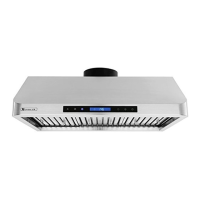
This document serves as an installation guide and user's manual for XtremeAIR under-cabinet range hoods, specifically covering the PRO-X and ULTRA Series. The primary function of these devices is to ventilate kitchen spaces by extracting smoke, grease, and odors generated during cooking.

Function Description

The XtremeAIR range hoods are designed to be installed under kitchen cabinets, providing efficient ventilation for cooktops and ranges. They operate by drawing air from the cooking area, filtering out grease and other particulates, and then expelling the exhaust to the outdoors through a duct system. This process helps maintain air quality in the kitchen, reduces the accumulation of greasy residues on surfaces, and minimizes the spread of cooking odors throughout the home. The hoods are equipped with powerful blowers to handle various levels of cooking intensity, from light simmering to heavy frying. Some models incorporate advanced features like smoke detectors for automatic operation and touch-sensitive controls for ease of use.

Usage Features

The range hoods offer several features designed to enhance the user experience and optimize ventilation.

  • Control Systems: The manual details two main types of control systems:

    • Type 1: Touch Screen Control (for Pro-X Series PX10, PX12 models): This system features a sleek LCD panel with touch-sensitive buttons for various functions.
      • Normal Blower Function: Users can activate the blower from the lowest (F1 - quiet speed) to the highest (F4 - high speed) setting by touching the (+) or (-) buttons. The LCD panel indicates the current speed.
      • Light Function: A dedicated Light button allows users to turn the lights on or off.
      • Power-Off Delay Function: This feature enables users to set a delay timer (1-15 minutes) for the blower to continue operating after cooking is finished, ensuring all smoke and odors are cleared. The timer begins counting down immediately after activation, and the display shows a flashing clock when active.
      • Smoke Detector Auto Function: By touching the Auto Function button, the hood can automatically adjust its blower speed based on detected smoke levels. This function is particularly useful for hands-free operation during intense cooking. Once activated, other buttons become inactive, allowing the hood to manage ventilation autonomously.
      • Clock Display: For PX10 models, the control panel includes a clock display. Users can adjust the hour and minutes using the (+) and (-) buttons when the blower is off, and validate the settings with the light button.
      • Remote Control Sensor: These models are equipped with an infrared (IR) sensor to receive signals from a remote control, offering convenient operation from a distance (up to 3 meters with direct line of sight). Light settings are independent and must be manually turned on or off. The system saves user configurations, including light, timer, and blower speed, for future use.
    • Type 2: Touch Button Control (for Pro-X Series PX11 model): This system uses physical touch buttons with indicators for various functions.
      • Power ON/OFF: A power button activates/deactivates the hood and can also initiate the power-off delay timer.
      • Blower Speed Adjustment: Dedicated (+) and (-) buttons allow users to increase or decrease the blower speed (1-4). The system remembers the last used speed.
      • Light ON/OFF: A separate Light button controls the hood's illumination.
      • Timer Functions: The (+) and (-) buttons also adjust timer values. The system includes a Power-On Elapsed Digital Timer (8) to track cumulative running time and a Power-Off Delay Digital Timer (9) for delayed shutdown.
      • Automatic Shut-Off: For models manufactured after August 2012, the hood automatically shuts off after approximately 2.5 hours of continuous operation.
    • Type 3: Soft Press Button Control (for All Ultra Series): This simpler control system features soft-press buttons.
      • Blower Activation: Buttons (2), (3), and (4) activate the blower at lowest, medium, and highest speeds, respectively.
      • Power Off: Button (1) turns off the blower.
      • Light ON/OFF: Button (5) controls the lights.
  • Optimal Performance: For best results, it is recommended to start the range hood a few minutes before cooking and allow it to operate for several minutes after cooking is completed to ensure all smoke and odors are effectively cleared from the kitchen.

Maintenance Features

Proper maintenance is crucial for the longevity and efficient operation of XtremeAIR range hoods. The manual provides detailed instructions for cleaning and care.

  • General Safety: Users are warned never to put their hand into the fan housing while the fan is operating. All safety grills and filters must remain in place during operation to prevent injury.
  • Regular Cleaning:
    • Importance: The manual emphasizes that greasy residue accumulation in the blower and filters can increase inflammability. Therefore, filters must be cleaned periodically and kept free from cooking residue. Old and worn filters should be replaced immediately.
    • Exterior Surfaces: The exterior stainless steel surfaces should be cleaned periodically with hot soapy water and a clean cotton cloth. Corrosive or abrasive detergents, steel wool, or scoring pads are strictly prohibited as they can scratch and damage the finish. For heavier soil, liquid degreasers like "Formula 409®" or "Fantastic®" are recommended. After cleaning, a non-abrasive stainless steel polish (e.g., 3M® or ZEP®) can be used to restore luster, always scrubbing lightly and with the grain. Deposits should not be allowed to accumulate, and salt solutions, disinfectants, bleaches, or cleaning compounds should not remain in contact with stainless steel for extended periods.
    • Aluminum Grease Filters / Stainless Steel Baffle Filters: These filters are designed to trap grease and residue.
      • Frequency: Filters should be cleaned after every 30 hours of use.
      • Method: They can be removed and cleaned by hand or in a dishwasher. For heavily soiled filters, spraying with a degreasing detergent and allowing them to soak is recommended. Filters must be dried before re-installation.
      • Oil Tunnel/Container: For models with an oil tunnel or container, it is important to drain oil from these components before they overflow.
  • Filter Replacement: Should filters wear out due to age or prolonged use, or if they become damaged (punctured mesh, bent frame), replacement filters can be obtained from a local reseller.
  • Cleaning Reminder: Some models include a cleaning reminder feature. When the blower's cumulative running time reaches 30 hours, an icon on the digital timer will flash, reminding the user to clean the baffle filters. After cleaning, the timer can be reset by touching and holding the (+) Increase Value button for over 3 seconds when the motor is not in use.
  • Disassembly: Users are advised not to disassemble parts for cleaning without proper instructions. Disassembly is recommended to be performed only by qualified personnel.

The manual also includes important safety instructions, warnings regarding fire and electric shock risks, and troubleshooting tips for common issues such as non-operational hoods, vibrations, weak blower performance, non-spinning blowers, improper venting, increased noise, and unresponsive controls. It also provides guidance on replacing light bulbs.

XtremeAIR Ultra Series Specifications

General IconGeneral
SeriesUltra Series
MaterialStainless Steel
Venting TypeDucted
Filter TypeBaffle Filter
LightingLED
Mounting TypeWall Mount

Related product manuals