EasyManua.ls Logo

XtremeAIR Special Series - User Manual

Default Icon
10 pages
Print Icon
To Next Page IconTo Next Page
Loading...
INSTALLATION GUIDE & USER’S MANUAL
ISLAND MOUNT RANGE HOOD
IMPORTANT:
READ AND SAVE THESE INSTRUCTIONS
FOR RESIDENTIAL & INDOOR USE ONLY
Model: Pro-X Series PX01-I30 / I36 / I42
Special Series SP-I30 / I36 / I42
Page 1
Question and Answer IconNeed help?

Do you have a question about the XtremeAIR Special Series and is the answer not in the manual?

Summary

Important Safety Instructions

Safety Precautions and Warnings

Covers fire hazards, installation safety by professionals, and electrical/venting requirements.

Height and Clearance Guidelines

Installation Height and Ducting Requirements

Specifies installation height (26-30"), outdoor venting with metal ducts, and efficient practices.

Venting Requirements and Methods

Efficient Venting Practices

Use metal ducts, minimize turns, maintain uniform size, and ensure proper damper function for best results.

Parts and Installation Diagrams

Supplied Parts List

Details all components included in the package for the range hood installation.

Installation Diagram and Dimensions

Provides component dimensions and emphasizes secure mounting of the ceiling bracket.

Installation Procedure

Ceiling Bracket and Support Installation

Steps for marking, cutting, and attaching the ceiling and support brackets to the ceiling.

Hood Body and Chimney Assembly

Instructions for attaching the hood body, connecting ductwork, and installing the chimney sections.

Range Hood Operation Guide

Touch Controls and Usage

Guide to operating touch-sensitive controls, including blower speed, lights, and timers.

Automatic Shut-Off and Cleaning Reminders

Details the 2.5-hour automatic shut-off feature and the 30-hour cleaning reminder.

Touch Panel Control Functions

Blower, Light, and Timer Operations

How to activate blower, adjust speed, turn lights on/off, and manage delay timer functions.

Clock Setting and Timer Adjustment

Instructions for setting the clock and adjusting the delay shut-off timer duration (1-15 minutes).

Product Specifications

Technical Specifications Overview

Details body design, power, airflow, noise level, motor, filtration, illumination, and venting size.

Troubleshooting Common Issues

Problem Diagnosis and Solutions

Addresses issues like non-operation, vibration, weak blower, non-spinning motor, poor venting, noise, and control panel problems.

Use and Care Information

Operating Precautions

Safety guidelines for operation, including leaving guards in place and never leaving cooking unattended.

Cleaning and Maintenance Schedule

Instructions for cleaning exterior surfaces, grease filters, and oil containers to maintain performance.

Limited Warranty Details

Warranty Terms and Exclusions

Outlines the 10-year motor warranty, 1-year parts/labor, exclusions, and disclaimer of liabilities.

Overview

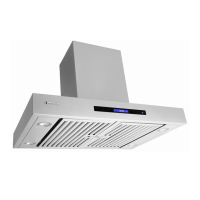
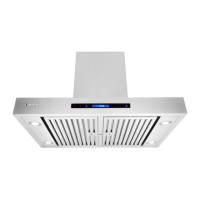
This document serves as an installation guide and user's manual for the XtremeAIR Island Mount Range Hood, specifically covering the Pro-X Series (PX01-130 / 136 / 142) and Special Series (SP-130 / 136 / 142) models. The primary function of this device is to ventilate kitchen air, removing smoke, odors, and grease-laden vapors from the cooking area. It is designed for residential and indoor use only.

Function Description

The XtremeAIR Island Mount Range Hood is an advanced ventilation system designed to be mounted above a cooking surface, typically an island cooktop. Its core function is to draw air from the kitchen, filter out grease and other particulates, and exhaust the cleaned air to the outdoors. This process helps maintain a cleaner, healthier kitchen environment by preventing the accumulation of cooking byproducts on surfaces and in the air. The hood features a powerful blower system that can be adjusted through multiple speed settings to accommodate various cooking intensities, from light simmering to heavy frying. It also includes integrated lighting to illuminate the cooking surface, enhancing visibility and safety. The design emphasizes efficient air extraction while aiming for quiet operation.

Usage Features

The range hood incorporates several features to enhance its usability and performance. For optimal operation, it is recommended to start the range hood before cooking and allow it to run for several minutes after cooking is completed to ensure all smoke and odors are cleared.

The control panel for the PX01-I model utilizes touch-sensitive controls, requiring only a light touch and hold for approximately one second to activate functions. Key functions include:

  • Power ON/OFF: Activates or deactivates the unit and can also initiate the power-off delay timer.
  • Blower Speed Adjustment: Allows users to increase or decrease the blower (motor) speed across multiple levels to match cooking needs. The system saves user configurations, so the last-used speed setting will be recalled upon activation.
  • Light Control: Turns the integrated lights ON or OFF with a single touch.
  • Timer Function: The hood includes a power-off delay timer, which can be set for a desired duration (minimum 1 minute to maximum 15 minutes) to continue ventilation after cooking, ensuring complete odor removal. This setting is saved immediately.
  • Automatic Shut-Off: The unit is programmed to automatically shut off approximately every 2.5 hours, after which it can be restarted as usual.
  • Cleaning Reminder: After 30 hours of cumulative use, a timer icon will flash, reminding the user to clean the baffle filters. This reminder can be reset after cleaning.

For the SP01-I control panel, features include:

  • Clock Button & Delay Timer Button: Allows setting the 12-hour clock when the fan is not running. When the fan is running, this button activates the delay shut-off timer, which has a default setting of 1 minute and can be adjusted up to 15 minutes.
  • Light Button: Turns the lights on or off.
  • Minus (-) Button: Decreases settings. It also serves as a shortcut to turn on the fan at a high-speed setting when the unit is off.
  • Plus (+) Button: Increases settings. It also serves as a shortcut to turn on the fan at a low-speed setting when the unit is off.
  • Power Button: Turns the control panel on or off.

Maintenance Features

Regular maintenance is crucial for the range hood's performance, safety, and longevity. The manual provides clear guidelines for cleaning and care:

  • General Cleaning: It is essential to keep the unit clean and free of grease and residue buildup at all times to prevent potential fires and maintain efficiency.
  • Filter Cleaning: The metal baffle filters are designed to capture grease and residue. They must be cleaned periodically, ideally after every 30 hours of use, as indicated by the cleaning reminder. Filters can be removed and cleaned by hand or in a dishwasher using a proper degreasing detergent. For heavily soiled filters, soaking is recommended. After cleaning, filters must be thoroughly dried before re-installation.
  • Oil Tunnel/Container: The oil tunnel and oil container should be regularly cleaned, and accumulated oil drained to prevent overflow.
  • Exterior Surface Cleaning: Stainless steel exterior surfaces should be cleaned periodically with a stainless steel cleaner or hot soapy water and a clean cotton cloth. It is critical to avoid corrosive or abrasive detergents, steel wool, or scoring pads, which can scratch and damage the stainless steel finish. For stubborn spots, a liquid degreaser can be used, followed by wiping with a soft towel. After cleaning, a non-abrasive stainless steel polish can be applied to restore luster.
  • Important Precautions: Users are warned against operating the blowers when filters are removed. Disassembly of parts for cleaning should only be performed by qualified personnel. It is also crucial to avoid allowing salt solutions, disinfectants, bleaches, or cleaning compounds to remain in contact with stainless steel for extended periods, as these chemicals can be harmful.

The manual emphasizes that the range hood is for residential and indoor use only and highlights the importance of reading and saving all instructions for safe and effective operation.

XtremeAIR Special Series Specifications

General IconGeneral
BrandXtremeAIR
SeriesSpecial Series
MaterialStainless Steel
Control TypeTouch control
LightingLED
Installation TypeUnder Cabinet

Related product manuals