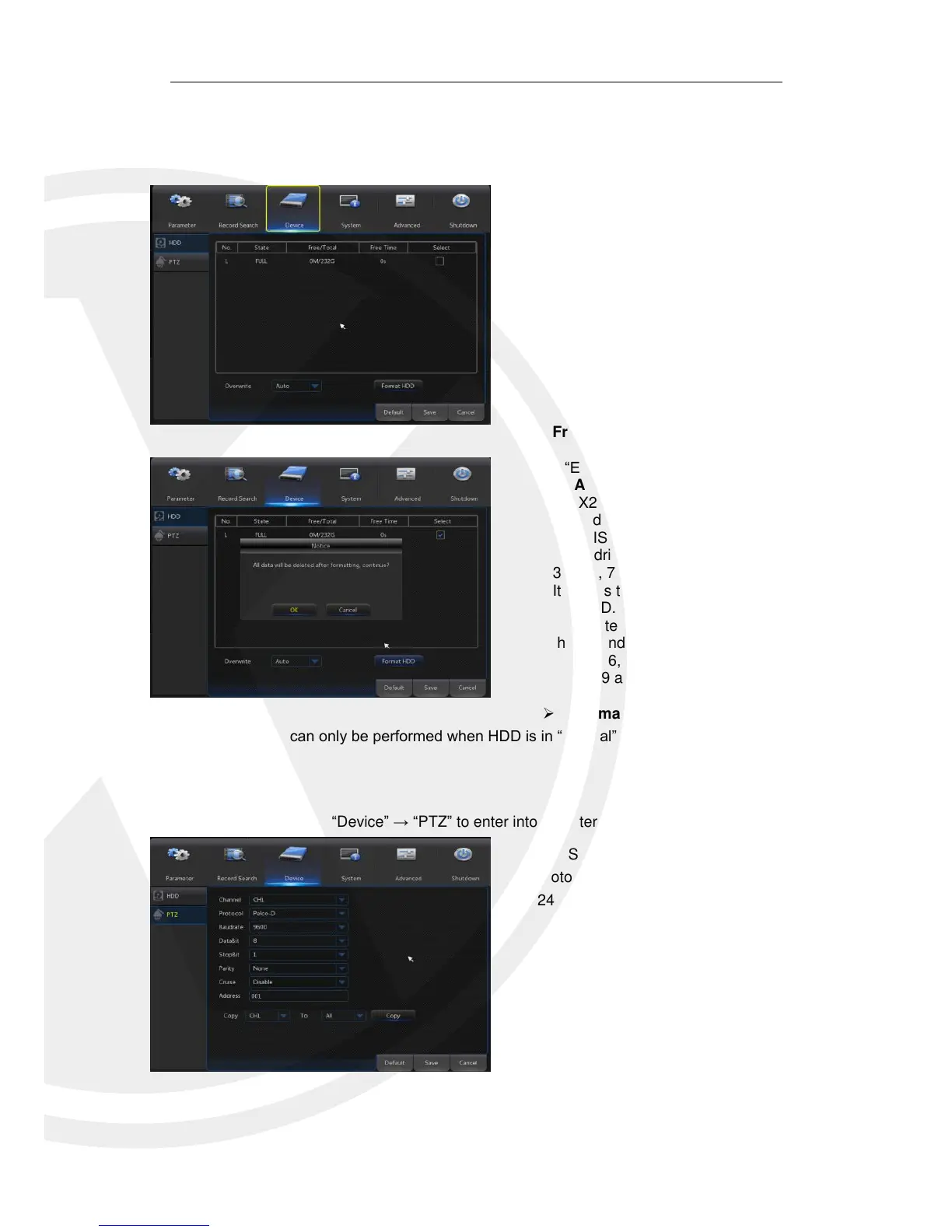
When the X2RxN has HDD’s connected,
the system will automatically detect if the
HDD’s are normal or not; If the HDD’s need to
be formatted, status will be shown as “Not
formatted”. Select the HDD and format. If the
system detects HDD is normal state, the HDD
status will be shown as “Normal”.
No: Number of HDD’s connected to system.
Status: It shows the current status of HDD. It
will be available only when HDD is “Normal”.
Free/Total Space: Remaining or total space
of HDD
Free Time: Remaining time for HDD recording
according to currently set “Resolution”,
“Encoding Rate” and “Frame Rate” of image.
Auto-overwrite: When set to ENABLE, the
X2RxN will overwrite the oldest files on the
hard drive if hard drive space is full. When set
to DISABLE, the X2RxN will stop recording if
hard drive space is full. Overwrite time: 1 day,
3 days, 7 days, 14 days, 30 days and 90 days.
It means the longest storage time of records in
HDD. If the time is over, the records will be
deleted. For example, if the time is set as 3
hours and the data in HDD include 12, 13, 14,
15, 16, 17, 18, 19 and 20 o’clock, then data
18, 19 and 20 will be saved and data 12, 13,
14, 15, 16 and 17 will be deleted.
Format HDD: Format HDD for the first use.
Select a PTZ channel and set PTZ
protocol(Pelco-D, Pelco-P), Baud rate(1200,
2400,4800,9600), Data Bit(8,7,6,5),
Stop Bit(1,2), Parity(None,Odd,Even
Mark Space), Address and Cruise.
Parameter setting for above channels
must be the same as that of PTZ so that PTZ
can be controlled. The protocol, baud rate and
PTZ address must be set.



 To Next Page