1
2
3
4
6
5
10
7
11
12
9
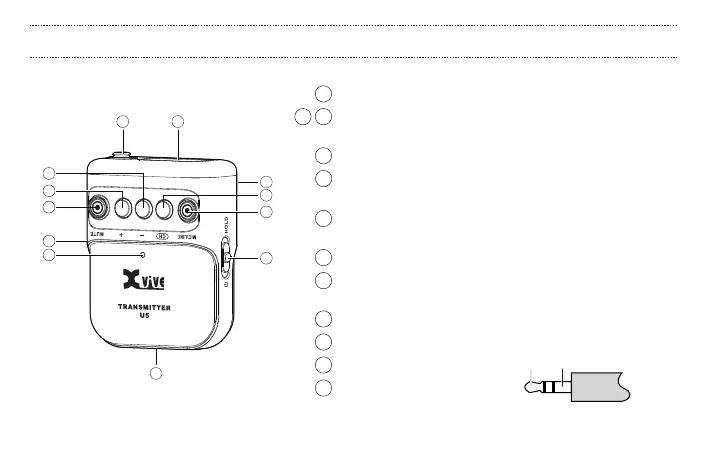
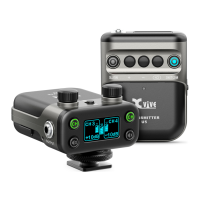
1 Mute button: turns o the volume of the microphone input
2 3 “+” and “-” gain buttons: changes the input gain level from
Mic: -6 to +12 dB; Line: 0 to +12 dB
4 CH switch: selects the channel from 1 to 6
5 Mic/Line input mode: select “Mic” for lavalier microphone,
or “Line” for other devices with more dynamic range
6
The power switch turns the unit on or o, or keeps it in hold mode.
Hold mode disables all controls to ensure uninterrupted use
7 USB charging port: Micro B
8 OLED display: displays battery power level,
channel selected, gain, clip, mute
9 Battery compartment for U5B battery
10 Belt clip
11 Power status LED
12 Input: mono 3.5mm TRS input
8
+
-
U5 TRANSMITTER: BASIC OPERATION
10


 To Next Page