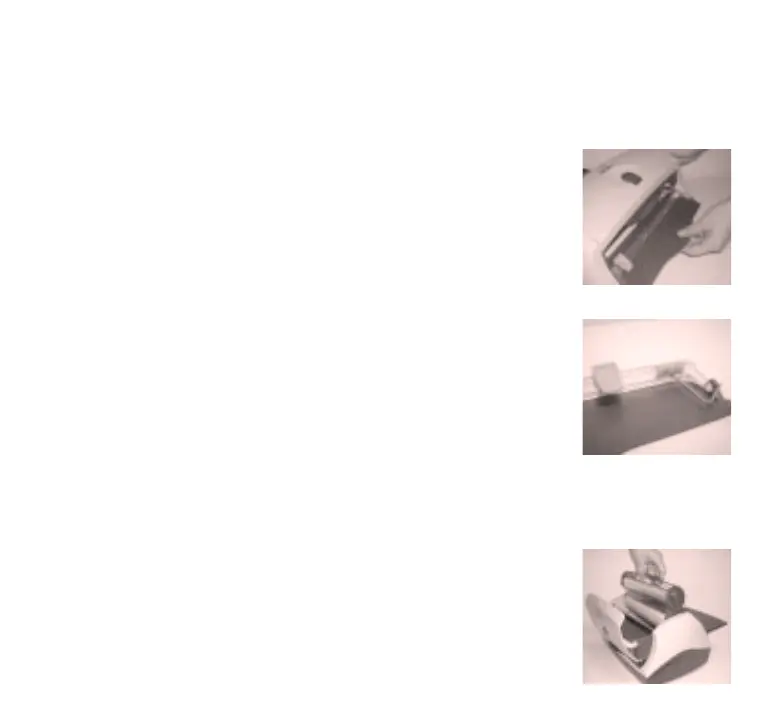
How to replace the cut blade: Loosen and remove the screw
in the cut bar with wrench. Remove colored plastic insert and slide
the old blade off the cut bar (safely discard old blade). Carefully
slide the NEW Xyron 900 blade onto clear bar. NOTE: The sharp
edge of the blade should be facing inward. Replace the colored
plastic insert into clear bar and secure screw with wrench. Verify
smooth movement across the entire length of the clear bar.
How to replace the cutter assembly: Align the cutter sides
with the machine. Slide in the cutter with the cut bar resting on the
spring arms on the side of the machine until it snaps and locks
into place.
How to load the cartridge: Open the lid to your Xyron 900
machine. Slide the cartridge into the tracks on the sides of the
machine with the exposed rolls of material facing the open lid
cover. Close the lid securely. Advance film and trim.


 To Next Page