Xyron Creative Station Lite
®
Multi-Use Applicator 9
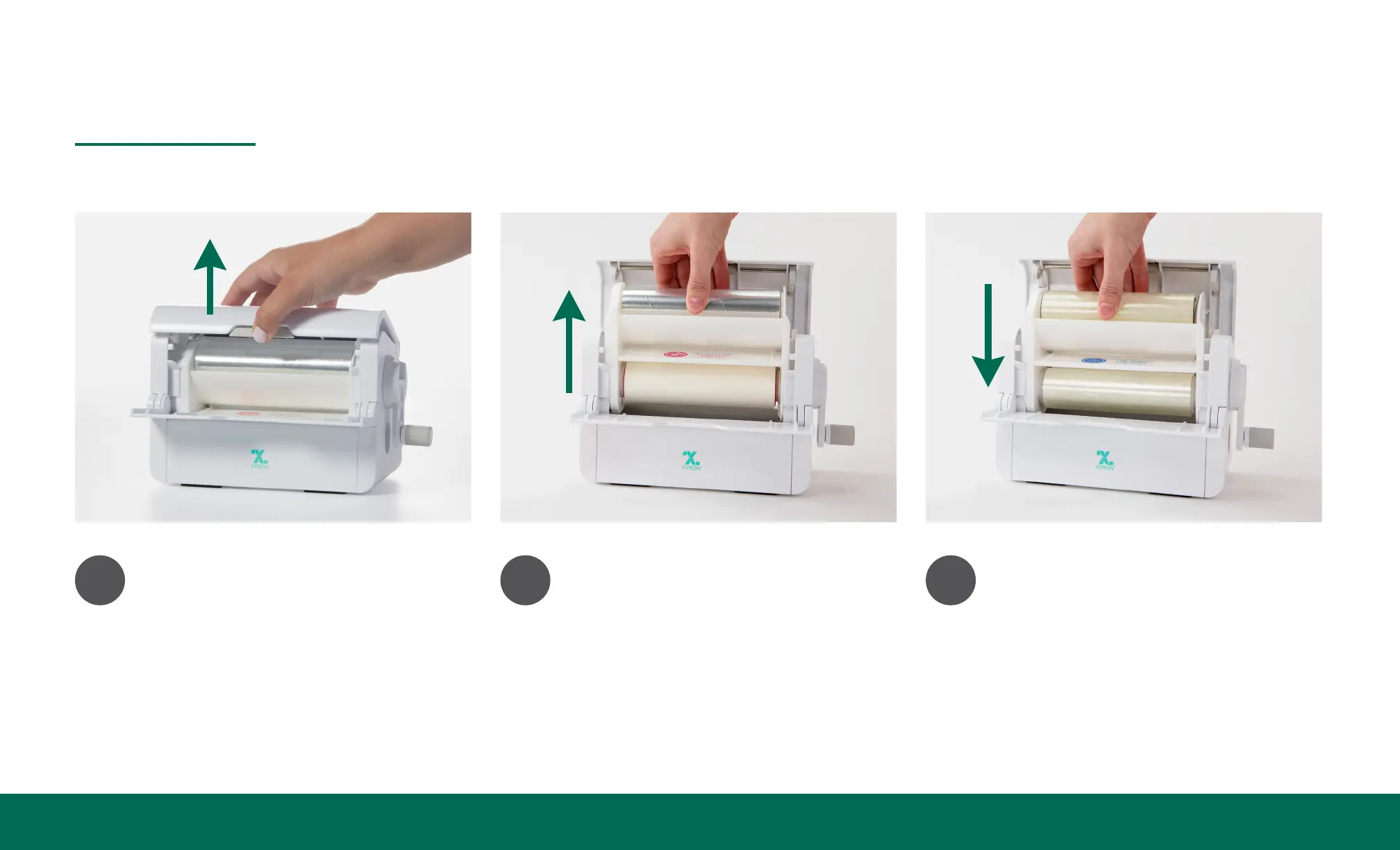
How to Unload/Load Cartridge
1
Open cartridge compartment
by pushing button and lifting
the lid.
2
Pull cartridge up and out of
the machine.
3
Drop the cartridge into the
machine using the internal
track as a guide. The label
on the cartridge should be
facing you.
continued on next page


 To Next Page