EasyManua.ls Logo

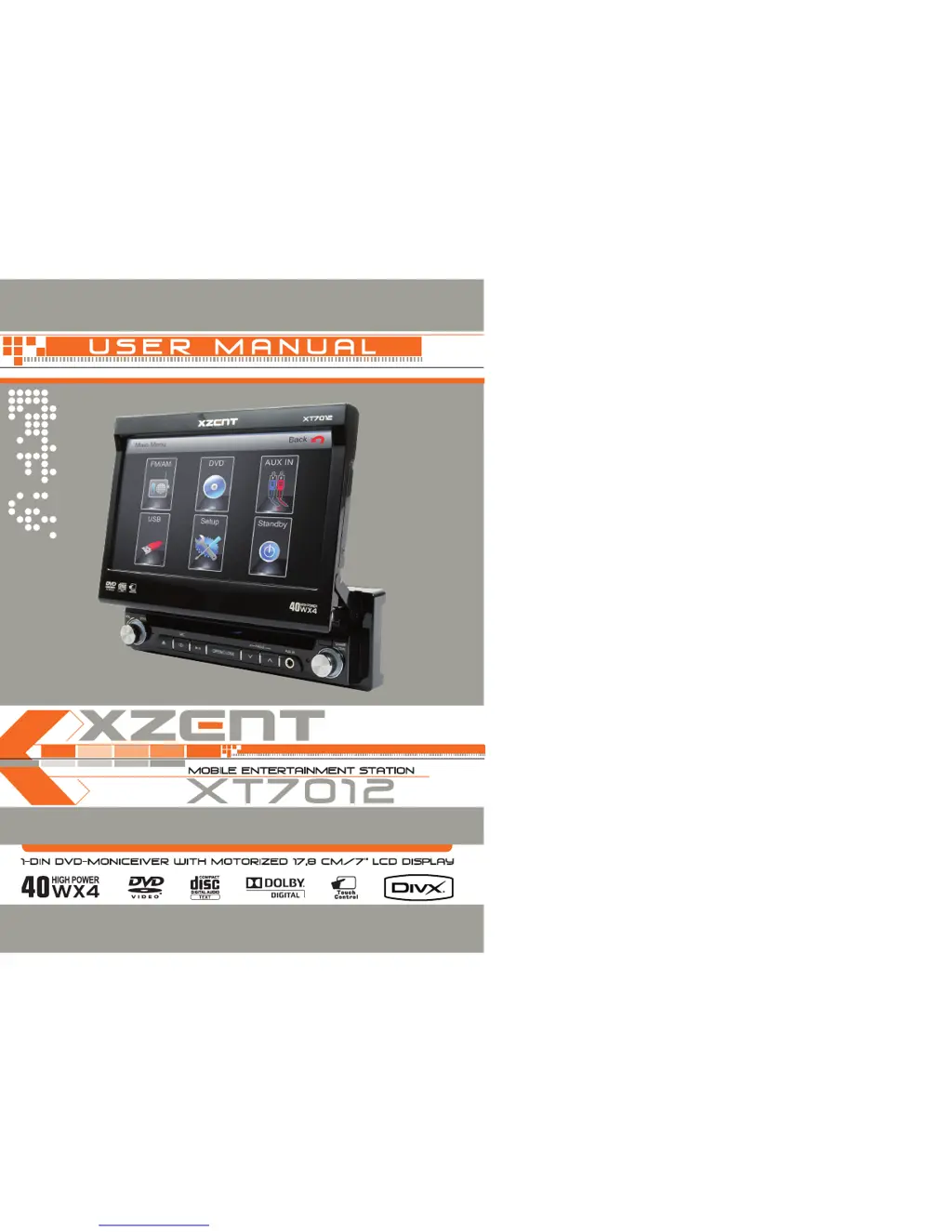
XZENT XT7012 - User Manual

XZENT XT7012
39 pages
Print Icon
To Next Page IconTo Next Page
Loading...

Table of Contents

Questions and Answers

  • T
    Tracey ChristianAug 17, 2025
    Why is there no or low audio output from my XZENT XT7012 Media Player?
    • A
      Andrea ColemanAug 17, 2025
      If you're experiencing no or low audio output on your XZENT Media Player, there are a few things to check: * First, make sure the audio output is properly connected by checking the wiring. * Second, verify that the volume isn't set too low and increase it if necessary. * Finally, review the wiring diagram and check the 'MUTE' connection.
  • S
    staceymolinaAug 19, 2025
    What to do if my XZENT XT7012 disc does not play back?
    • S
      sherryjenkinsAug 19, 2025
      If your XZENT Media Player isn't playing a disc, here's what you can check: 1. Ensure the disc isn't warped or scratched; use a disc in good condition. 2. Clean the disc with a soft cloth if it's dirty or wet. 3. Confirm you're using a compatible disc. 4. Adjust the Parental Lock settings if the disc rating exceeds the current limit. 5. Make sure the disc's region code is compatible with the unit. 6. Insert the disc with the label side up.
  • R
    richard53Aug 22, 2025
    Why is there no image on my XZENT XT7012 Media Player?
    • J
      Jason BarberAug 22, 2025
      If there is no image on your XZENT Media Player, check the following: * Ensure the parking brake wire is correctly connected by checking the wiring. * If 'PRK SW' is activated, stop the vehicle in a safe place and apply the parking brake.
  • J
    James LongAug 25, 2025
    Why does my XZENT XT7012 remote control not work?
    • T
      Tammy BarrAug 26, 2025
      If the remote control for your XZENT Media Player isn't working, try these steps: * Pull out the insulation tape, if any, from the battery. * Replace the battery with a new one if it's depleted. * Remove the battery and reinstall it correctly, ensuring proper alignment.
  • C
    Caitlin PowellAug 27, 2025
    How to fix XZENT XT7012 remote control that doesn’t work properly?
    • N
      Nicole Peters DDSAug 27, 2025
      If the remote control for your XZENT Media Player isn’t working properly, try the following: * Replace the battery with a new one if it's depleted. * Remove the battery and install it correctly.
  • W
    wbrownAug 30, 2025
    What to do if flashing image or interference appears on XZENT XT7012 screen?
    • L
      Linda FoleyAug 30, 2025
      If you see a flashing image or interference on the screen of your XZENT Media Player, consider these solutions: * Change the setup to accommodate the disc, as the DVD may not be compatible with the current TV system settings. * Check the video signal connections to ensure proper wiring.
  • H
    hughessabrinaSep 2, 2025
    What to do if I cannot insert disc into my XZENT XT7012?
    • N
      Natasha ParsonsSep 2, 2025
      If you cannot insert a disc into your XZENT Media Player, it might be because there is already a disc inside the unit. Eject the current disc and then insert the new one.
  • J
    Jonathan WagnerSep 4, 2025
    Why is the image on my XZENT Media Player blurred, distorted, or dark?
    • J
      Joan SullivanSep 4, 2025
      If the image on your XZENT Media Player appears blurred, distorted, or dark, it could be due to a badly copied disc. Use an original disc instead.
  • S
    Sarah JacksonSep 7, 2025
    How to fix XZENT XT7012 Media Player monitor that does not open automatically?
    • E
      Eric RangelSep 7, 2025
      If the monitor on your XZENT Media Player does not open automatically, check if 'TFT Auto Open' is turned off and turn it on.
  • K
    Katherine EdwardsSep 10, 2025
    What does 'bad disc' mean on XZENT XT7012 Media Player?
    • M
      markmcguireSep 12, 2025
      If you are getting a 'bad disc' error on your XZENT Media Player, it might be because the disc is dirty or inserted upside down. Clean the disc with a soft cloth or insert the disc with the label side up.

Summary

Preparation

Features

Lists the integrated capabilities of the device, including DVD/CD/MP3 player and motorized LCD monitor.

Motorized LCD Monitor

Details the 17.8 cm/7" TFT-LCD Anti-Glare Display with touchscreen control.

Tuner

Describes the FM/AM tuner with RDS functionality and preset stations.

Additional Features

Lists extra functionalities like 4x40W amplifier, illumination, ISO connectors, USB, and remote control.

Disconnecting the Battery

Provides instructions and warnings for safely disconnecting the battery before installation.

Warnings and Safety Precautions

Controls and Indicators

Button Operation

Details the function of each button on the front panel of the unit.

Touch Screen Areas

Identifies and explains the different touch-sensitive areas on the LCD display.

Remote Control Layout

Explains the functions and layout of the remote control.

Basic Operations

Power On; Off

Explains how to turn the unit on and off using the front panel or remote control.

Playing Source Selection

Describes how to switch between different audio and video sources like TUNER, DVD, AUX IN, USB.

Volume Adjustment

Details how to adjust the audio volume using the front panel knob or remote control.

Audio Control Menu

Guides on adjusting audio settings like EQ, Bass, Treble, Balance, and Fade.

System Reset

Explains how to reset the unit to factory settings if it encounters issues.

System Setup Menu

Main Menu Access

Explains the different methods to access the main menu and its primary functions.

General Setup Menu

Covers initial setup options like radio region, TFT auto open, and clock settings.

Screen Setting

Details adjustments for screen tilt, screen saver, and software version.

Language Setting

Explains how to set subtitle, OSD, audio, and DVD menu languages.

Video Setting

Covers adjustments for TV shape and view mode (e.g., 16:9, Auto Fit).

Rating Setting

Allows setting parental control levels for DVD playback.

Tuner Operation

Tuner Operation Display

Explains the interface and indicators shown during tuner operation.

Tuner Modes and Operations

Guides on switching sources, bands, tuning, and using preset stations.

Tuner Features and Functions

Details features like Auto Store, Scan, PTY, AF, TA, and LOC/DX.

DVD Player Operation

TFT Screen and Disc Management

Covers opening/closing screen, inserting/ejecting discs, and resetting mechanism.

Using the Touchscreen Controls

Explains the on-screen touch controls for DVD playback.

Playback Control and Navigation

Details playback control, repeat, chapter navigation, and menu access.

Advanced DVD Features

Covers GOTO search, alternate angles, multi-language options, and playback info.

CD;MP3;WMA;JPEG Operation

General Disc Information

Explains symbols indicating languages, subtitles, angles, and aspect ratios on discs.

CD Player User Interface

Describes the controls and display elements for CD playback.

Playing CD Files

How to play files from a CD and navigate through tracks.

USB Operation

USB Operation

Instructions for connecting and operating a USB data carrier.

Remote Control

Before First Use

Steps to prepare the remote control, including removing insulation tape.

Inserting;Replacing the Battery

Guide on how to insert or replace the battery in the remote control.

Suggestions for Use

Provides tips for cleaning, handling, and maintaining the unit.

Troubleshooting

General Troubleshooting

Lists common problems and their solutions for the unit's general operation.

Monitor Troubleshooting

Addresses issues related to the TFT monitor, such as power, image, and movement.

Tuner Troubleshooting

Solutions for common problems encountered with the radio tuner.

Disc Troubleshooting

Covers issues like disc not playing, reading errors, and playback interruptions.

Error Messages

Explains error messages and how to resolve them.

Remote Control Troubleshooting

Solutions for when the remote control is not functioning correctly.

Specifications

DVD Player Specifications

Technical details for the DVD player, including frequency response and D/A converter.

FM Tuner Specifications

Technical data for the FM tuner, such as tuning range and sensitivity.

AM Tuner Specifications

Technical data for the AM tuner, including tuning range.

Monitor Specifications

Details about the LCD monitor, like panel size, resolution, and brightness.

General Specifications

Overall specifications including operating voltage and chassis dimensions.

XZENT XT7012 Specifications

General IconGeneral
BrandXZENT
ModelXT7012
CategoryMedia Player
LanguageEnglish