EasyManua.ls Logo

Yaber Pro V7 - Bluetooth Device Connection

Yaber Pro V7
27 pages
Print Icon
To Next Page IconTo Next Page
To Previous Page IconTo Previous Page
Loading...
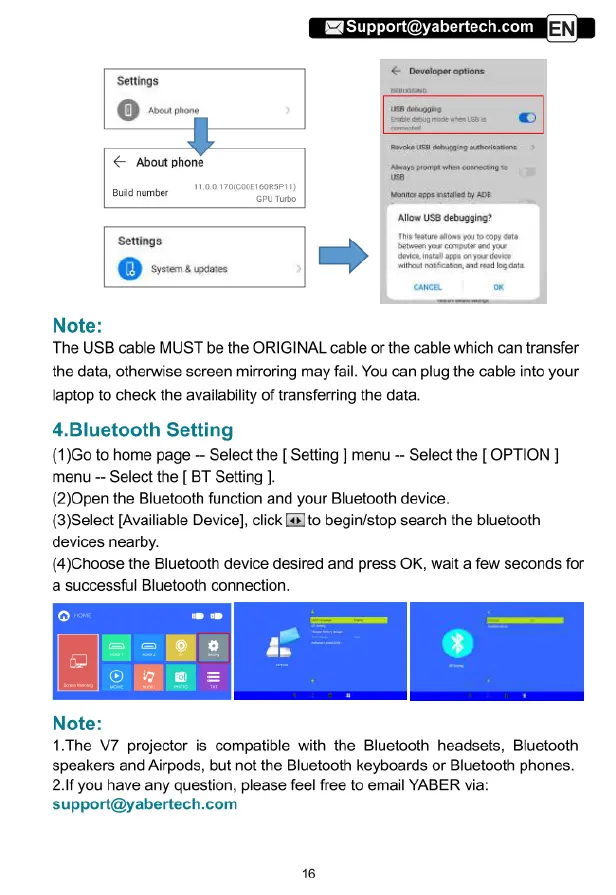
Settings
&
About
phone
Buld
number
el
ontes
g
rted
o
8.
pro
@
i
=)
Alow
USS
debugging?
Note:
The
USB
cable
MUST
be
the
ORIGINAL
cable
or
the
cable
which
can
transfer
the
data,
otherwise
screen
mirroring
may
fail.
You
can
plug
the
cable
into
your
laptop
to
check
the
availability
of
transferring
the
data.
4.Bluetooth
Setting
(1)Go
to
home
page
-
Select
the
[
Setting
]
menu
-
Select
the
[
OPTION
|
menu
-
Select
the
[
BT
Setting
].
(2)0pen
the
Bluetooth
function
and
your
Bluetooth
device.
(3)Select
[Availiable
Device],
click
[&]to
begin/stop
search
the
bluetooth
devices
nearby.
(4)Choose
the
Bluetooth
device
desired and press
OK,
wait
a
few
seconds
for
a
successful
Bluetooth
connection.
Note:
1.The V7
projector
is
compatible
with
the
Bluetooth
headsets,
Bluetooth
speakers
and
Airpods,
but
not
the
Bluetooth
keyboards
or
Bluetooth
phones.
2.If
you
have
any
question,
please
feel
free
to
email
YABER
via:
support@yabertech.com

Related product manuals