ok
M
ok
13
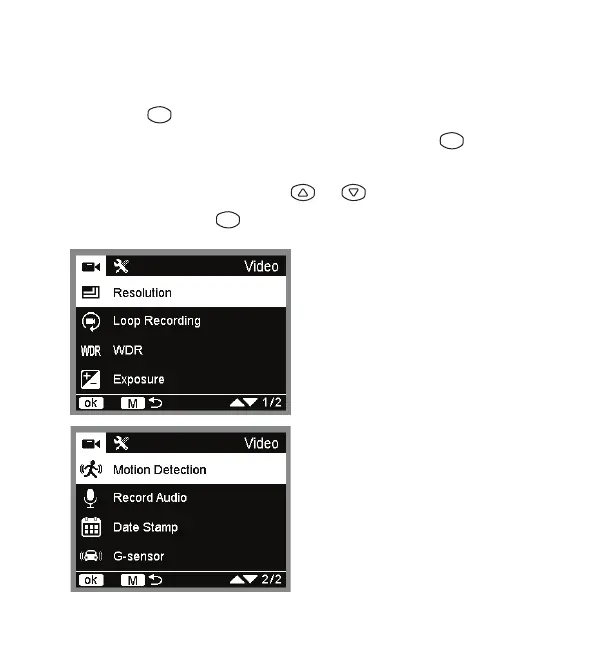
• Resolution: Select between FHD
1920x1080 or HP 1280x720.
• Loop Recording: Select between 5
minutes, 3 minutes or 1 minute.
• WDR: Select between ON or OFF.
• Exposure: Select between -2.0, -1.7,
-1.3, -1.0, -0.7, -0.3, 0, +0.3, +0.7, +1.0,
+1.7 or +2.0.
• Motion Detection: Select between
ON or OFF.
• Record Audio: Select between
ON or OFF.
• Date Stamp: Select between
ON or OFF.
• G-Sensor: Select between High,
Medium, Low, or OFF.
Video settings
• Press the button when the Dash Cam is recording in video mode
in order to stop recording and then press and hold the button to
enter video settings.
• In the video setting page, press or to switch between
selections and press to confirm selection.


 To Next Page