14
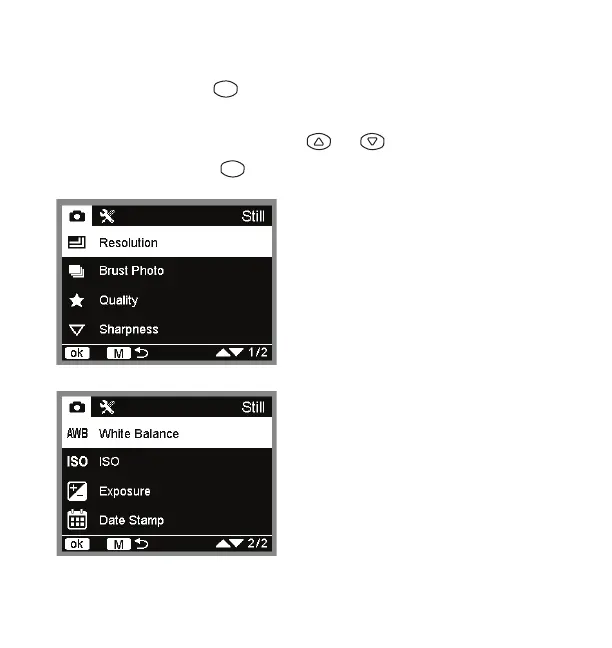
• Resolution: Select between 12M
(4032x3024), 10M (3648x2736), 8M
(3264x2448), 5M (2592x1944),,3M
(2048x1536), 2MHD (1920x1080), 1.3M
(1280x960) or VGA (640x480).
• Quality: Select between Fine, Normal or
Economy.
• Sharpness: Select between Strong,
Normal or Soft.
• White Balance: Select between Auto,
Daylight, Cloudy, Tungsten or Fluorescent.
• ISO: Select between 100, 200, 300,
400 or Auto.
• Exposure: Select between -2.0, -1.7,
-1.3, -1.0, -0.7, -0.3, 0, +0.3 or +2.0.
• Date Stamp: Select between Date and
Time, Date Only or OFF.
Camera settings
• Press and hold the button in the photo mode to enter camera
settings.
• In the camera setting page, press or to switch between
selections and press to confirm selection.
M
ok


 To Next Page