1. Turn the transceiver ON.
2. Press the
[
BAND
(
SQL
)]
key to enter the 144 MHz
band.
3. Press and hold the
[
MHz
(
SETUP
)]
key.
4. Rotate the DIAL knob to select “OPEN MSG 28” and
then press the
[
MHz
(
SETUP
)]
key.
5. Rotate the DIAL knob to select “MESSAGE” and then
press the
[
V/M
(
MW
)]
key.
6. Enter “AH075M”.
1) Rotate the DIAL knob to select “A”, then press the
[
V/M
(
MW
)]
key.
2) Repeat the previous step to complete the MES-
SAGE “AH075M”.
3) Press and hold the
[
MHz
(
SETUP
)]
key.
7. Turn the transceiver OFF.
Information for Customers Operating VHF/UHF Transceivers in the UK
Thank you very much for purchasing the YAESU transceiver.
The transceivers listed in this notice are congured at the factory with the ARS (Automatic Repeater Shift) Frequency
Range, and the Repeater shifts, as shown in the below chart “ARS Conguration B2”.
When any of the listed transceivers is operated in a location where the frequency range and repeater shifts in use are
as shown in the chart “ARS Conguration C2”; follow the respective procedure to change the Automatic Repeater
Shift conguration, before using the transceiver for the rst time.
ARS Conguration “B2”
Factory Default Setting
ARS Conguration “C2”
Selectable Setting
ARS Frequency Range: 438.20 MHz - less than 439.45 MHz
(
- shift
)
Repeater Shifts: 7.6 MHz
ARS Frequency Range: 433.00 MHz - less than 433.40 MHz
(
+ shift
)
434.60 MHz - less than 435.00 MHz
(
- shift
)
Repeater Shifts: 1.6 MHz
Caution:
• BychangingtheARSdesignatedbandsandrepeatershiftsaccordingtotheproceduresbelow,allsaveddata,suchas
MenuandMemorysettings,willbedeleted.IfyouneedtochangetheARSfeaturesettingafterusingtheradio,make
suretobackupyourregistereddataormakeawrittennote,beforeapplyingthesettingchange.
•
TheARSfeaturesettingisNOTchanged,evenwhenexecutingthe“FactoryReset”torestorethetransceivertothe
factorydefaults,asdescribedintheOperatingManuals.
8. Press and hold the
[
BAND
(
SQL
)], [
GM
(
AMS
)]
and
[
MODE
(
DG-ID
)]
keys while turning the transceiver ON.
9. <TYPE B2> appears
in the display.
10. Rotate the DIAL knob to select <TYPE C2> and press
the
[
GM
(
AMS
)]
key. The transceiver will re-start auto-
matically. Setting of the ARS feature to “Conguration
C2” is successfully
completed.
TorestoretheARSfeaturesettingtothefactory default
(
B2
)
,performthesameproceduresabove.
FTM-400XDE
1. Turn the transceiver OFF.
2. Connect the supplied microphone MH-48A6JA to the
transceiver.
3. Press and hold the
[
F
(
MW
)]
and
[
GM
]
keys while turn-
ing the transceiver ON.
4. Press the
[
Power
]
key briey, then “LOCK” will appear
on the display for one sec.
5. Press
[
8
]
à
[
3
]
à
[
7
]
à
[
8
]
à
[
3
]
à
[
7
]
keys on the
MH-48A6JA microphone.
6. Press the
[
Power
]
key briey, then “UNLOCK” will ap-
pear on the display for one sec.
7. Press and hold the
[
DISP
(
SETUP
)]
key.
8. Touch the
[
RESET/CLONE
]
on the display.
9. The ARS Configuration
name “B2” will appear in the
top right of the display.
BACK
BACK
RESET/CLONE
FACTORY RESET
PRESET
RECALL PRESET
MEM CH RESET
〉
〉
〉
〉
VERSION
MAIN :x.xxx 0EXP B2
PANEL:x.xx
10. Press
[
F
(
MW
)]
key, then the message <Confirming
FROM “B2” TO “C2”> will appear on the display.
11. Touch
[
OK?
]
. The radio will
re-start automatically. Set-
ting of the ARS feature to
“Configuration C2” is suc-
cessfully completed.
BACK
BACK
RESET/CLONE
FACTORY RESET
PRESET
RECALL PRESET
MEM CH RESET
〉
〉
〉
〉
VERSION
MAIN :x.xxx 0EXP B2
PANEL:x.xx
O K ?
FROM “B2” TO “C2”
Confirming
Cance
TorestoretheARSfeaturesettingtothefactory default
(
B2
)
,performthesameproceduresabove.
FTM-7250DE

 Need help?
 General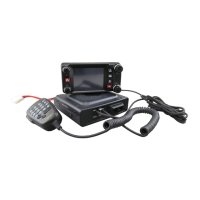






 To Next Page