VX-8DR/DE OPERATING MANUAL 61
SCANNING
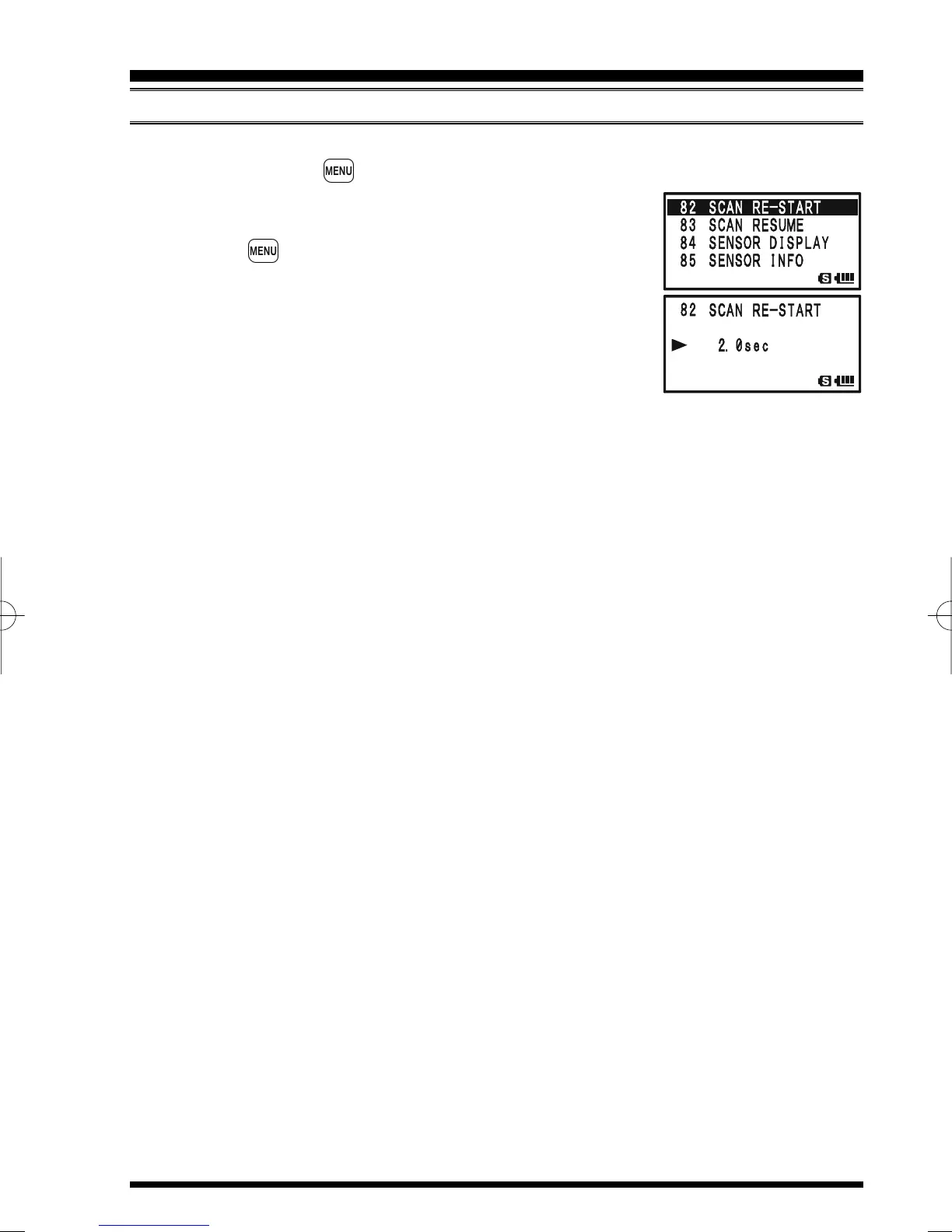
To set the Scan-Restart Delay Time:
1. Press and hold the key for one second to enter the Set Mode.
2. Rotate the DIAL knob to select Set Mode Item 82: SCAN
RE-START.
3. Press the key briefly to enable adjustment of this Set
Mode Item.
4. Rotate the DIAL knob to select the desired Scan-Restart
Delay Time. Available selections are 0.1sec - 0.9sec
(0.1sec/step) and 1.0sec - 10.0sec (0.5sec/step).
5. Press the PTT switch to save the new setting and exit to
normal operation.
The default condition for this Set Mode Item is “2.0sec”.
GENERAL


 To Next Page