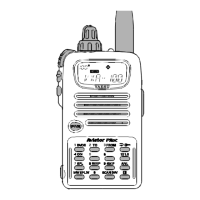
8. Use the alphanumeric keypad to enter the name. To advance to the next character, rotate the dial one
click clockwise.
Note: Press the desired key repeatedly to toggle among the various characters associated with that
key. For example, the [2] key has the following possibilities: A, B, C, a, b, c, 2. A total of 8 characters
is possible when storing a name.
9. Press [PTT] to save the memory name.
Disabling “WIRES” mode:
Yaesu radios have a WIRES feature that sends a tone at the beginning of each transmission. It is strongly
recommended to disable this.
1. Press the button to toggle WIRES on/off. When it's disabled, the computer icon ( ) will not
be visible on the upper left corner of the screen.
Prepared by K7TAY, k7tay@oregonaces.org


 To Previous Page