Basic Operating Procedure
12
Slow: Used for slow shot
Force off:
When the flash is off
EVF/LCD: This button allows users to switch in between
the LCD and EVF (Electronic View Finder) to operate this
digital camera.
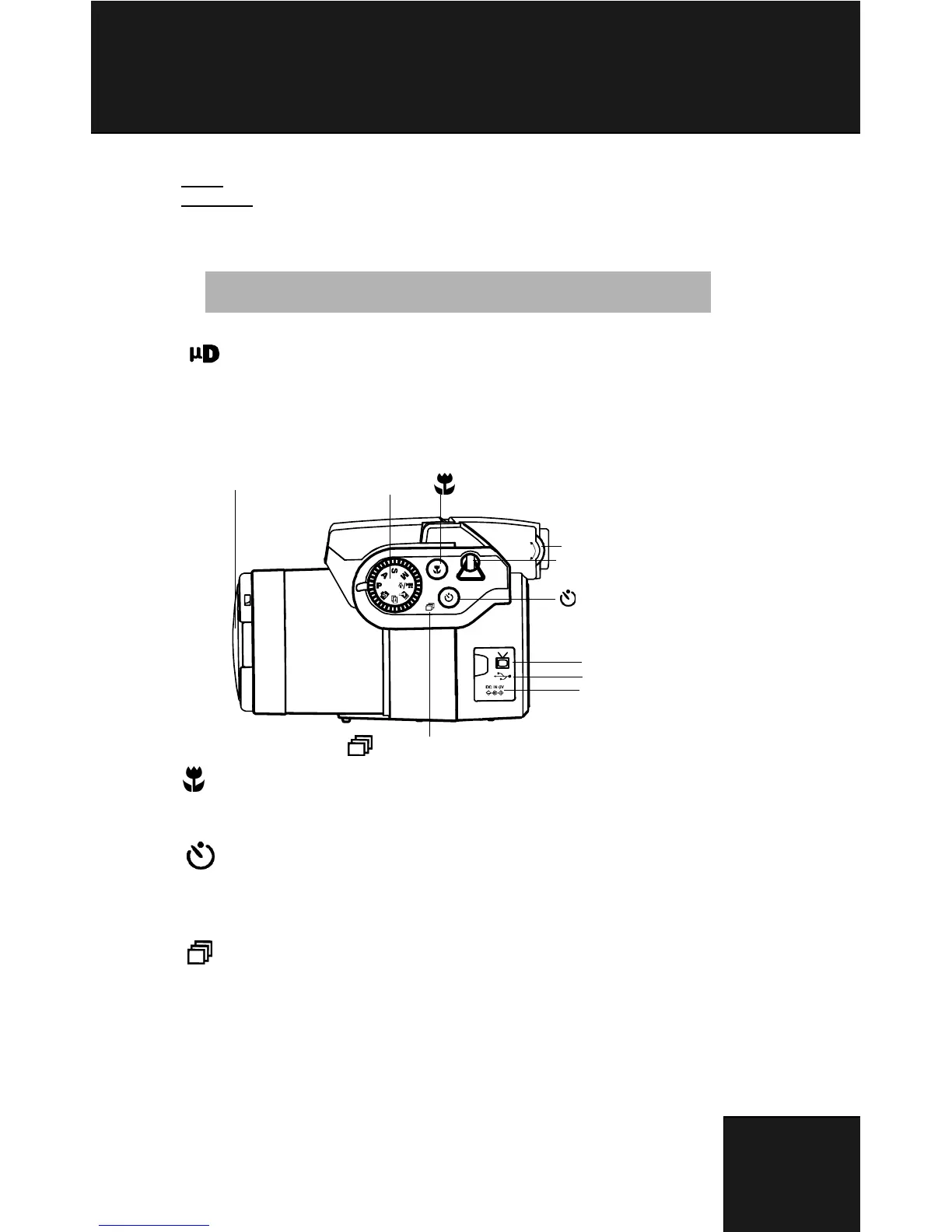
Dioptre Adjustment: This enables users to adjust the far
or nearsightedness of the viewfinder.
Macro: The macro function allows users to take close-up
pictures in a distance within 20cm to 50cm. Press the
Macro button to access Macro function.
Self-timer: The self-timer function is used in capture and
video mode with a time frame of 3 to 10 seconds. A tripod
is highly recommended when setting the self-timer to 3
seconds.
Continuous shot: This function allows 3 continuous shot.
Turn the mode dial to P. A. S. M. & scene mode. press
selftimer/continuous shot button twice, and press the
shutter button.
Tip: Push down the flash pop-out when not in use.
+
-
Mode Dial
Macro Button
Hook of Shoulder Strap
TV-Out
Mini USB
DC-in
Self-timer Button
Continuous Shot Button
Lens Cap
Dioptre Adjustment



 To Next Page